

I respect anybody who insists that they are right about something, as the history of technology is littered with ideas that initially crash out but are proven correct later on. The original Steam Controller was a noble failure, idiosyncratic and beloved by a handful of weirdos. The DNA for that original controller made it into the Steam Deck, where it flourished and where a more sensible version of the idea of two trackpads as an input device was vindicated. Now Valve is taking another shot at the Steam Controller, with the new device retaining the original’s name. And while the second attempt at Steam Machines has been pushed back due to a bunch of useless jackasses making the computer expensive, for people who game on PC within Valve’s ecosystem, and particularly on the couch, the Steam Controller is ideal.
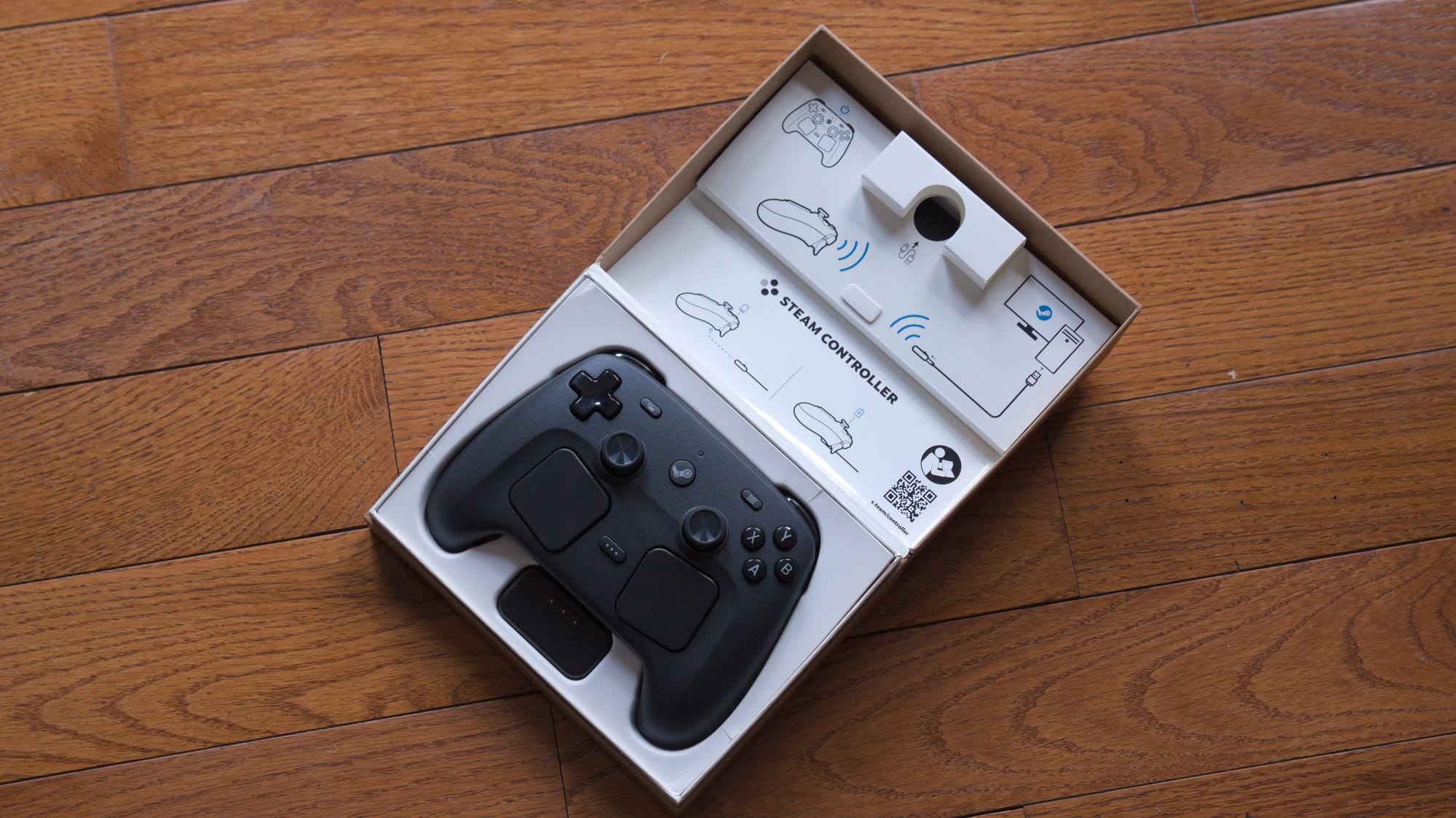
Though the Steam Machine has officially been pushed back, I spiritually have several in my home in the form of gaming computers running an immutable form of Linux. My main PC dual boots Bazzite, as does my living room PC, which has been exorcised of Windows entirely. I also have a BC250 crypto mining card that I am converting into a bootleg Steam Machine for fun (stay tuned for that). I do much of my gaming on the living room machine, a pre-covid small form factor PC that’s roughly comparable to a base PS5 and still has a lot of life in her. She can run indie titles just fine, and streaming games via Moonlight from my office works like a charm. Outside of this, the Steam Deck is one of my most used consoles. The Steam Machine lifestyle is already here for some of us, and I’ve been living it.
Disclosure: Valve sent Aftermath a Steam Controller for review.
The living room PC lifestyle is valid
Having a living room PC is always slightly embarrassing, because you just have a keyboard and mouse on your coffee table. I have gone though many different setups over the years as my living situation has changed, much of it dependent on if another person needs to make sense of it. Though Bazzite and SteamOS take a lot of the friction out of this by launching you right into Big Picture mode on boot if you choose to, you’re still gonna need to go into the desktop eventually, and so something that can approximate a mouse and keyboard is ideal. I have tried almost every approach you can think of to make this setup less awkward, and know them all like the back of my hand.
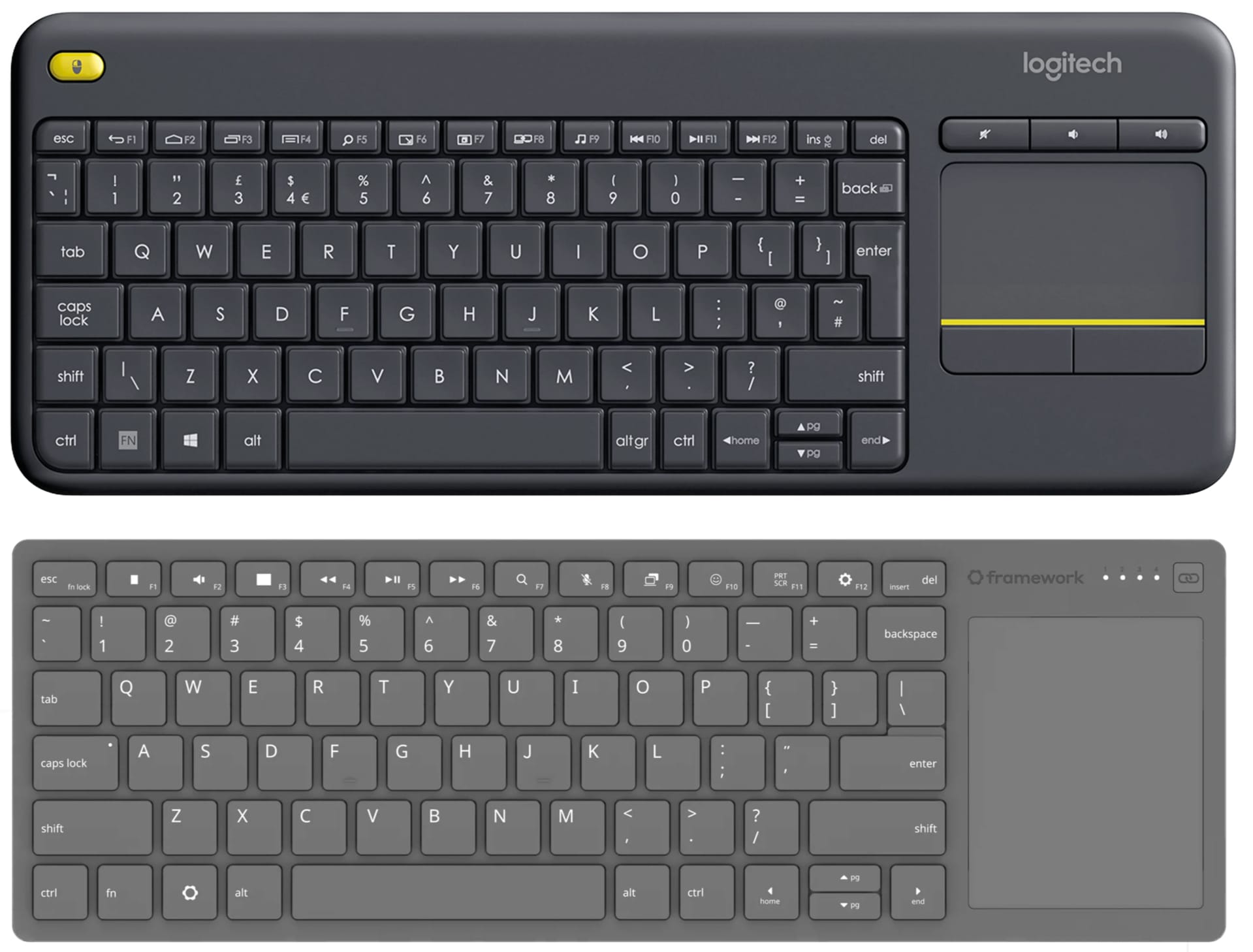
The Logitech K400 is often the de facto choice here, as it is a low profile keyboard with an integrated trackpad, although it’s a miserable, cheap keyboard to use. Framework recently announced a direct competitor to this, while subtly shading Logitech’s dominance in the space in their announcement. There are also countless little garbagey remote-shaped keyboards with trackpads that you can get from AliExpress. While they have their utility, they uniformly always suck a little.

The Steam Controller tries to take a stab at tackling this issue, in part by just importing all the work the Steam Deck has already done in the handheld space. The twin trackpads on the Steam Deck and the ability for different members of the community to share controller layouts has enabled countless games that would otherwise be unplayable to sing on the Steam Deck. The trackpads on the Steam Deck not only serve as a mouse replacement, but also summon an on-screen keyboard for text input in a manner similar to using a smartphone. If for whatever reason you need to enter a desktop environment on either a handheld or on a big-ass OLED, the Steam Controller and the Steam Deck’s trackpads will get you most of the way there. If you are living the living room PC lifestyle like me, you will probably still need to keep that keyboard and mouse combo handy, but there simply isn't a better controller for someone who has decided to put a regular ass computer in their living room where normal people can see it.
Drift no more, repair as you want
In the wake of the sticks in countless controllers and Joy-Cons getting shitty over the years, people sought out alternatives that lasted. This would initially manifest in Hall Effect sticks, a magnet-based technology that was present in the Dreamcast controller. In the intervening years, third party controllers have sprung up from companies like 8Bit Do as well as full conversion kits for DIY weirdos. Eventually, Hall Effect gave way to a newer technology called TMR, or Tunnel Magnetoresistance, which has many of the benefits of Hall Effect but with lower power consumption. Basically every third party controller is moving in that direction now, while every other first party controller still uses the older sticks that get shitty over time and eventually break.
The Steam Controller is the first first-party controller from a major console maker that uses TMR sticks. In particular, it uses K-Silver JS13 Pro+, modules that appear in a bunch of very nice high-end Chinese controllers like the ZD-0+ Excellence controller that I covered for Aftermath. Those are solid sticks, and barring some unforeseen manufacturing flaw will last a very long time. Like the original Steam Controller controller, both the Steam Deck and the new Steam Controller use trackpads based on capacitive technology from a company called Cirque, designed by Valve with the company's support.
The Steam Deck is perhaps the single most tweaked console in history. Its flexibility and open source nature has invited untold amounts of optimization, customization and modification. From shell swaps to thermal mods, the community has done a lot of work making that little thing sing, which Valve has either not gotten in the way of nor actively encouraged. This is smart for more reasons than I can count, not least of which is that it serves as free R&D for what the community wants out of the next device. And what this community wants is a device that does not suck to repair.
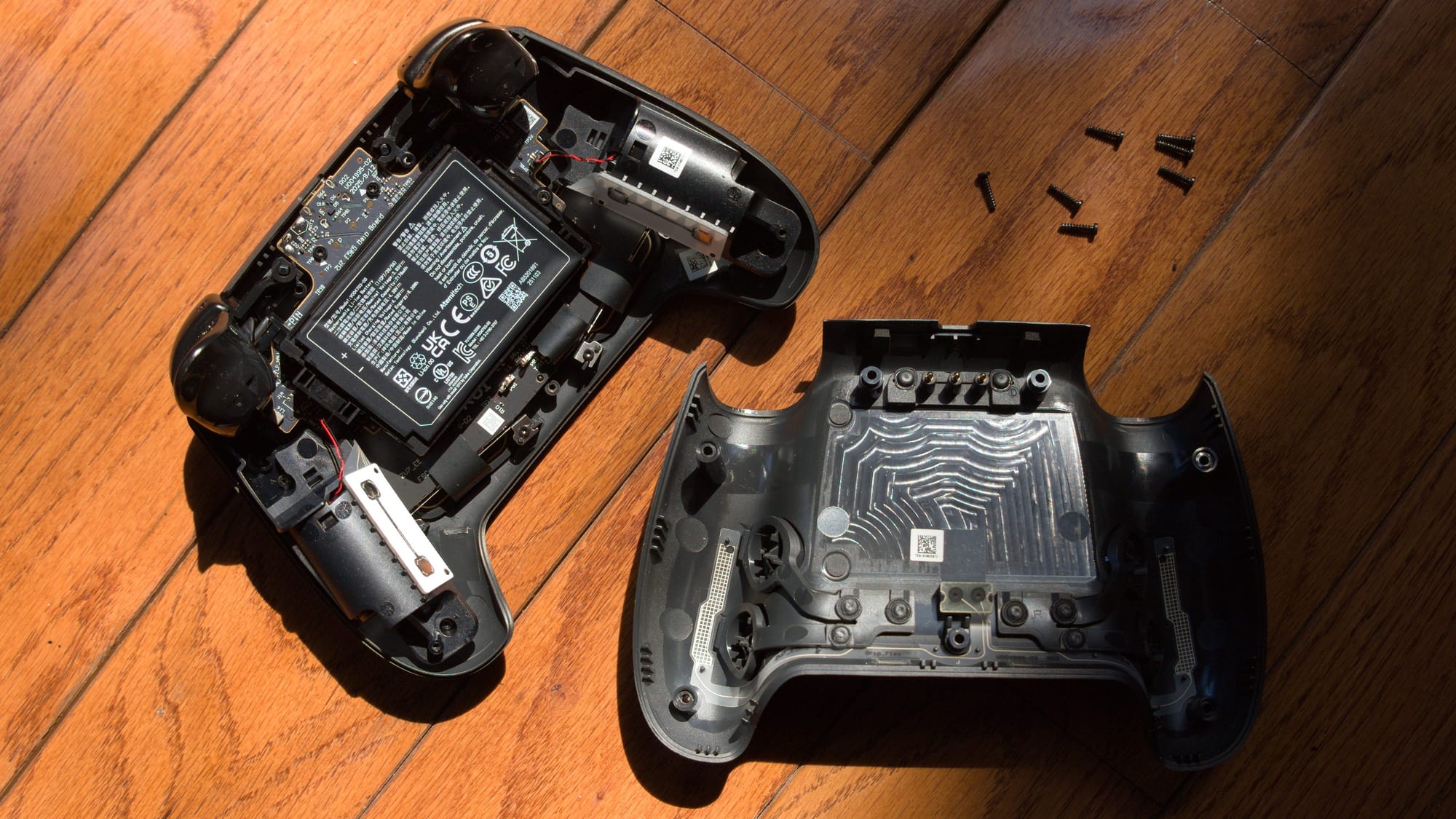
I have seen the guts of so many controllers, and the layout of the Steam Controller, like the Steam Deck before it, is an act of mercy. While it’s not one of the many weirdly modular Chinese controllers I’ve used in the past, it is a breath of fresh air compared to Sony’s DualSense, which is a rat’s nest of ribbon cables that you need to carefully diffuse like a bomb in a 90s action movie. This is not unique to Sony, as most consumer electronics are designed to be never taken apart. Valve understands implicitly that people might want to repair this thing, to mod it, to swap in the battery when it inevitably loses its charge. While the Steam Controller does not take replaceable batteries, it also does not hide its internals under security screws, and the battery is laid out in a sane, easy to access location. The PCB with the stick module on it is just kinda there, not hidden. What’s more, Valve is also partnering with iFixit and providing all the files for anybody who wants to 3D print their own accessories. This is the single friendliest first-party controller I have ever taken apart.
Magnetic puck
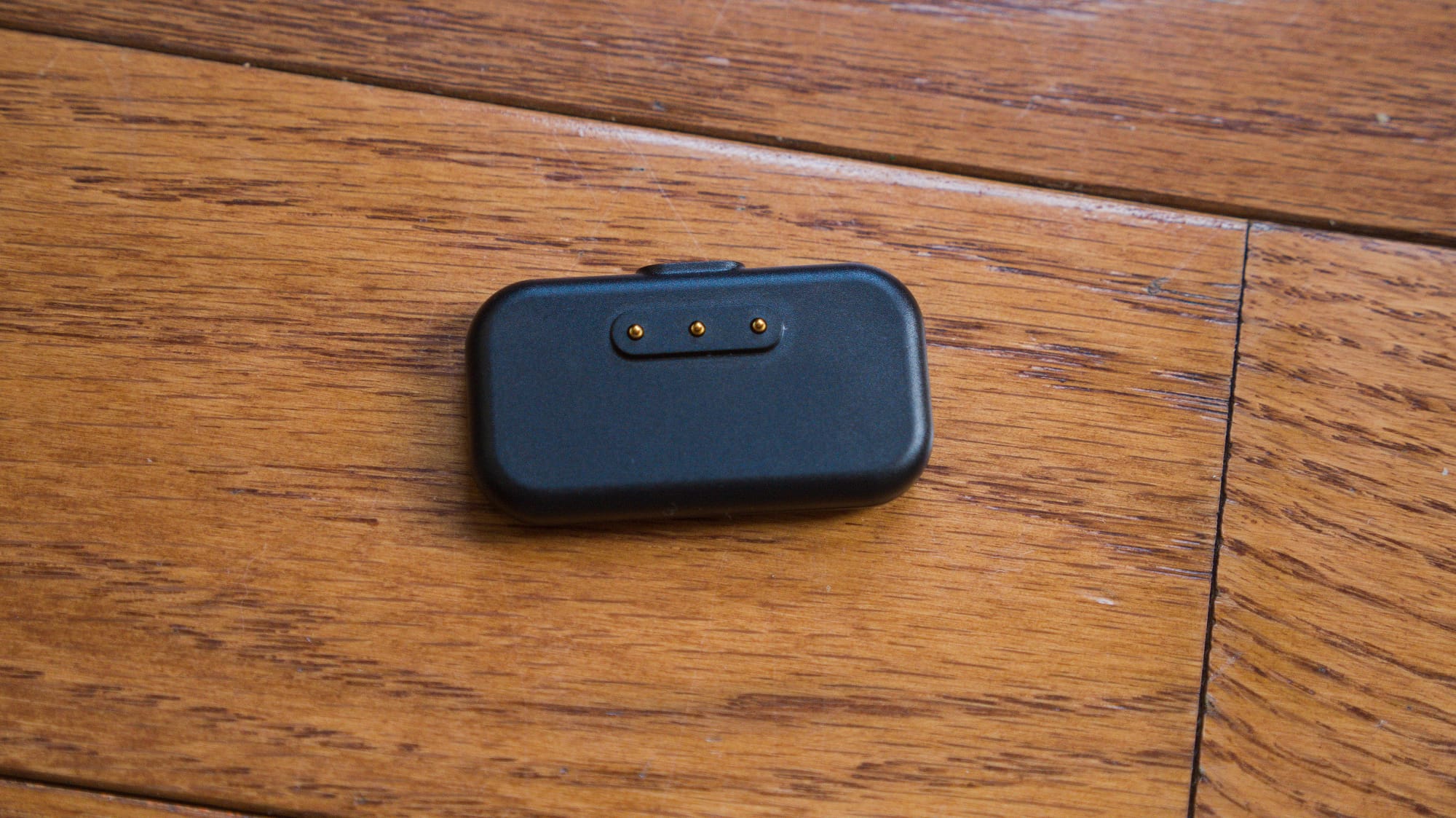
Most halfway decent mice or controllers come with a dedicated 2.4GHz dongle (the original Steam Controller actually came with one as well), because from a performance perspective Bluetooth is often quite bad and prone to interference. Sometimes you’ll also get a controller with a nice little optional charging dock too, which serves as a nice place to store your controller when you aren’t using it. Valve decided to combine the two with their magnetic charging puck, a little plastic oblong that plugs into USB-C and snaps to the back of the Steam Controller with a satisfying smack. You don’t technically need the puck to either charge or use the Steam Controller: the device has a Bluetooth connection (albeit with worse performance) and a USB-C port should you need to charge or connect directly. You should not need to do that if the impressive 35 hour battery life that Valve claims turns out to be true. But it is a welcome and ingenious piece of design, and Valve claims a single puck can support up to four controllers. What’s more, it makes the actual process of setting the controller up exceedingly painless. When I plugged my controller in, Steam asked to briefly update the firmware for both the puck and the controller, but once that was done I was off to the races.

Layout
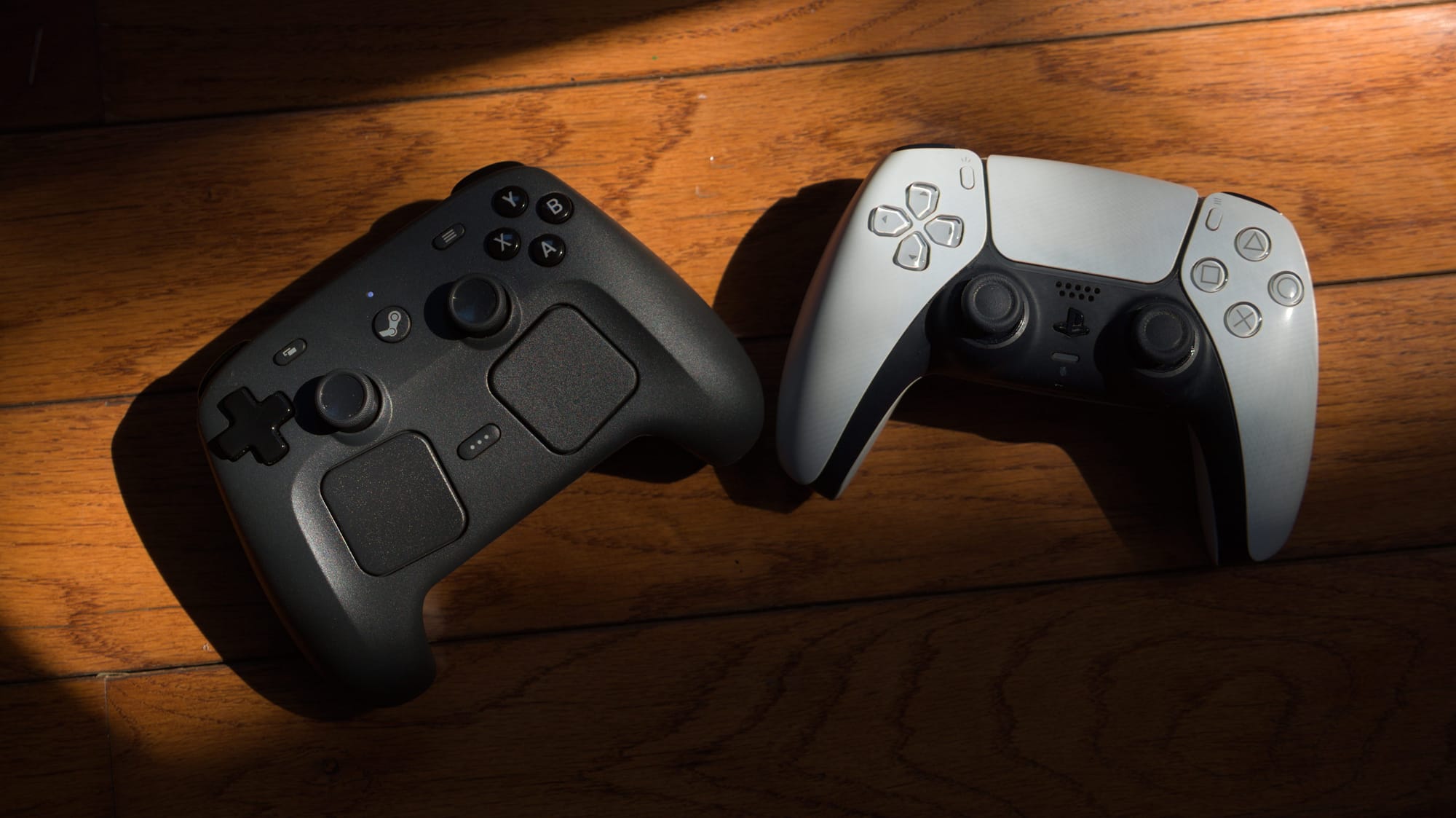
The Steam Controller, like the Deck, uses a symmetrical Sony-style layout, and at the risk of being a snob this is morally correct. Too many third-party controllers and handhelds use the cursed Xbox thumbstick layout, and it makes me feel like a man without a country sometimes. The Steam Controller differs from and innovates on the Steam Deck in many welcome ways, however. The programmable buttons on the back of the controller, something that should just be legally mandated in every single controller on earth, are much more prominent than on the Deck. The pads are slightly larger and angled slightly inward, although they have the same haptic feedback when you touch them that feel like a fidget toy.
The buttons and triggers have a membrane feel, but not in a bad way, and I imagine putting mouse buttons and short throw triggers in is going to be the first thing people try to mod. The grips are angled in a way that feels comfortable, which was the biggest failing of the Steam Deck by far and something that I imagine will change in further revisions. Despite looking like an awkward, large Xbox 360 controller in images, it feels shockingly well-proportioned and familiar when you get it in your hands. Controllers are deeply personal, and I imagine some people might not enjoy the placement of the sticks, but for me it felt just right.
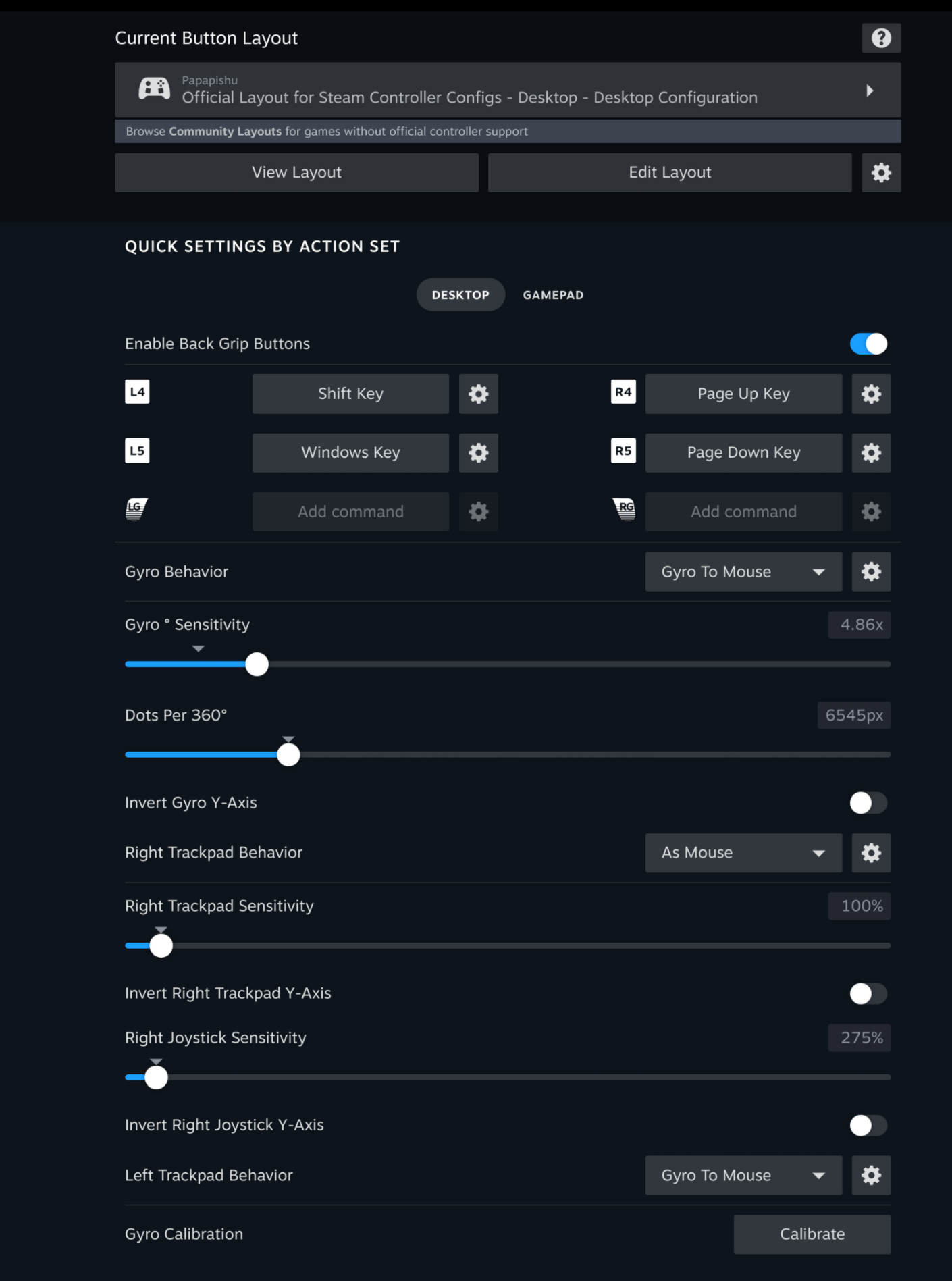
In addition to improvements in ergonomics, the controller also features the optional ability to do gyroscopic controls, which are enabled and disabled by sensors in the grip. I’m going to be honest: I don’t normally use gyroscopic controls a lot, but I know gyro fans are out there. This is one place where I imagine custom controller profiles in Steam will really sing, as gyroscopic controls allow for a degree of pointerlike precision for people who are good at it. I took a swing at using some custom profiles for Boomerang X and Neon White in my testing with the device, and while I see and respect the vision, it is simply not for me. Where the gyro controls do sing for me is enabling them as a pointer in Desktop mode. There is also an infrared sensor in the controller that’s meant to be used with the upcoming Steam Frame, but that’s a functionality that nobody has been able to test.
Cost/benefit
As of publication, the Steam Controller retails for $100 dollars, which places it in a specific pricing tier. It’s more expensive than the DualSense and the same price as the Switch 2 Joy-Cons. I personally feel like the price is justified by the repairability, the unique nature of the trackpads, and the inclusion of TMR sticks, which even the $200 Xbox Elite and DualSense Edge both lack.
There is also one other complication that many others have pointed out, which is the reliance on Steam. When you use the Steam Controller, Steam acts as a compatibility layer for the controller to make sure the gamepad is properly mapped. Part of this appears to be a technical limitation given the nature of the controller as functionally a mouse, keyboard, and gamepad combined. In a Windows environment you can still use the controller in Desktop mode with Steam in the background as a mouse and keyboard, but if you want to run it as a game pad you must launch it through Steam. There are workarounds to do this quite easily, although this may be a dealbreaker for some.
In my testing however, the Steam Controller works slightly differently in a Linux environment. It just works…sorta. You still need Steam running, but this is actually a very common Linux experience, as I’ve had devices, like label makers, that would normally give me grief in Windows work instantly. Though the Steam Controller functions in a slightly idiosyncratic way (haptics would trigger halfway through a trigger pull for a slightly weird “bump”), I was able to play Cairn launched from the Heroic launcher just fine in Linux but not in Windows. Similarly, I was able to stream Pragmata using Moonlight and have it mostly work fine.
When I reached out to Valve to get a technical answer for this difference in behavior (in particular asking about the driver HID-Steam), they pointed out that support for the Steam Controller has been upstreamed and open sourced into SDL (Simple DirectMedia Library) since November.
“In general, other than the Xbox controller, console gamepads don’t use a driver on Windows” A representative for Valve told me via email. “Instead, the games that support these devices are mostly using HID via either custom code, Sony’s library for PS controllers, or a library like SDL - which Valve contributes to and provided the initial support for PlayStation, Switch, Steam, and other controllers. Like with all of our hardware, we want to be open, so back in November we open sourced the code for talking to the new Steam Controller into SDL. Developers that want to support the controller are free to use the latest version of SDL and support the device directly in their game/app, though we still feel that we’re able to deliver a more consistent and better experience for players through Steam Input for Steam games and supported non-Steam apps.”
“On Linux it’s much simpler to create a virtual gamepad and with the near-universal use of SDL, either through directly integration in games or by the nature of running through Proton, we have much more latitude to create a good experience for players in non-Steam games when adding them as shortcuts. We have also provided hardware and developer support to the open source developer working on HID-Steam in the Linux kernel to allow the devices to function as gamepads when Steam isn’t running, following the same model as PlayStation, Switch, and other gamepads on the platform.”
Our time has come
It is easy to think of the Steam Controller as a device waiting for its console, the one part of Valve’s next step that has now been pushed back due to Sam Altman fucking the entire global economy up. But as a person who has lived with a PC connected to my TV for a very long time, I have wanted something like this, a device to make this experience a little more seamless. The Steam Controller is a step in the right direction, sanding a few of the rough edges off of the couch-based PC gaming experience. There is vindication to that, a confirmation that this weird behavior that I have been doing for more than a decade at this point is not without merit. Like the Steam Controller and perhaps with the Steam Machine, living room PC people generally have been waiting for our time to come. Perhaps that time is now.


