

Steam Machine costs too much for what it is because people who build computers for fun currently live in hell. There’s no getting around the basic economic math of the situation around RAM and memory, particularly because Valve does not have the same kind of purchasing power and supply chain clout as companies like Apple or Sony. Faced with this reality, people are making do, and one method is an obscure card originally meant to be shoved into server racks to mine cryptocurrency: the BC250.
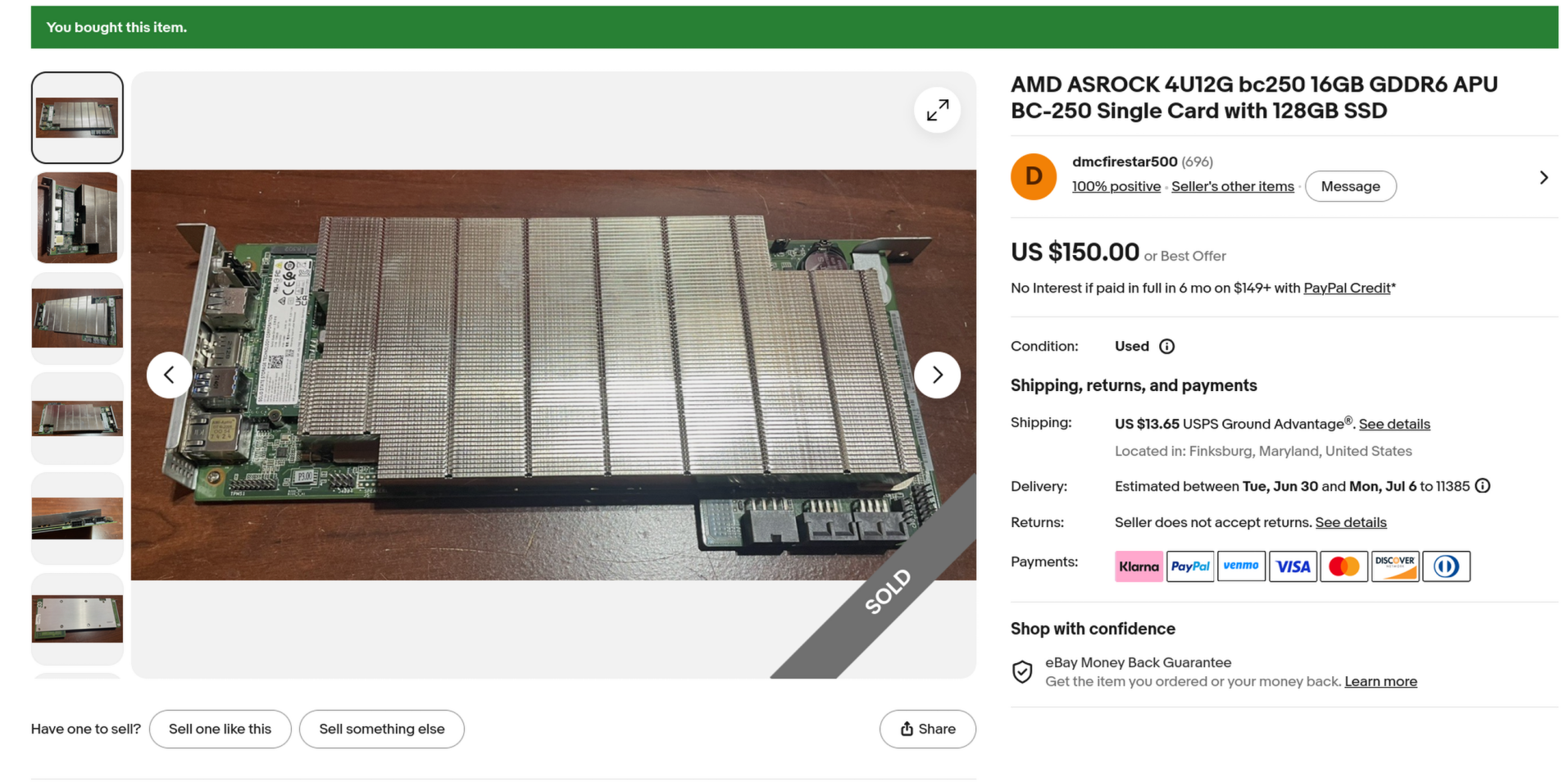
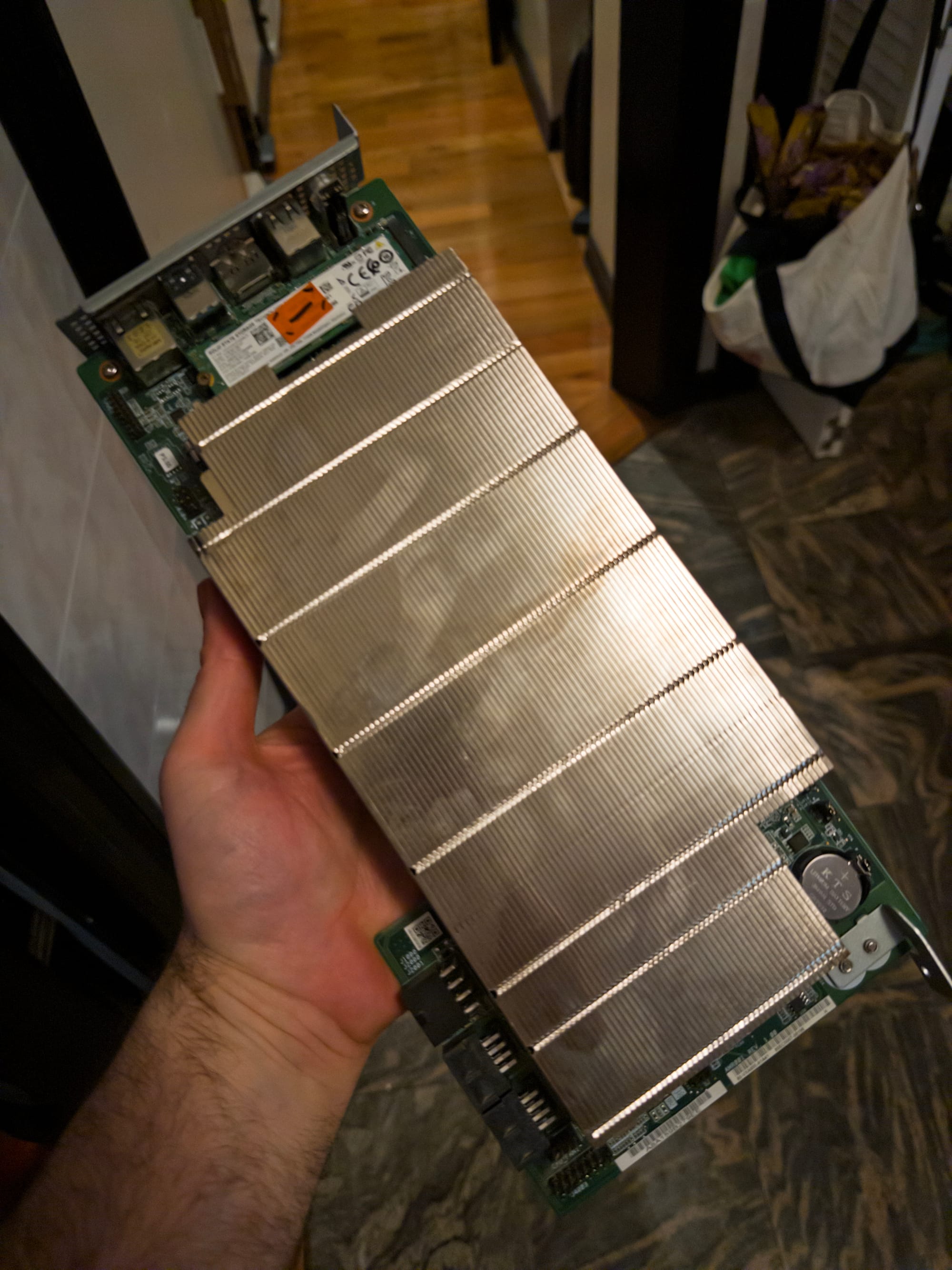
This is it. It's basically a neutered PS5 they shoved into servers to make imaginary scam money. Making scam money is no longer profitable.
The ASRock BC250 is designed around AMD’s "Cyan Skillfish" APU, an RDNA 2-based board that is functionally a cut down PS5. It was used originally to mine cryptocurrency. Since it is no longer profitable to run these things in servers to mine bitcoin, many of them appeared on the secondary market as e-waste. I have heard they went for as little as 100 dollars but that is no longer the case, and I got mine for about $177 with shipping, which included a 128gb SSD. Despite having fairly lean performance by gaming standards, the board includes something worth its weight in gold: 16 gigs of GDDR6 RAM soldered right in there that cannot be salvaged and scalped. The cost of that RAM alone is worth more than the board itself.
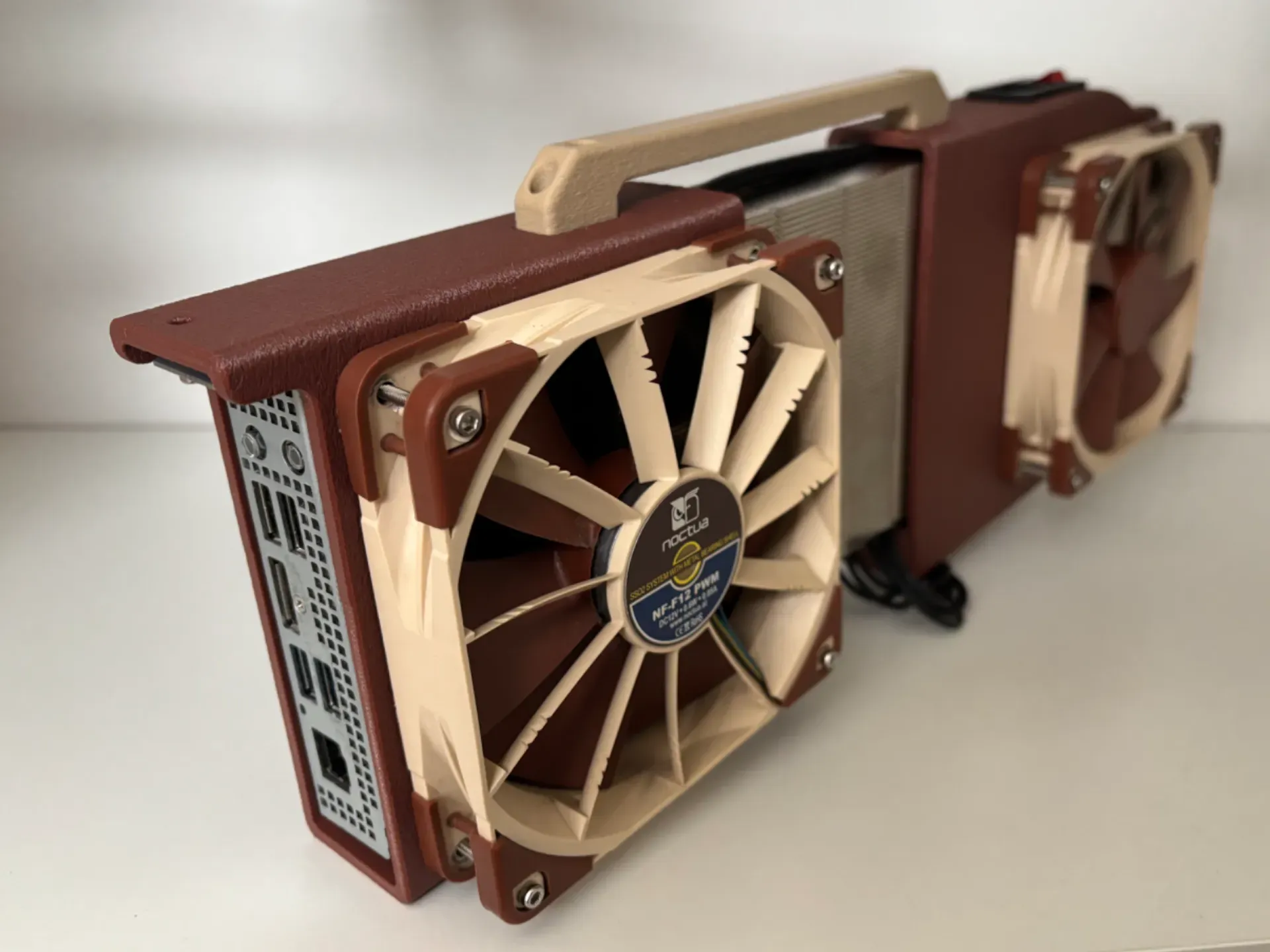
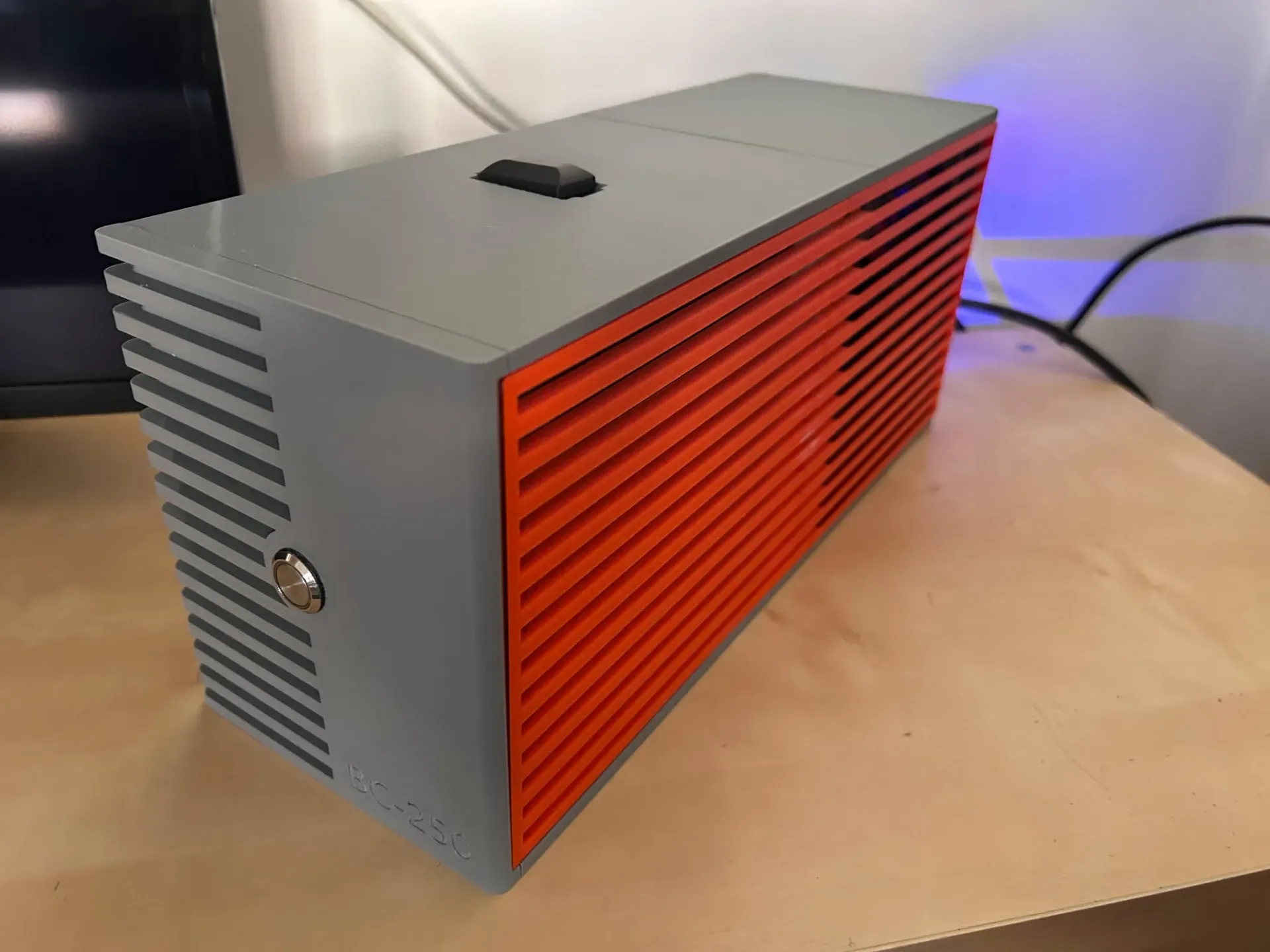
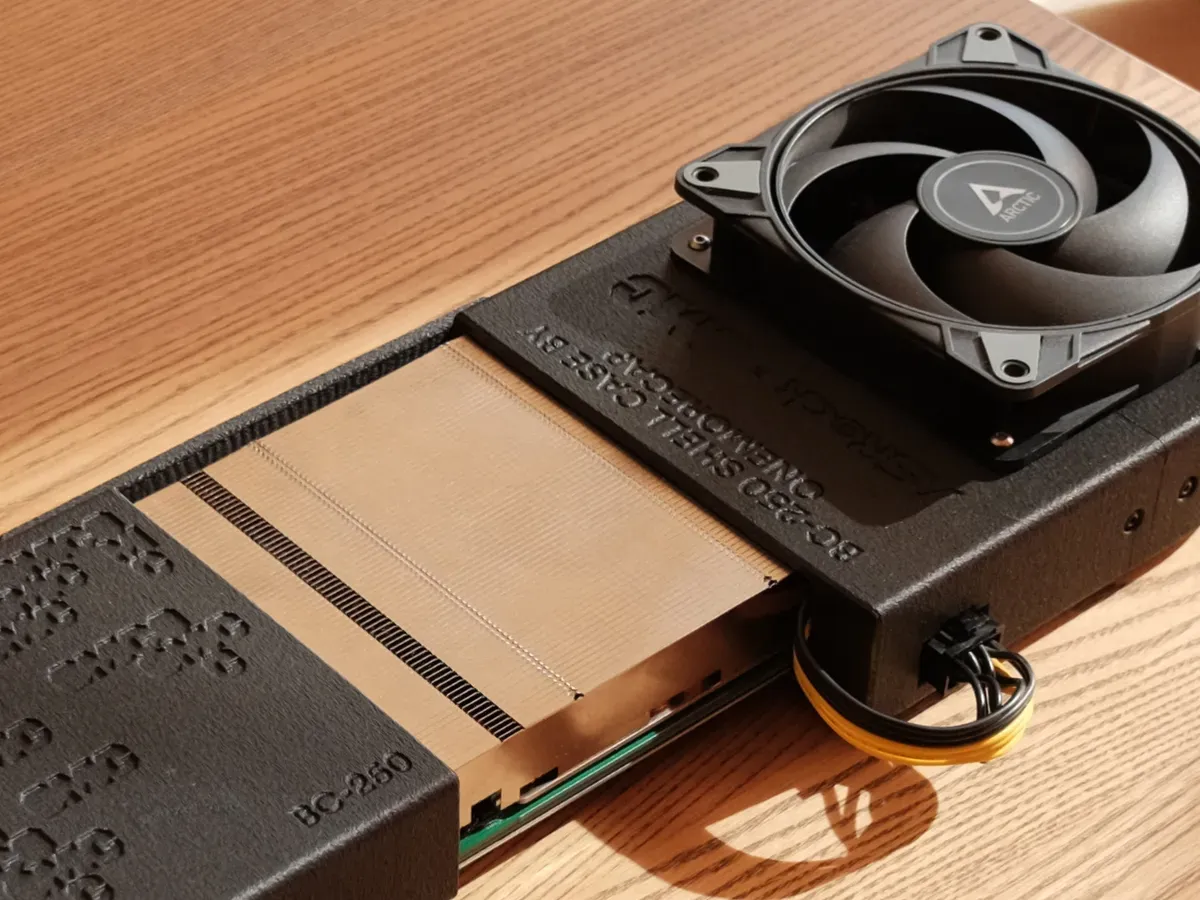
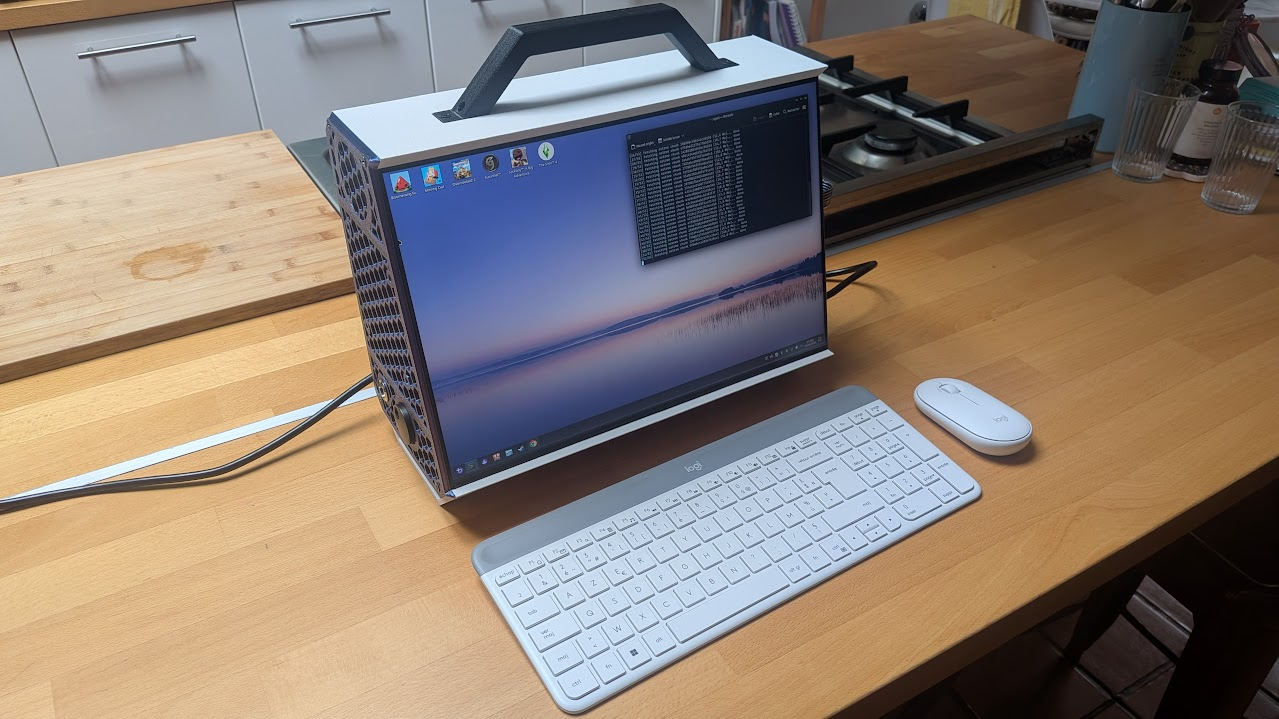
There's so many BC250 cases you can print at this point. Credit: Janjd, Pocket Adventures, Kacikor, Onemorecap, Gadget
Getting a BC250 to work using off the shelf parts is difficult because you’re attempting to use it for something it was never intended for. A BC250 build is thornier than any off the shelf PC build, for something less performant. But the reality is that for many people, “slightly less than or about as powerful as a PS5” is enough.
The challenge of building a garbage computer and squeezing every last drop of performance out of it is intoxicating for a specific kind of dork with too much time, or someone who writes about this stuff for a living. It also cuts to the core of what makes PC building fun. The community that has formed around it has come up with several solutions and workarounds that are bizarre, ingenious, and frankly heartwarming.
Warning: this is a trickier build than a PC depending on your build. If you decide to do this, know what you’re getting into.
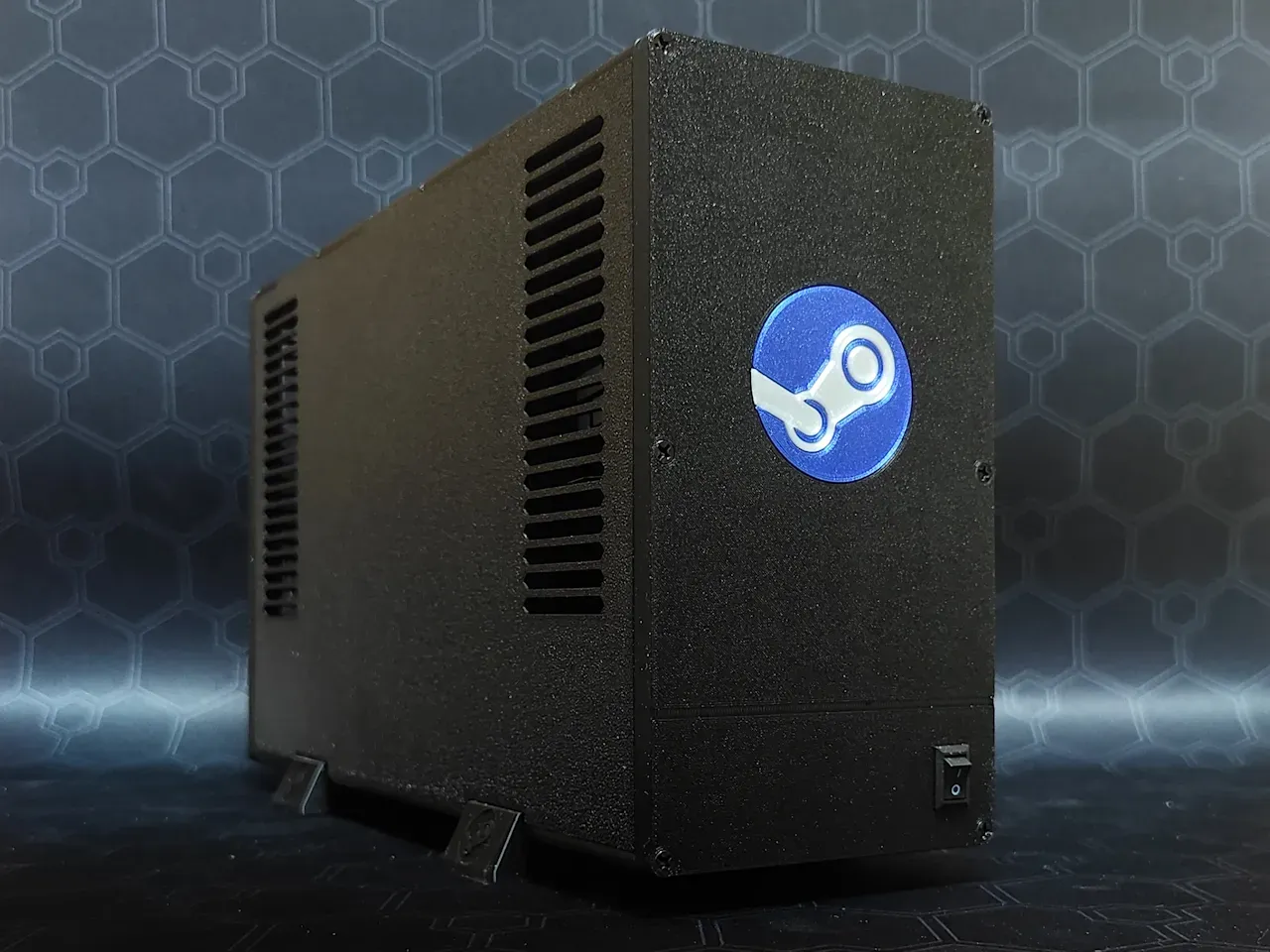
The card was originally intended to be placed in server racks, which have a specific kind of directional airflow that does not work in a traditional cooling setup. The finstack is bent in a specific directional manner. If you are trying to cool a PC you don’t typically make a cooler like this, with one notable and somewhat ironic exception: the Steam Machine, with its bizarrely powerful and optimized shroud and fan combo.
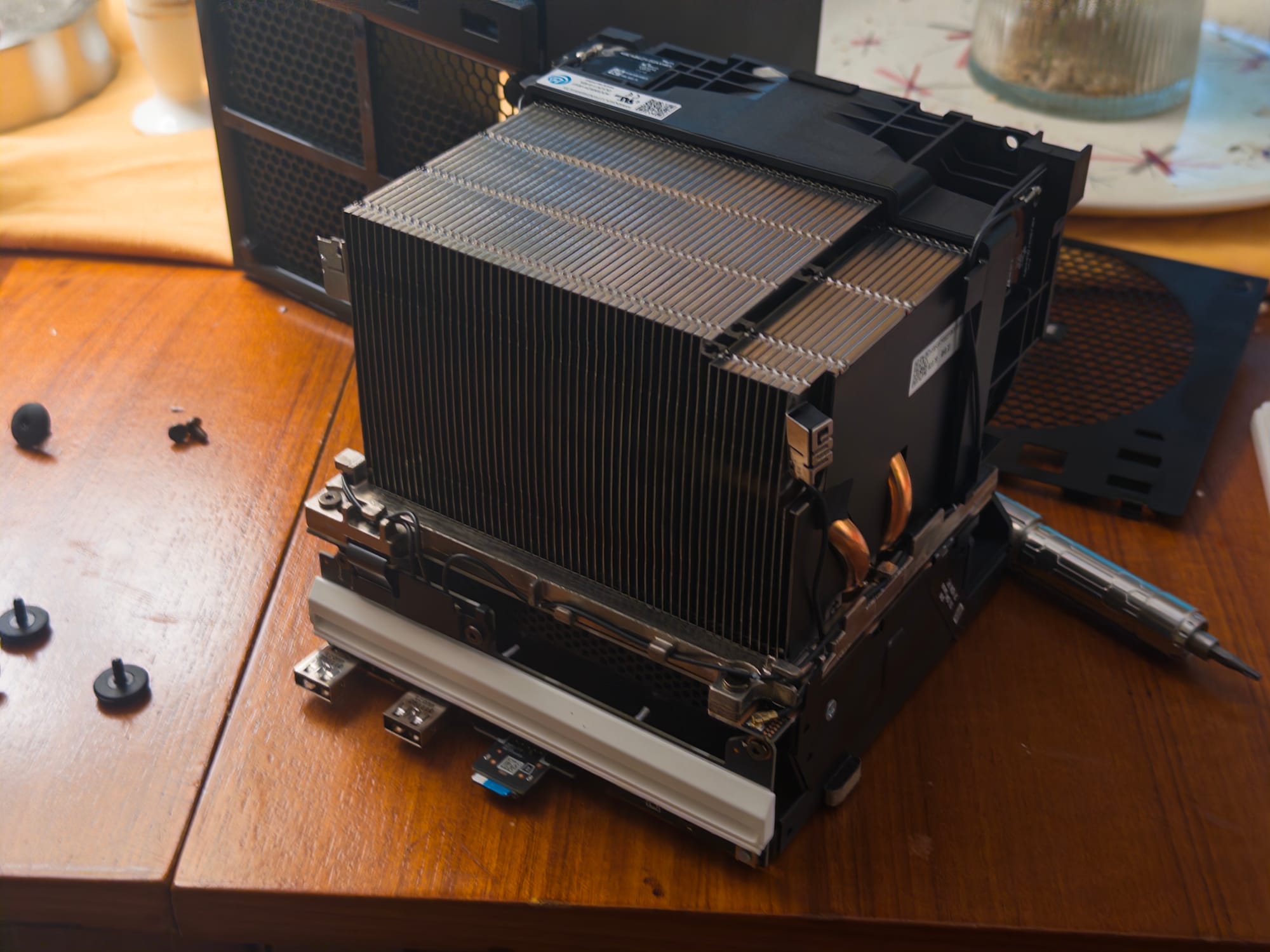
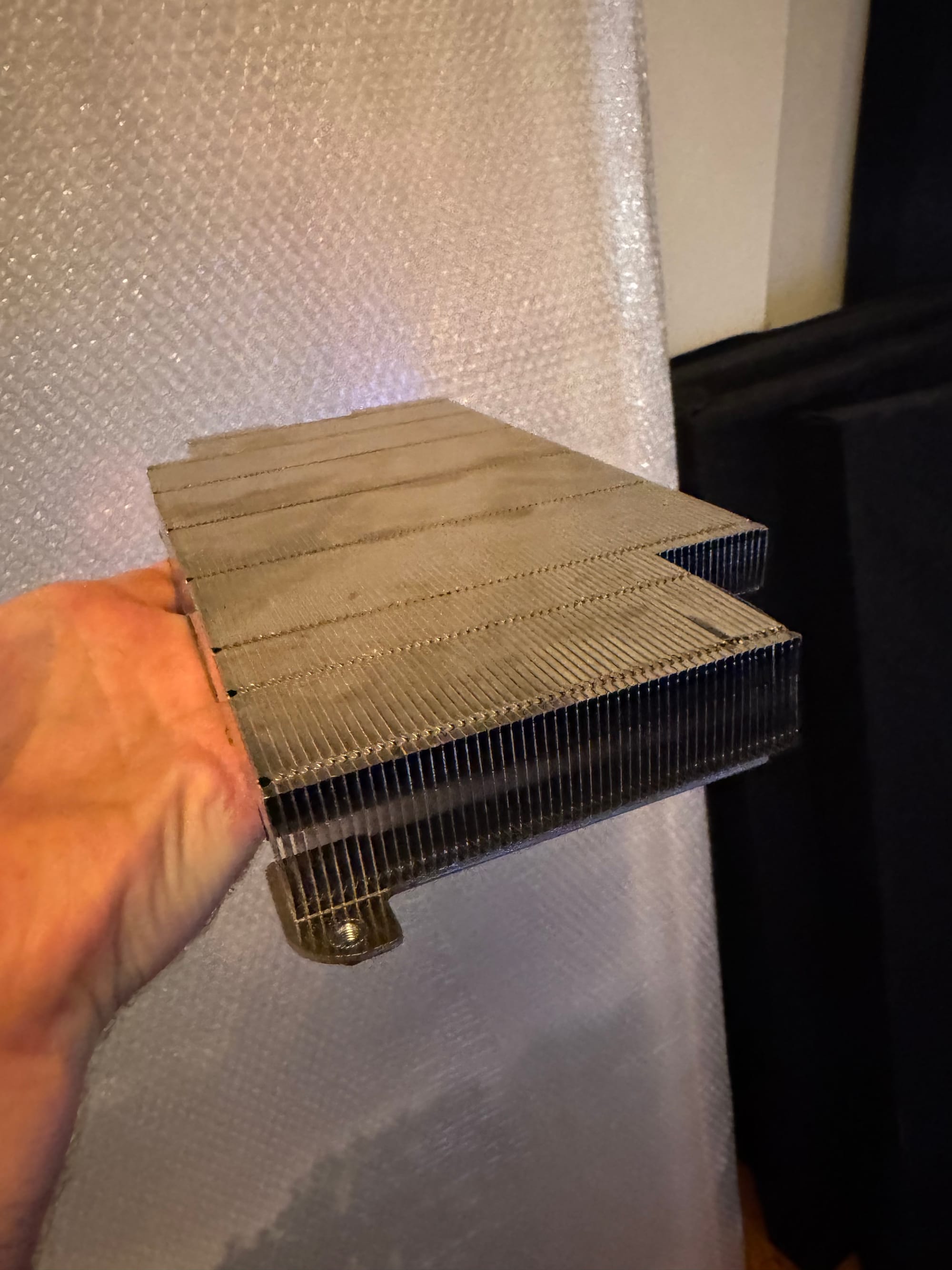
The Steam Machine (Left) and BC250's Cooler (Right) share a similar kind of fin stack design normally seen in servers.
If you want to properly cool the BC250 you have several options in increasing difficulty: zip tie a fan on it and hope for the best, use a 3D printed tool or pliers bend the fins, create a weird plastic shroud to tunnel air through it, or remove the cooler entirely and adapt an existing air cooler or AIO to it. Since I love a challenge and wanted the build to be as quiet as possible, I decided to go that last route. But there are plenty of people online who sell printed cases.
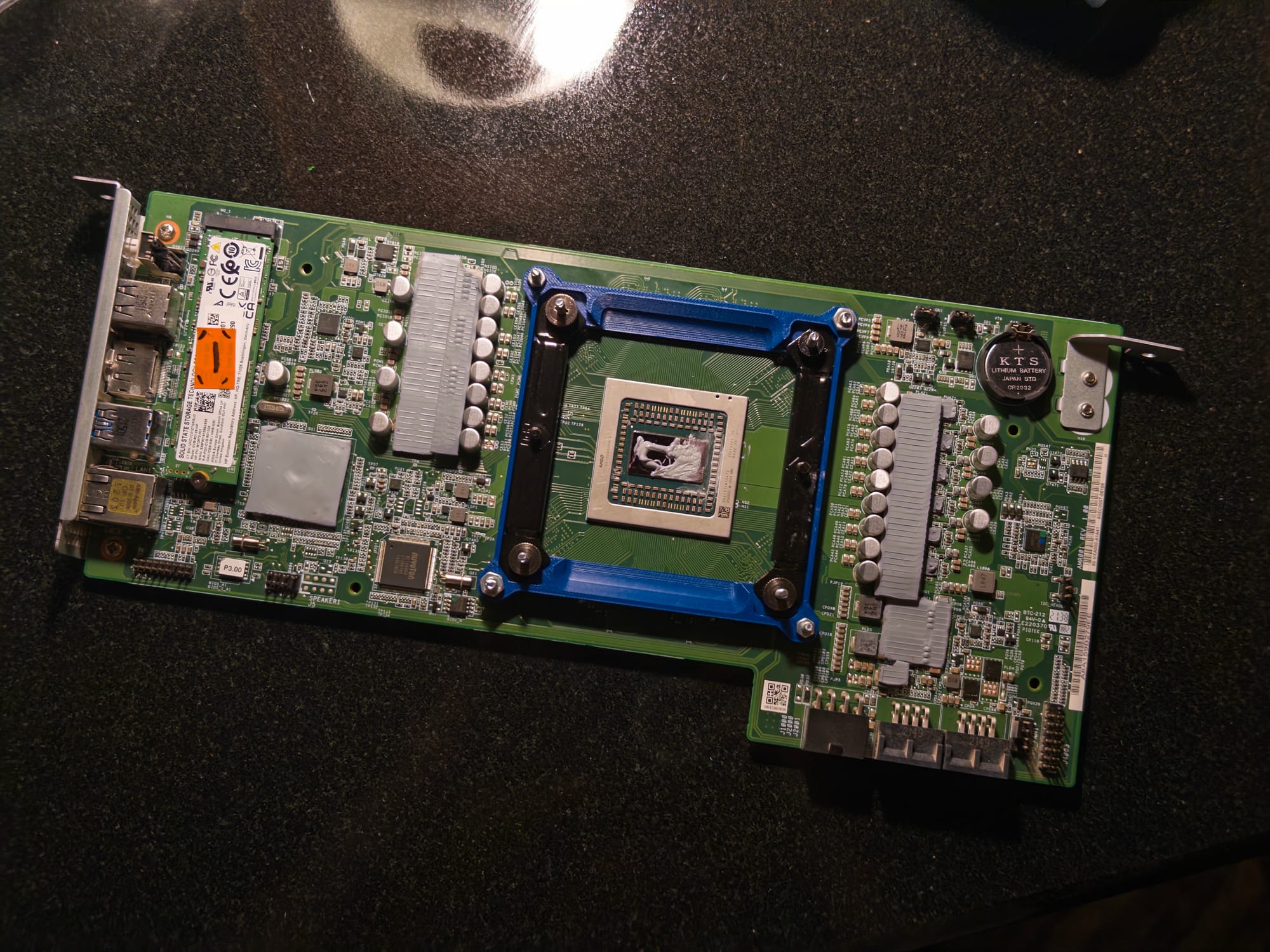
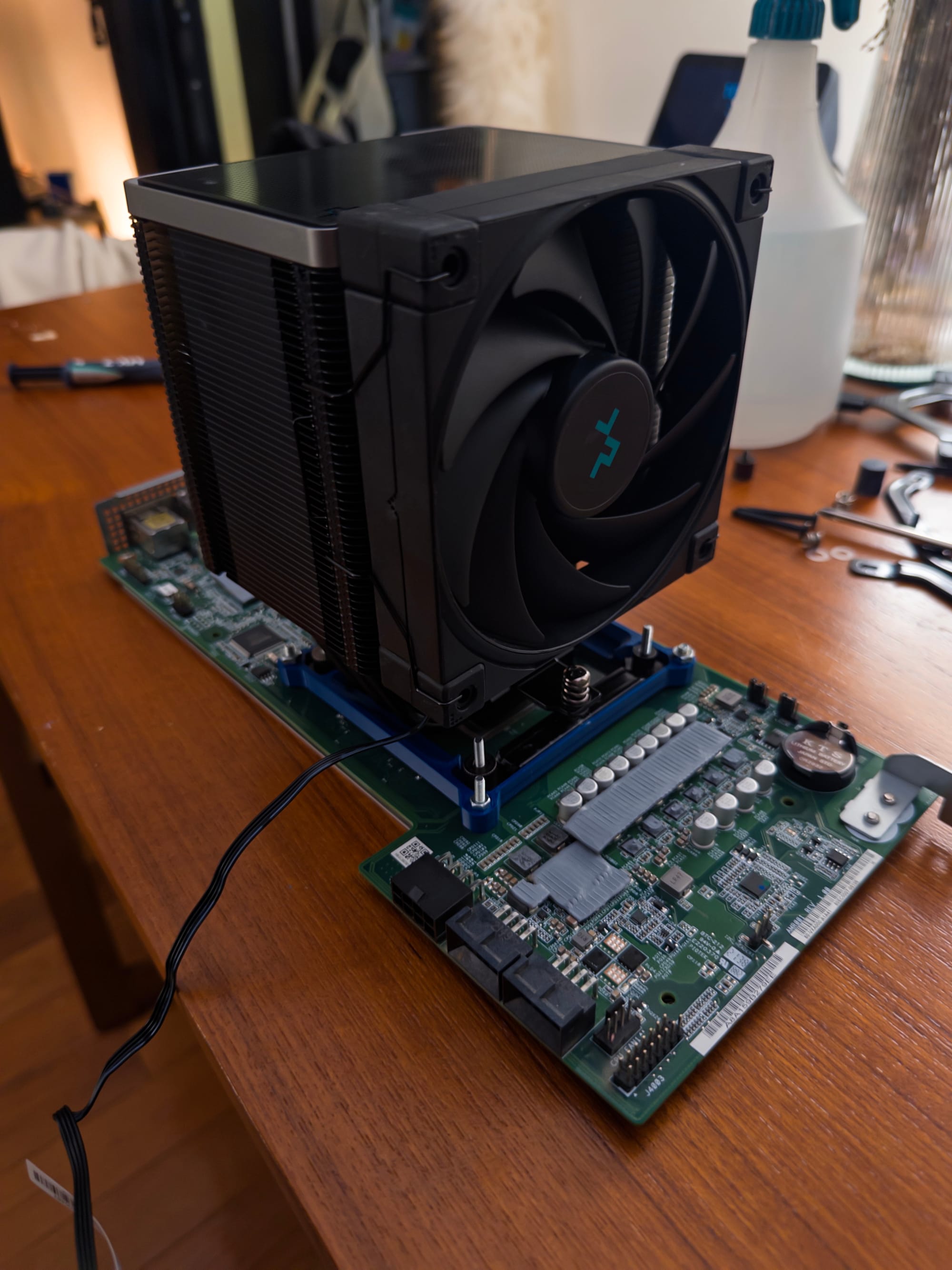
The case I went with was decidedly larger than many of the others, and was made by a person who goes by Gadget. Throughout my build and in the Discord, Gadget advised me in my build. Most BC250 cases are 3D printed, and due to the heat generated by the components, this limits the types of plastics you can use to PETG at minimum for the case and nastier plastics like ASA or ABS for anything remotely close to heat-generating components. Because the BC250 was never meant to accommodate a standard tower cooler, this meant I had to drag my 3D printer outside to print a heat resistant bracket that a stranger had put online. After many dead ends, I finally found one that fit exactly.
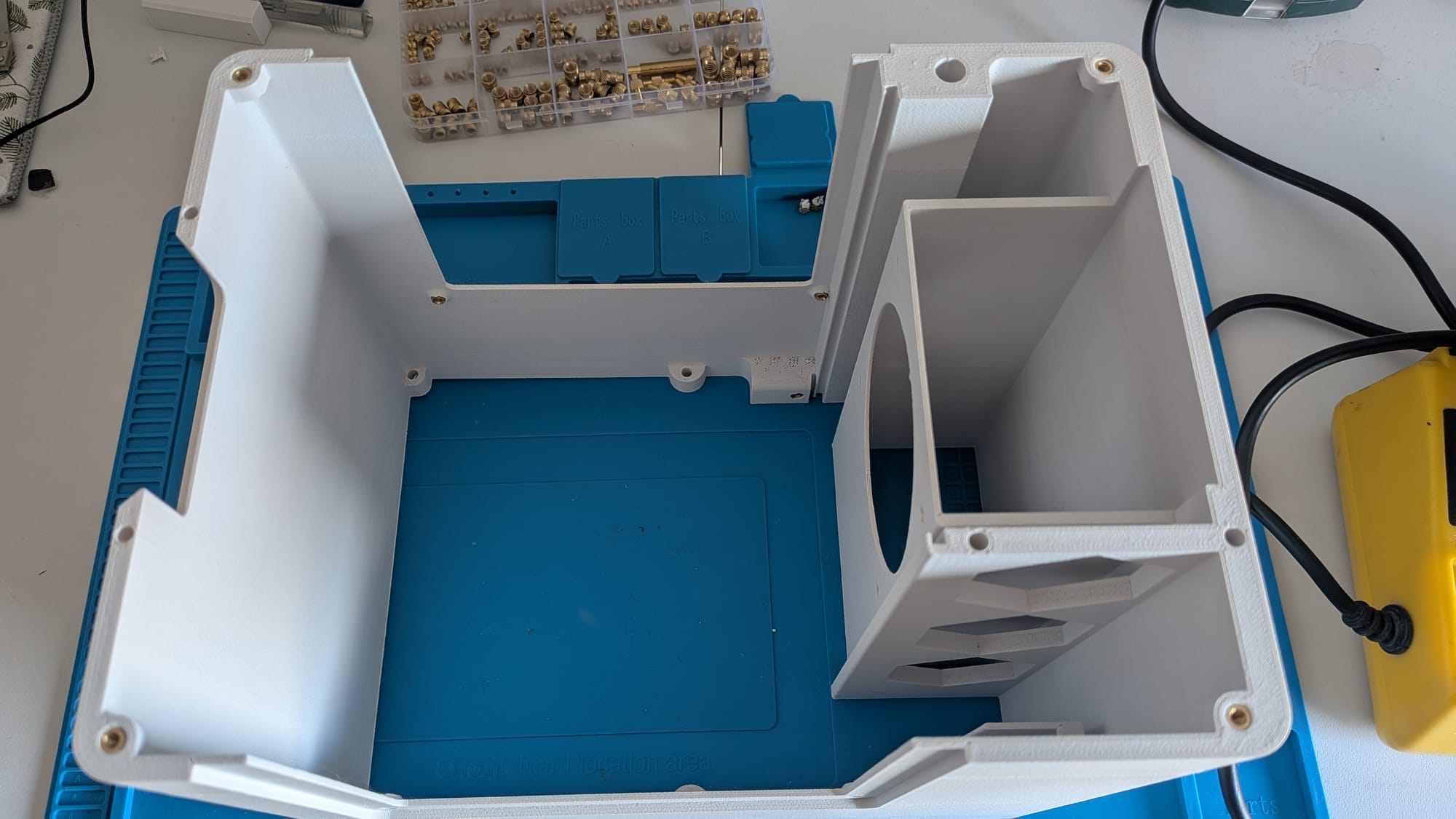
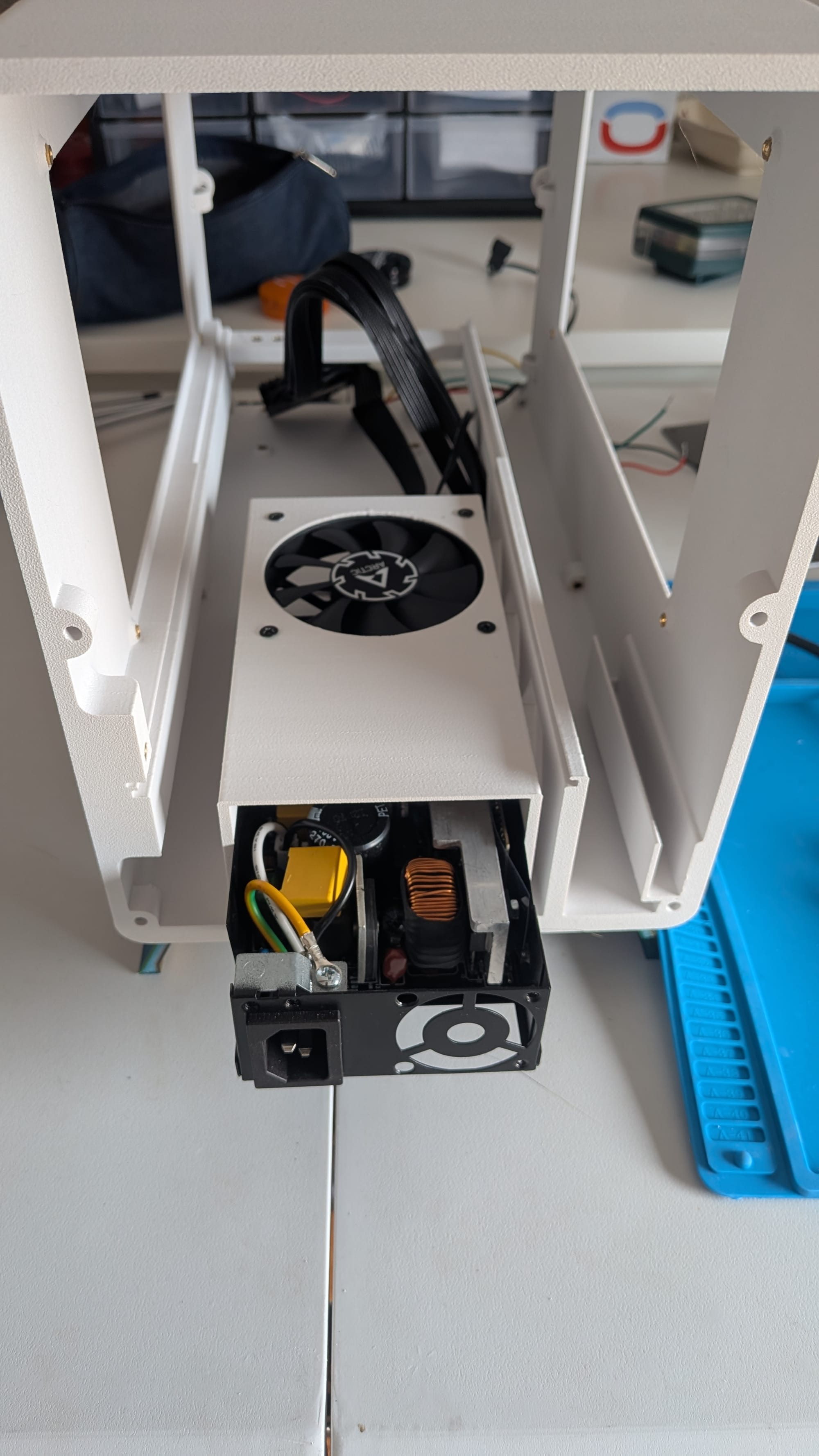
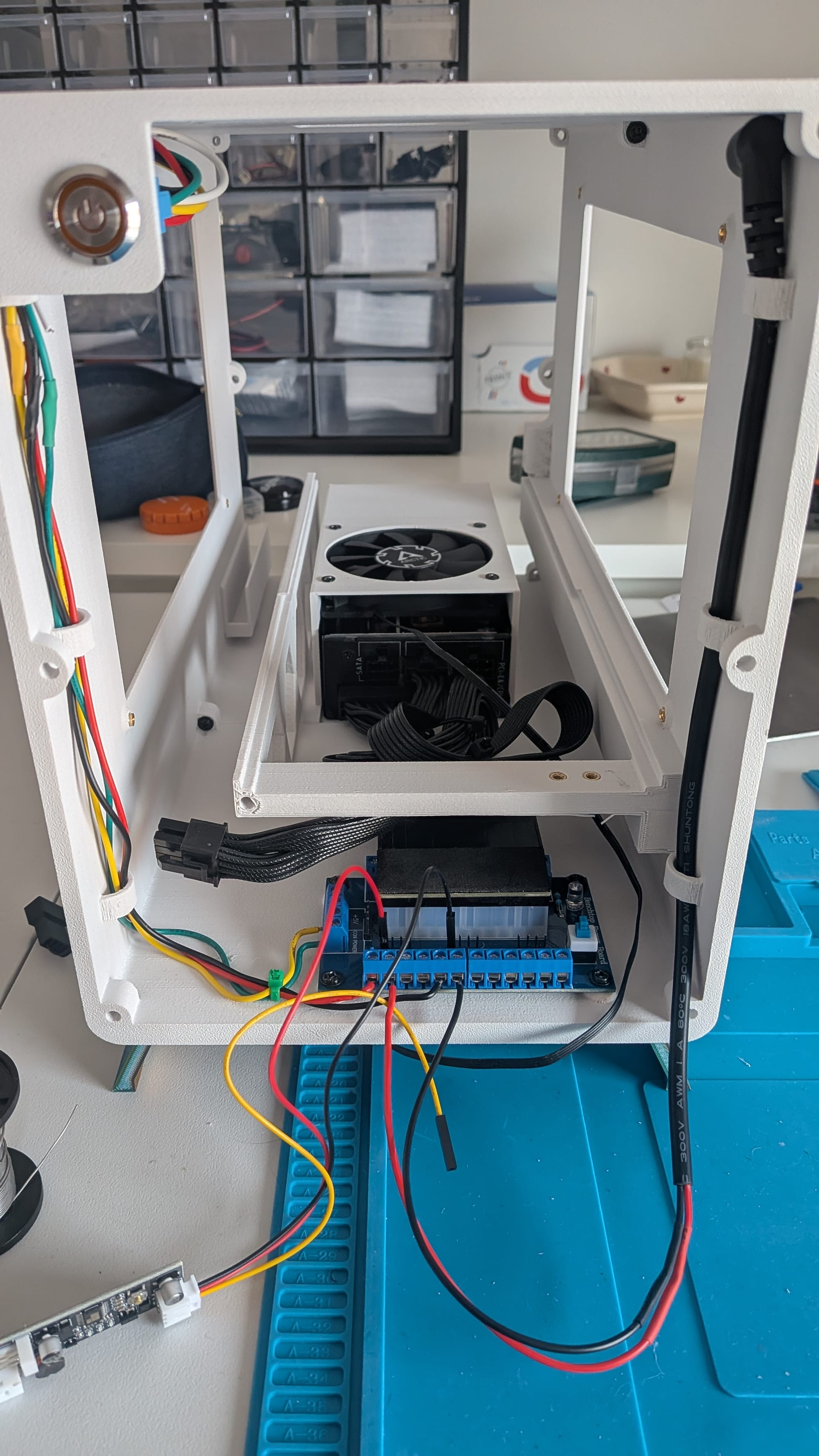
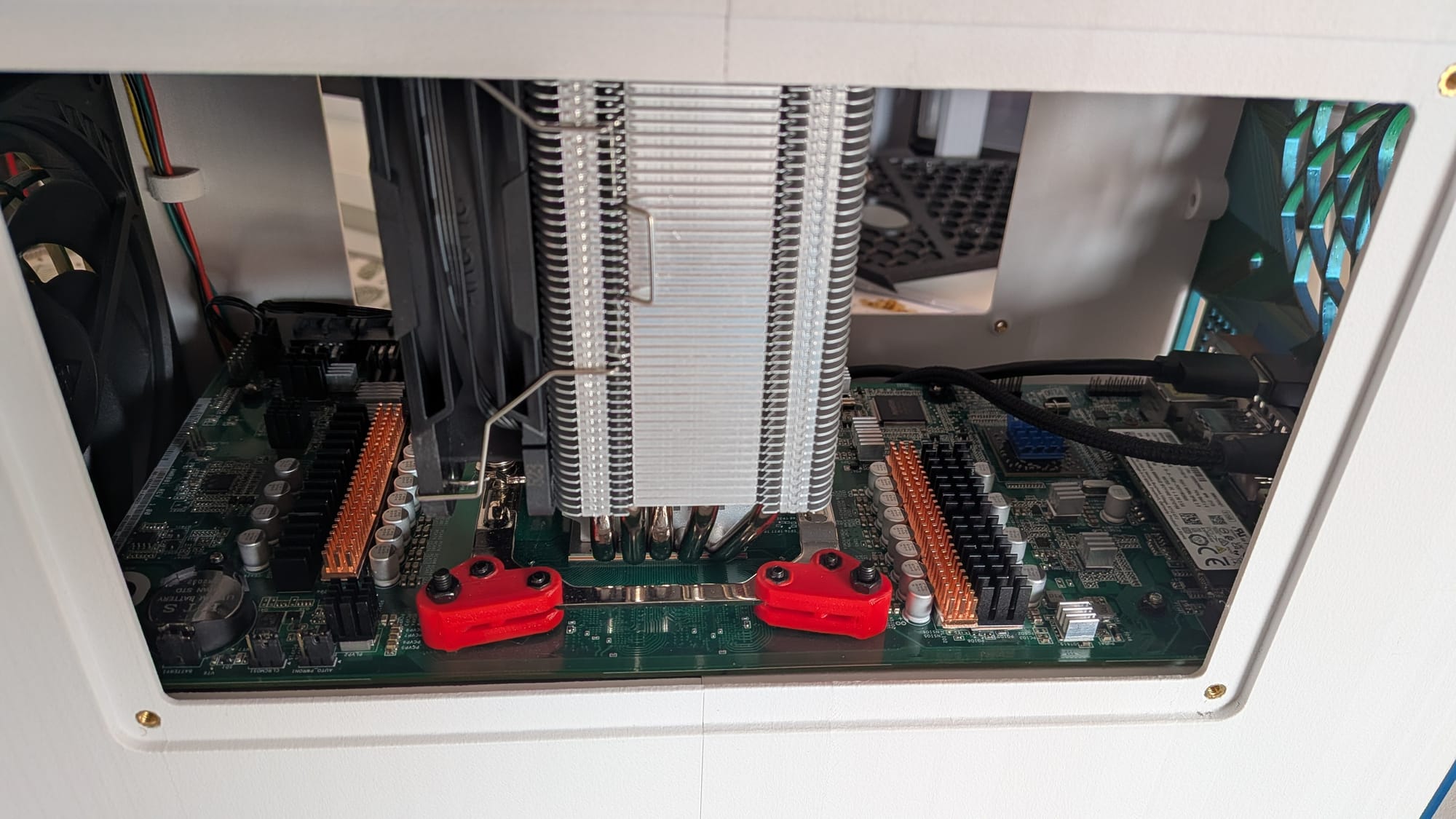
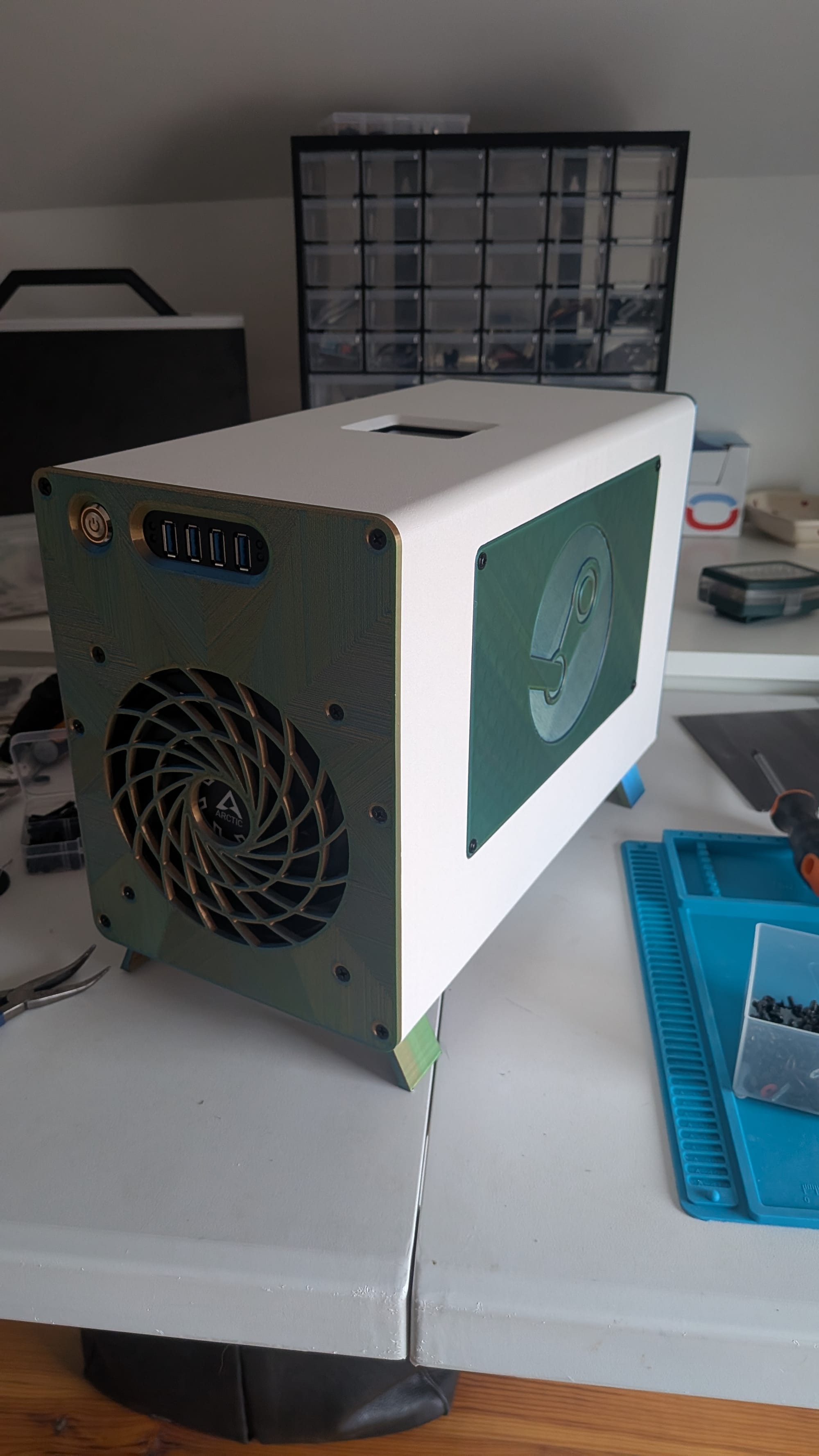
Gadget's build is on the larger end, but has great airflow. He used slightly different parts than I did: his PSU does not require an adapter, and he utilized a different CPU bracket. Gadget was nice enough to modify the case for me to fit my parameters. Credit: Gadget
Gadget’s case checks a lot of boxes: It fits together in two parts and uses heat inserts (screw holes heated and inserted into plastic with a soldering iron) and parts you can get off of Amazon. It has a rear fan for exhaust and a front 140mm fan (I went with a 30mm thick one that pushes absurd amounts of air). I followed Gadget’s build for compatibility issues, but because he is based in France, I ran into the issue of being able to track down a secondhand DeepCool cooler to match the one he used. This is because DeepCool was sanctioned and banned for US sale for selling parts to Russia, although there’s a company called Sudokoo that bears a striking resemblance. I probably could have used a lower profile cooler, but I didn’t want to risk it, so I purchased a secondhand one on eBay. During the build, Gadget tweaked the parameters of the case to slightly improve compatibility with coolers that were not the specific one he used. For memory, appropriately, I used a leftover 512gb hard drive I harvested from my Steam Deck when I upgraded it. Gadget’s case also has space for a front USB hub as well as a latching power button.
For a power supply I went with this small form factor PSU called a FSP500-30AS. If you’re in the States at this exact moment the secondary market is currently lousy with these; they’re a shockingly good power supply, and if you’re smart with offers you can usually get one for between $10-25. It is, however, a weird power supply meant for specific small form factors and does not use a 24 pin connector, so I used a special adapter to connect the power button and fan headers made by a robotics student. Figuring all this out — the basic issues of compatibility and slowly printing out versions of the case while working on projects ambiently — took a few weeks of work on and off, as I isolated various issues related to the power button and PSU specifically. The whole thing only happened because of the kindness of strangers.
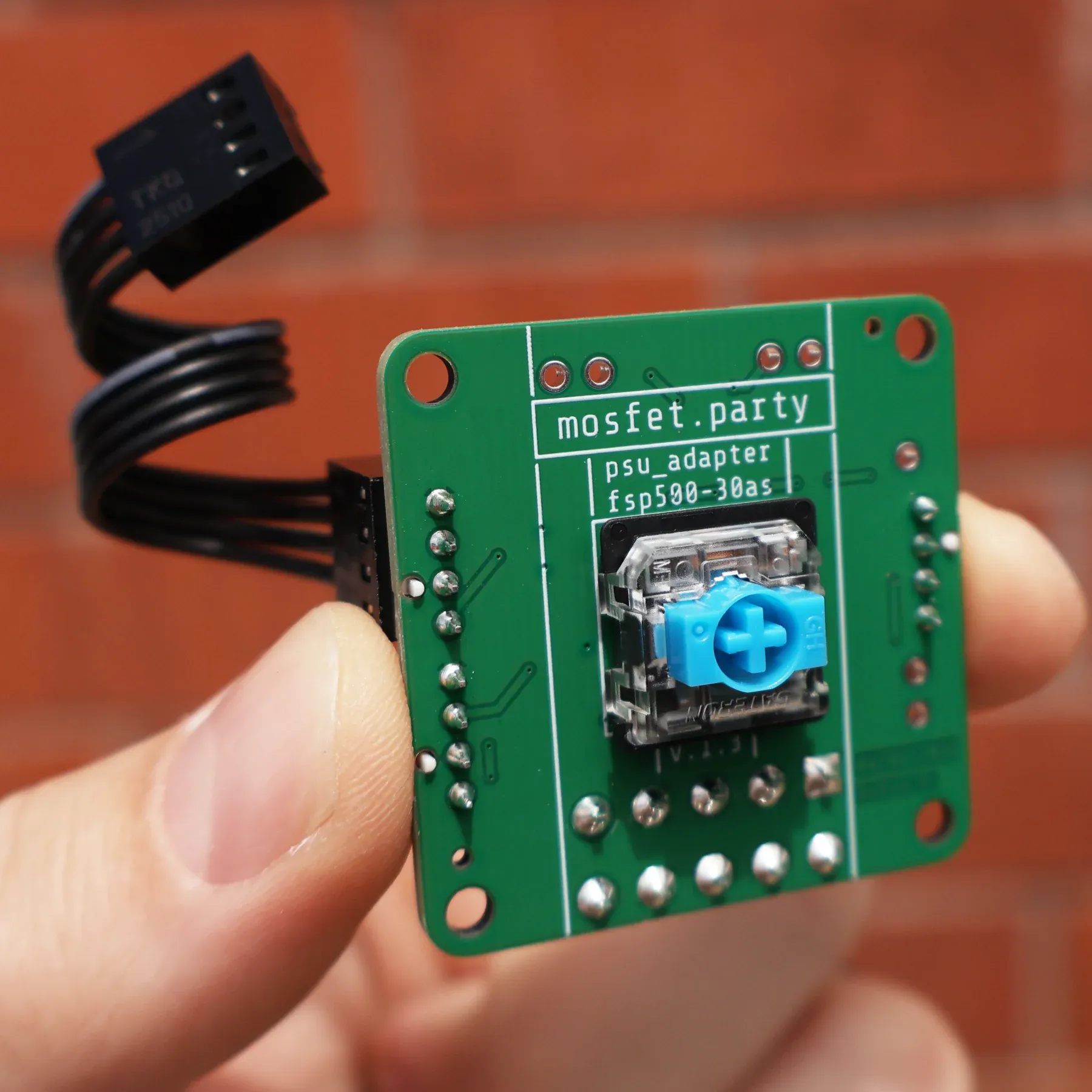
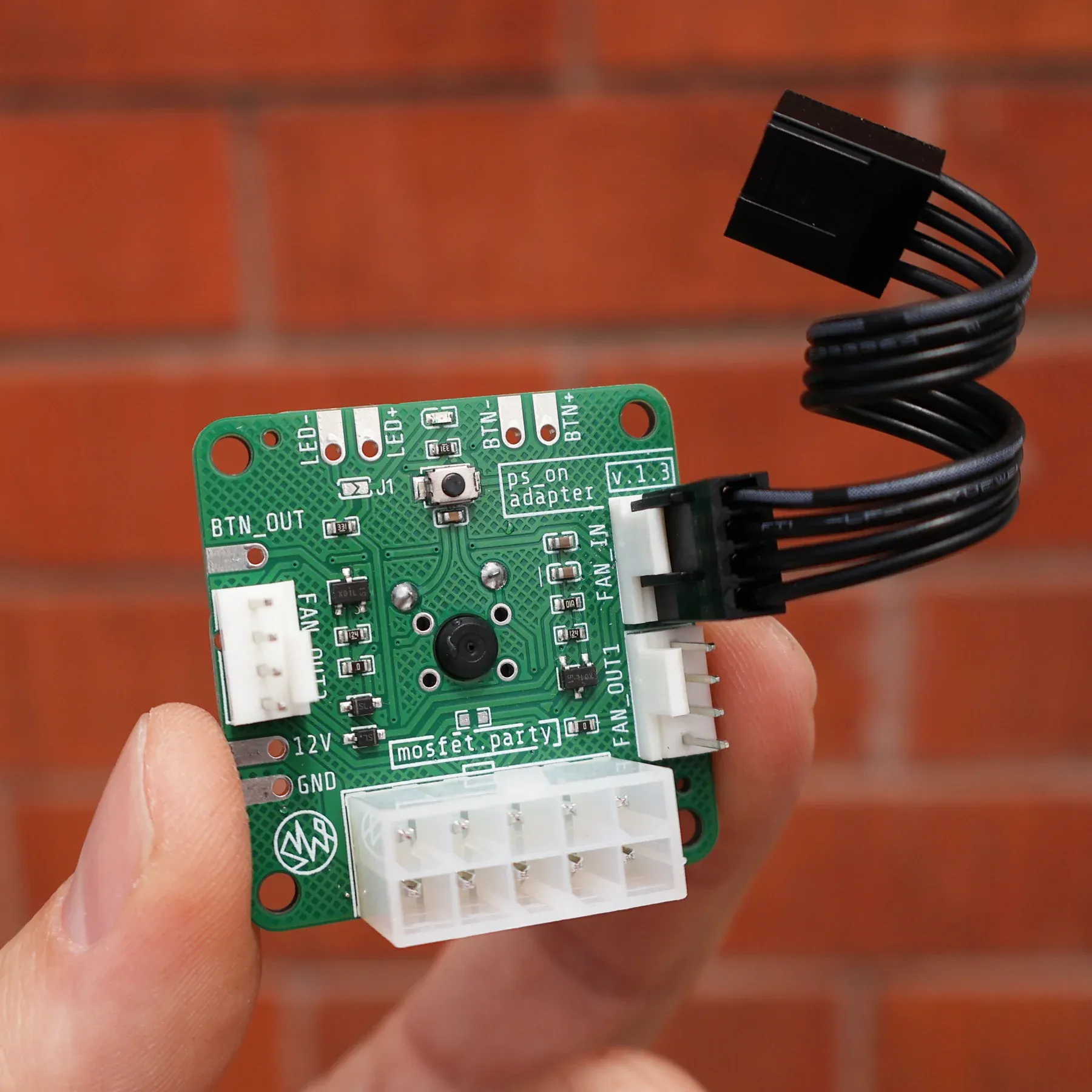
There is already custom hardware for this specific PSU adapter when combined with the BC250. Credit: mosfet.party
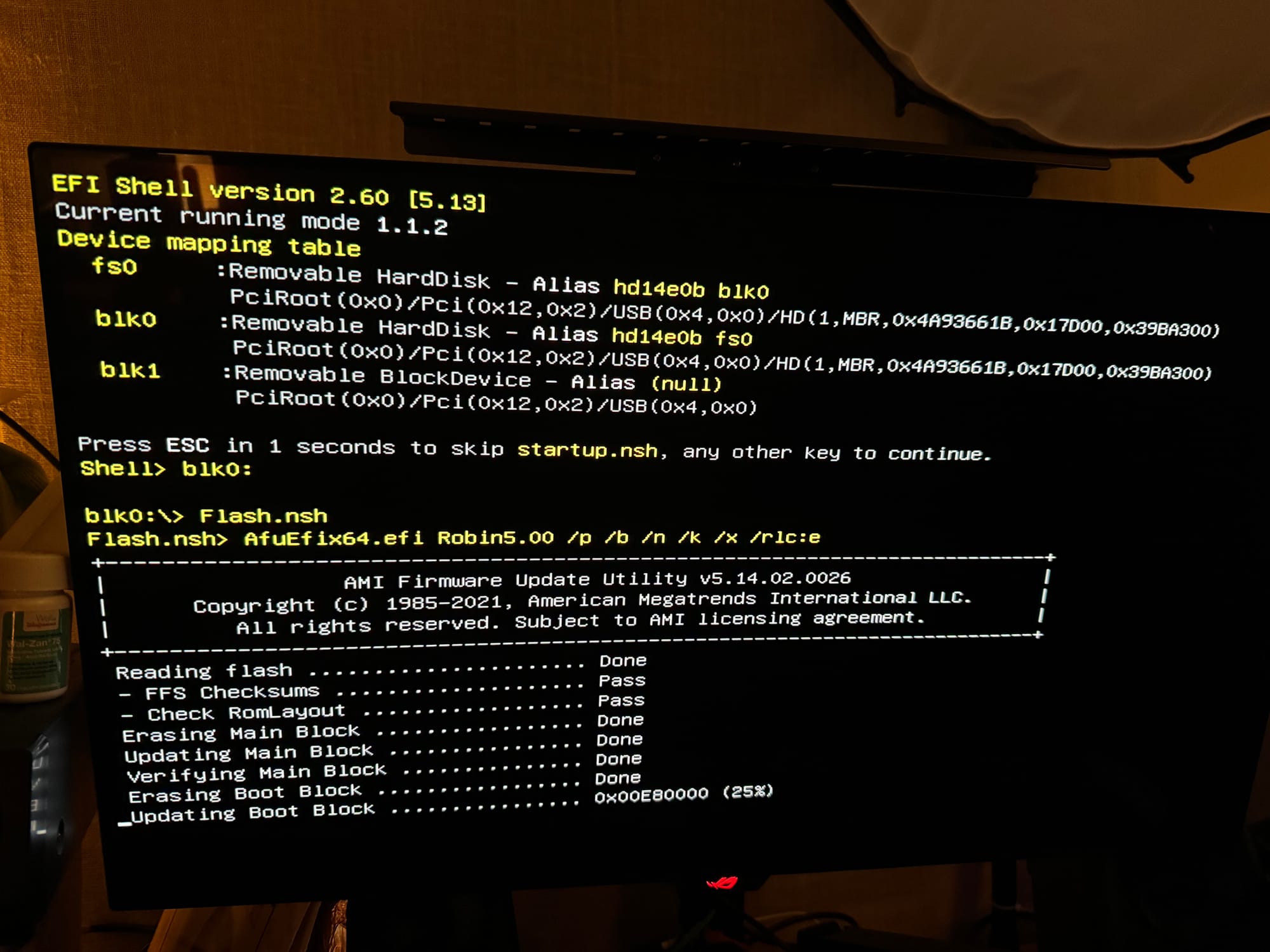
Because of the specifics of how the BC250 works, you need to flash an entirely new bios in order to install your specific variant of Linux (and only Linux; this thing has no Windows-based GPU drivers). The instructions on the wiki are fairly straightforward although more complicated than flashing a normal motherboard bios, as it requires you to set custom values and remove a coin battery from the board for a minute to reset it. From there your choices are usually CachyOS or Bazzite, and I tried installing both for the sake of the piece. CachyOS is what you use if you want to tweak things, and given this was probably going to a friend I don’t want to do that. I personally like Bazzite quite a lot, and it’s significantly less fiddly at this point, which is nice because the BC250 is a fairly fiddly build already.
Regardless of what OS you choose, you’re going to need to make several changes to the system after the fact if you want to make it run well. This involves installing a GPU governor so the board can scale between 1000 MHz to up to 2230 MHz instead of being locked at 1500MHz. This results in not only better gaming performance, but also better sustained temperatures and power consumption at idle. You also have to install custom monitoring components, which differ depending on if you want PWM fan control or not (you probably do). The wiki is fairly straightforward on walking you through the steps, but much of it requires working in the terminal to add these components manually. Once you’re done, you have a machine that has perfectly fine gaming performance, roughly a 1060ti, provided you don’t go above 1080p. For more people than you’d think, this is enough.
Unlocking the cores
The BC250 is functionally repurposed e-waste and features fewer compute units than the PS5 when you get it. This is a byproduct of certain compute units not passing quality control. In total you’re looking at 24 CU instead of the 36 CU of the PS5, but all told there are up to 40 on the board locked off. But just because the cores are locked away does not mean that some or potentially all of them don’t work. The community not only figured out how to find those locked off cores, but also the means of potentially testing them to see which ones are good or bad. Someone even published an extensive white paper on the topic. The potential gains are significant, and YouTuber ETA Prime clocked an up to +28% gain in performance gain without resorting to overlocking. To me this is mind boggling; they literally turned the graphics on.
ETA Prime's breakdown where he tests the BC250's 40 Compute Units, building on work by others like YouTuber OldLamer.
The community has developed a script for detecting the layout of the compute units in the BC250, and thus get a good sense of which CUs are faulty. If you’re unlucky, you may have faulty cores. But sometimes, you win the silicon lottery and they’re all good. While much of this is trial and error and involves stress testing, there is one that the community claimed indicates that you’ve won the jackpot for all 40 cores. The pattern looks like this, and I was pleased to learn I won:
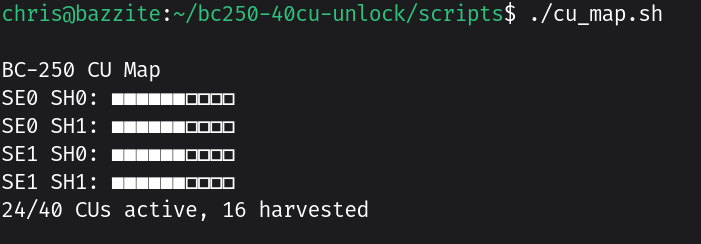

My card's compute units vs. the one in the white paper. The paper notes that 74% of units they tested had the full 40 available compute units. This is no guarantee and further testing is required to ensure the CUs are healthy.
After enabling the missing compute units, doing fan curves, and changing the memory allocation to a static 10GB/6GB split, I was able to pull an average of 58.95 fps out of Cyberpunk’s benchmark at 1080p on high settings without FSR or RT enabled. At the same settings, the Steam Machine clocked in at 73.27 fps. This isn’t a thorough benchmark, sure, and it's still a significant edge to the Steam Machine. But one of those costs at least $1,050, and the other costs about 15% of that. Granted it took me well over a month to make it my way, involved a bit of luck, and the experience is definitely less pleasant, but that’s still quite impressive.
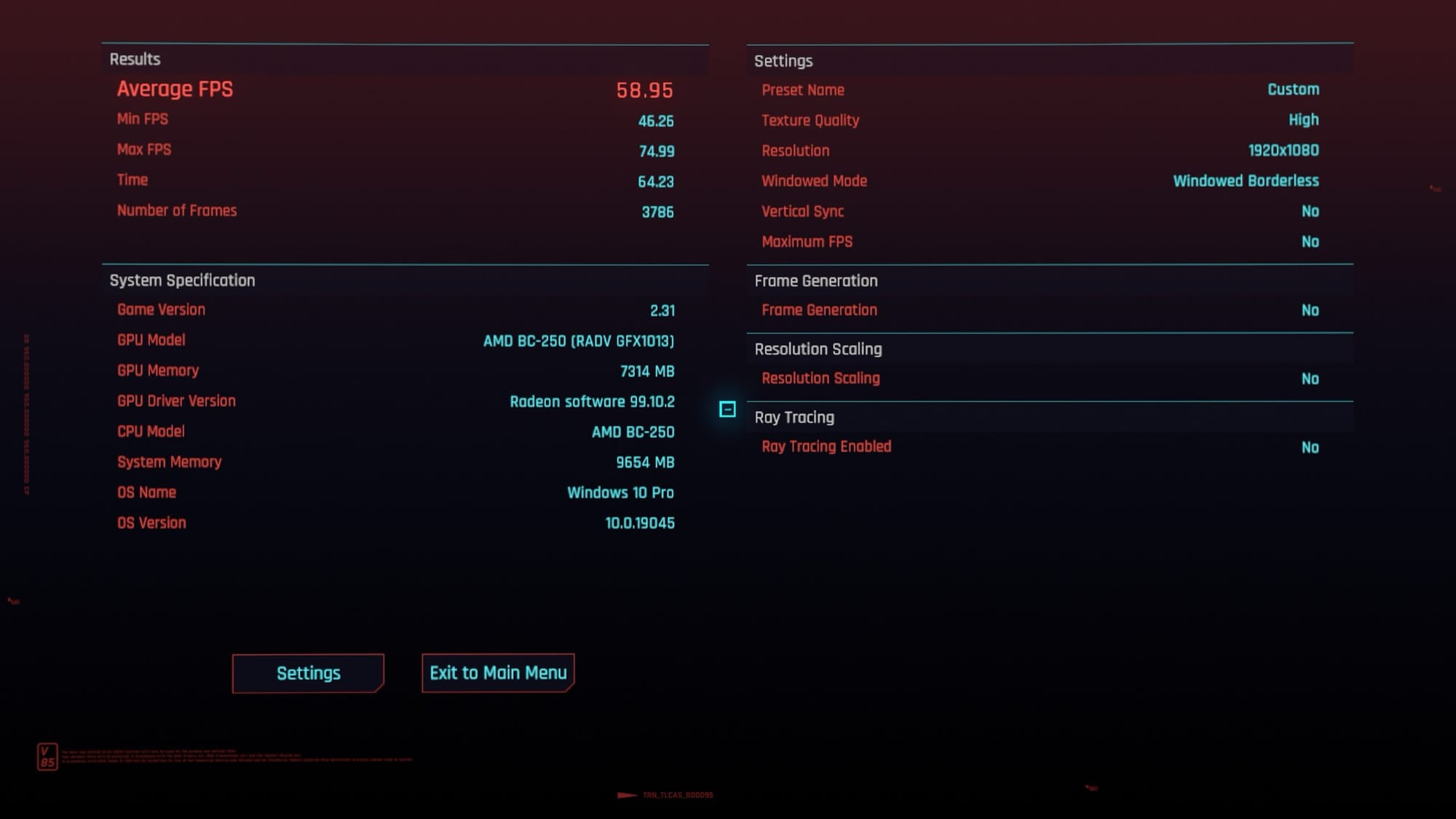
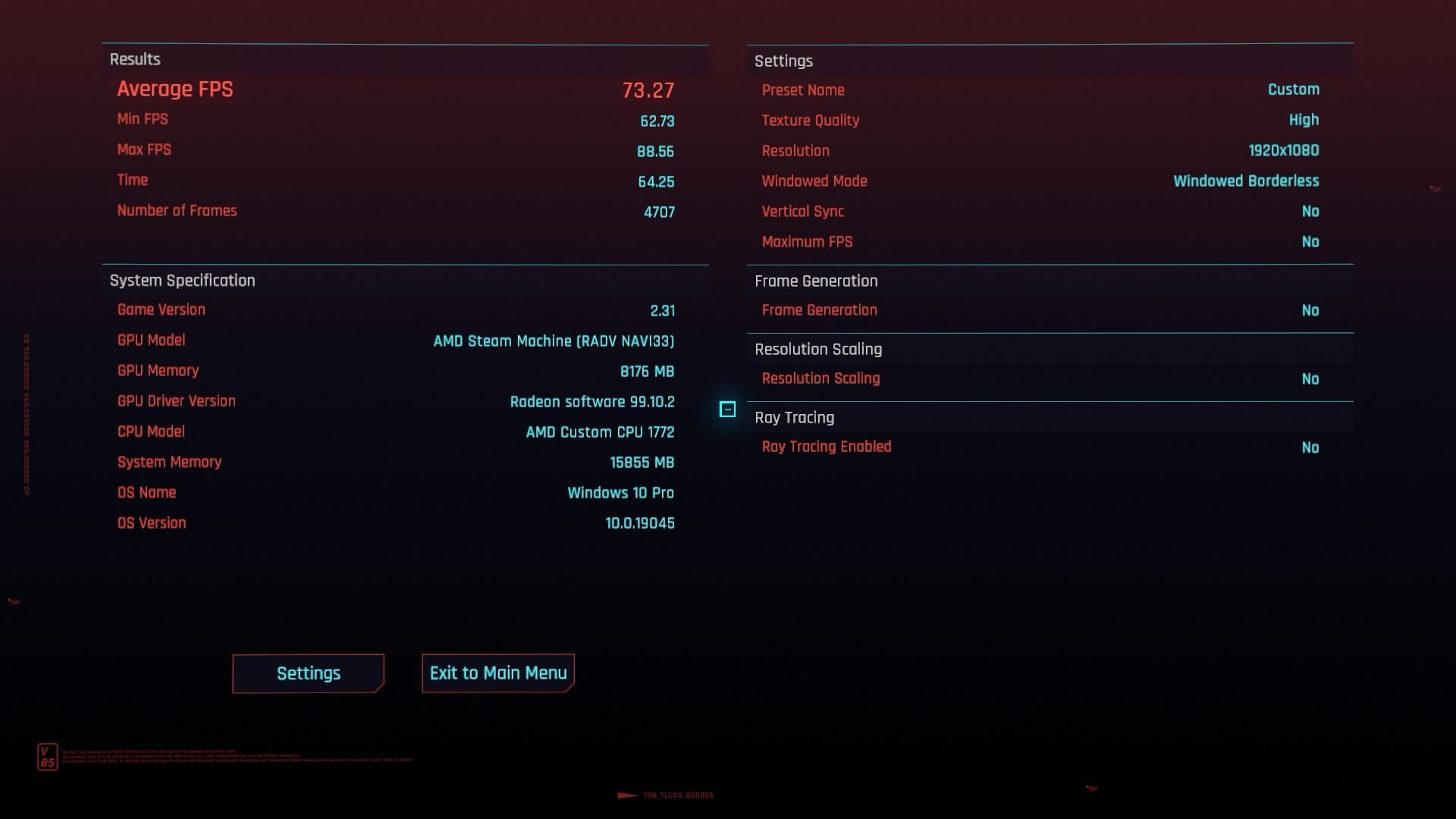
At 1080p High with no FSR, the BC250 with 40 CU turned on was able to put out numbers that could not match the Steam Machine. Not bad for garbage though. This is just a rough benchmark without overclocking on Bazzite.
There’s a lot to love about the BC250, but build difficulty aside it isn’t without drawbacks. The CPU is a legitimate bottleneck, and while you may be able to get it in the same rough shooting distance as the Steam Machine currently, it’s nowhere near as optimized. Sleep behavior is basically nonexistent. The Steam Machine is as quiet as the grave and sips a tiny amount of energy at idle, while the BC250 is more energy intensive. The BC250 has a DisplayPort only, so if you want to use it with most TVs it requires an adapter. The Steam Machine also has more RAM overall — 16 GB of DDR5 RAM and 8GB of VRAM vs. the BC250’s 16 GB of GDDR6 memory. The slight advantage here is that the BC250’s memory is unified and can be manually adjusted, but that’s a complicated issue outside of gaming.
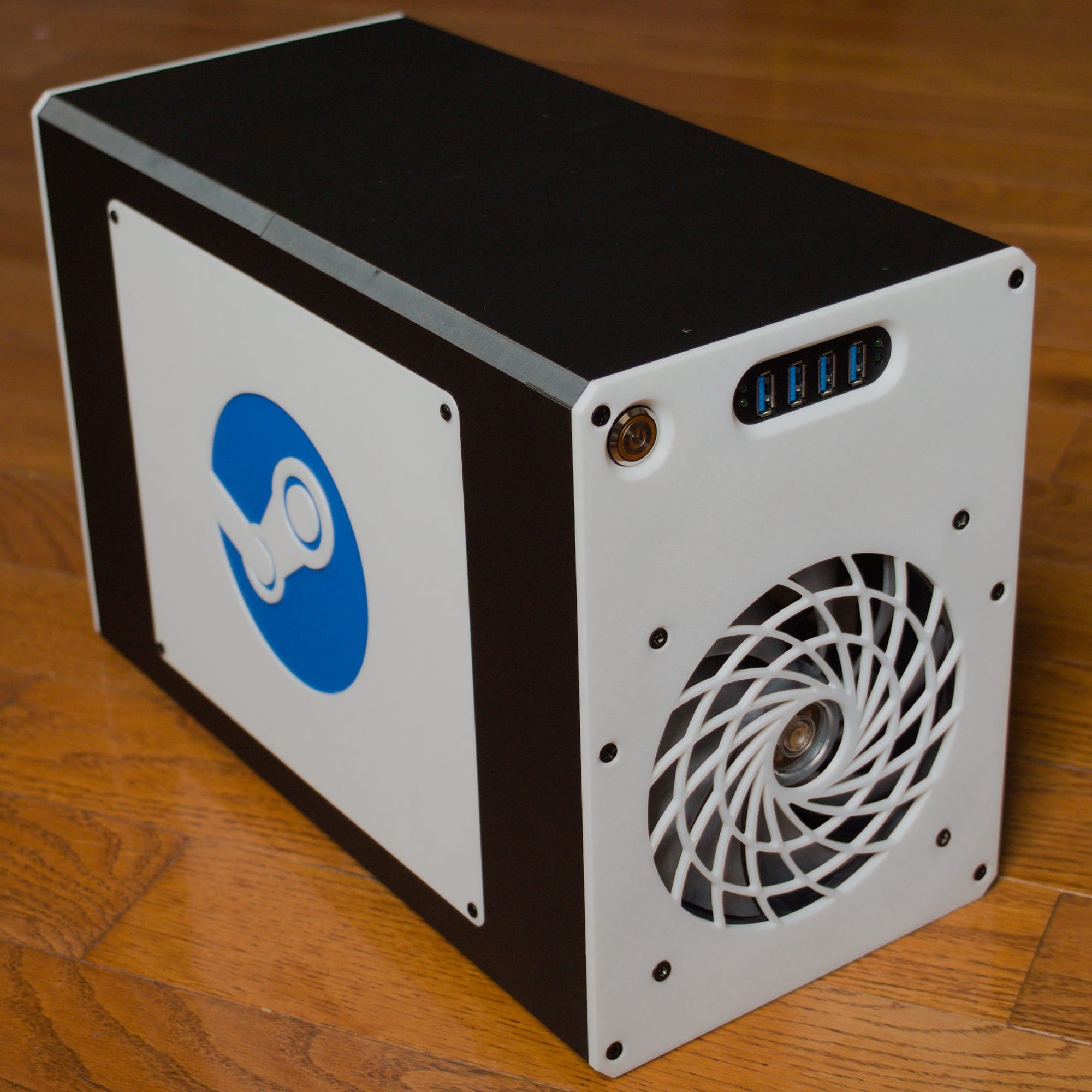
The BC250 is also one of the most exhilarating and annoying builds I’ve ever done. Much of that is my need for complexity, but as a project you give to a friend who doesn’t have a PC or as something to play indie games, you could do far worse.
Soothing.
The BC250 is not a Steam Machine, but for many it serves a similar performance point and benefits from the same ecosystem of improvements that Linux gaming has gone through recently. In many functional ways they are polar opposites. The Steam Machine is newer, expensive, and kind of a bad deal because of borderline criminal activities in the AI sector and flash memory pricing, but it’s pleasant, unobtrusive, beautifully designed and just works. The BC250 is recycled e-waste from a time when memory was the cheapest possible component in your build, a high-effort, Frankensteined-together project that represents the ingenuity of overclockers and tinkerers.
Yet both are made possible by the strength of open platforms. The only corrective to a proprietary, locked down and expensive world is to open the possibility space of what technology is usable. Do that, and the people will game with whatever they can find, market forces be damned.


