

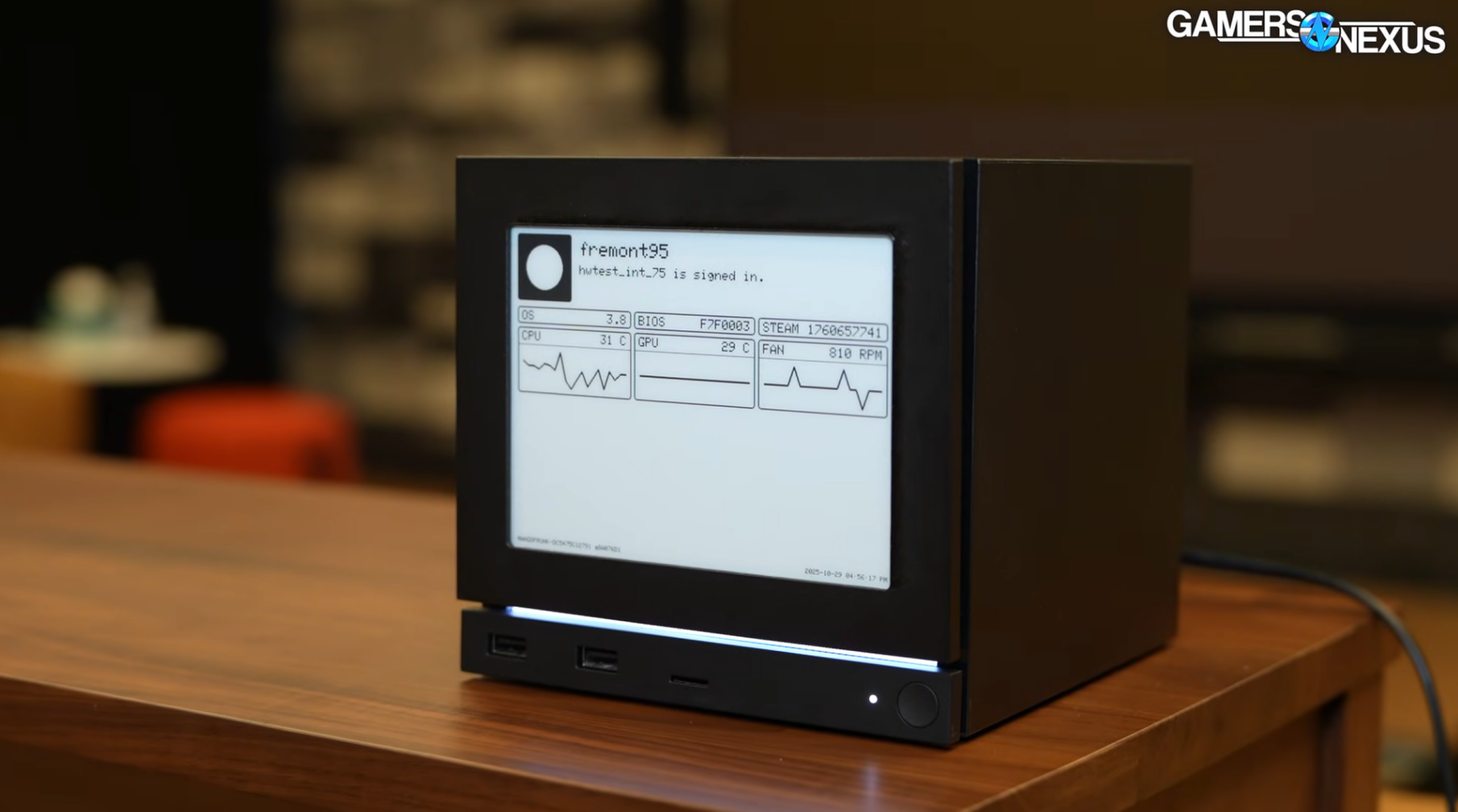
When the Steam Machine was first announced, a non-zero number of people zeroed in on a single accessory in the video. The Steam Machine takes swappable faceplates, allowing for customization, and the team at Valve had internally created an ePaper display that showed off the various internal statistics of the device: fan speed, temperature, memory and CPU performance.
When people asked “will you be selling that?” Valve quickly said no and that it was primarily a tool for internal testing. But a few weeks back, in the most Valve move possible, they released the full files for the device, called the “Inkterface.” If you want to recreate an ePaper display on the front of your Steam Machine, you can buy the parts yourself, solder them together, 3D print a case, download the files from Gitlab, build the firmware, flash the device, and do it yourself. So I did.
The Inkterface’s beginnings
The Inkterface started as a functional tool to test the Steam Machine’s performance across multiple units quickly and easily. “We’re a small team so we try to do a lot of automated testing and monitoring. Having some kind of screen-less feedback on the Machine was always something we wanted,” NaKyle Wright, who worked on the Inkterface for Valve, told me. “I made iterations with small LCD screens, mini-displays, and other mechanisms, but really I was never quite happy with the way they looked and fit on the Machine.”
“When I found the 5.83” EPD fit so perfectly in the faceplate footprint I quickly put together a prototype that was barely held together with tape and hot glue. That’s the unit folks saw in the first press event,” he told me “The same aesthetic choices drove me to give it a battery, even if it is annoying to charge, but at that first iteration I also had it automatically switching connections based on signal strength so I could swap it between units on desks, lab benches, etc. and just automatically get stats. I turned that off later, as it’s a little impractical with the use case of just a single unit or several units close together on a test rack.”
The Inkterface itself is not hard-wired into the Steam Machine, although people have already engineered solutions to make it work that way. It instead is a battery-powered face plate with sandwiched magnets that snaps to the front and communicates via Bluetooth. The upshot is that you don’t actually need the device to be attached to your Machine to use it. It needs to be charged occasionally, and works by installing a light service on your Machine in Linux that runs in the background.
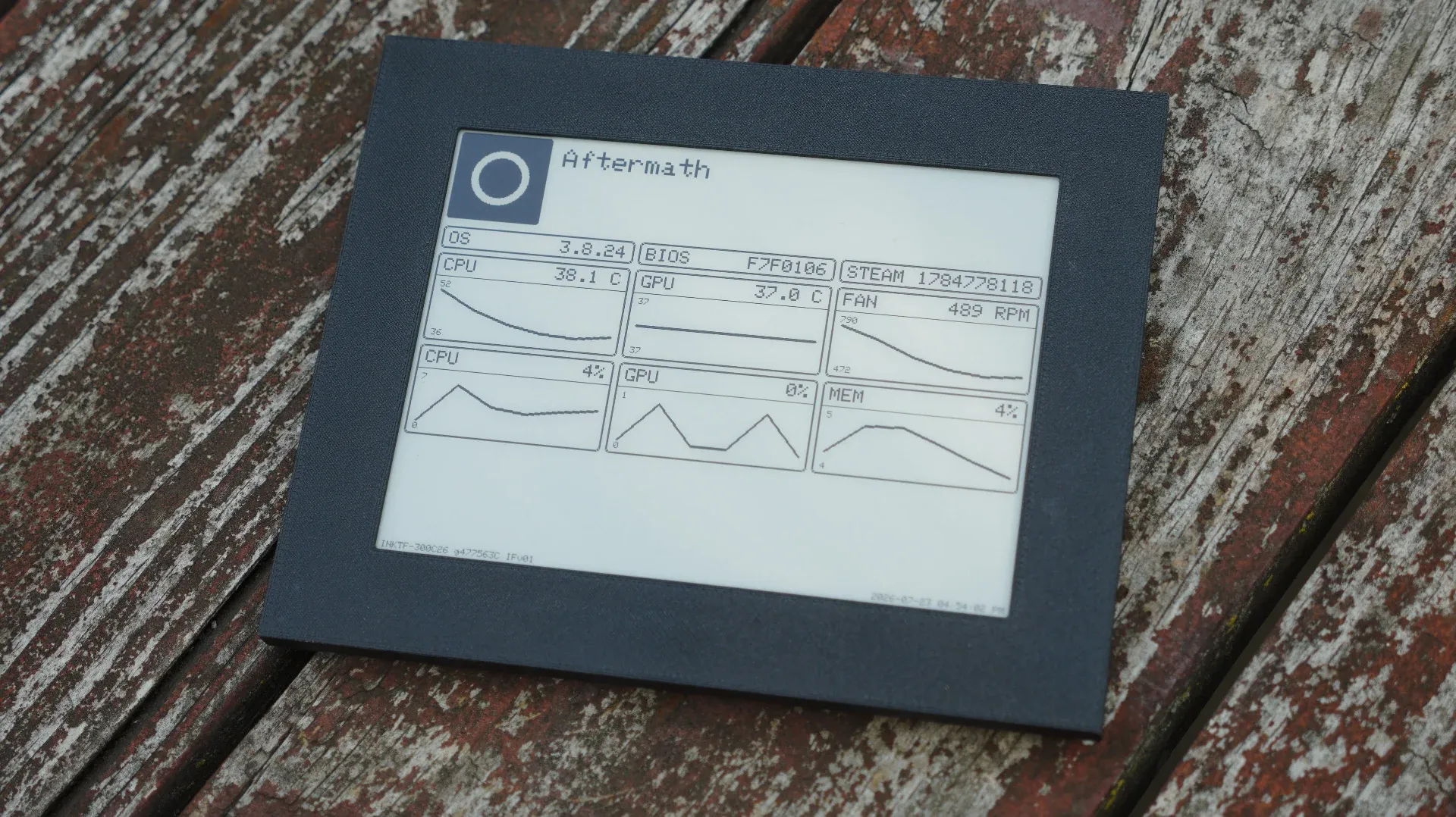
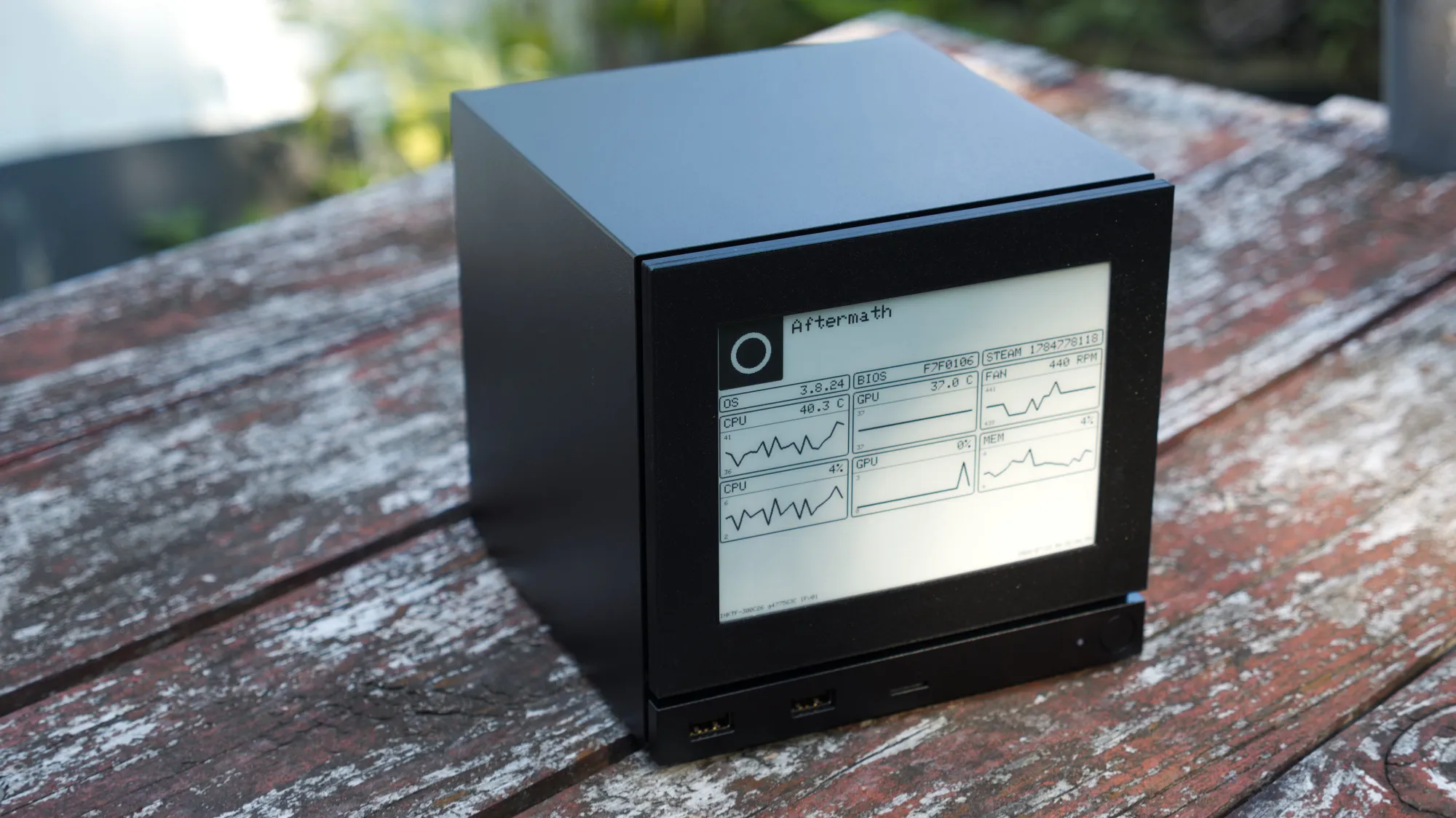
Eventually this program will just be downloadable for free from Steam, but for now both the AppImage and the firmware must be downloaded and built locally from the Inkterface repository. By default the Inkterface shows the basic values that you would expect: OS/Bios/Steam versions, CPU/GPU temperature, fan speeds, overall load and memory consumption, but each of these values can be customized to report different values like the number of apps installed or total machine uptime.
“Once I saw how folks were interested in it with even just the 15 seconds or so of footage it got, we decided to open source it,” Wright said. From there he told me that his priorities shifted from building out every potential feature and instead making it approachable to the broadest number of people possible.
“I locked the design down to a single board, EDP breakout, battery, fastener size, and magnets that were readily available. I tried to simplify the wiring and soldering, making the backplate an easy way to hold the boards in place while you make the connections, and the connections mostly just along one side. I ruled out using any highly customized or niche libraries for the firmware. I kept the data collection and control software standalone and included so folks wouldn’t need to join up into any unknown ecosystem. I spent a lot of time trying to make the PDF and video guides concise and clear. All with the hope it would be approachable enough that folks who might have never soldered anything would take a shot at it. Not sure if I really achieved that or not!”
With the exception of some minor hiccups, I believe that he did.
Getting started
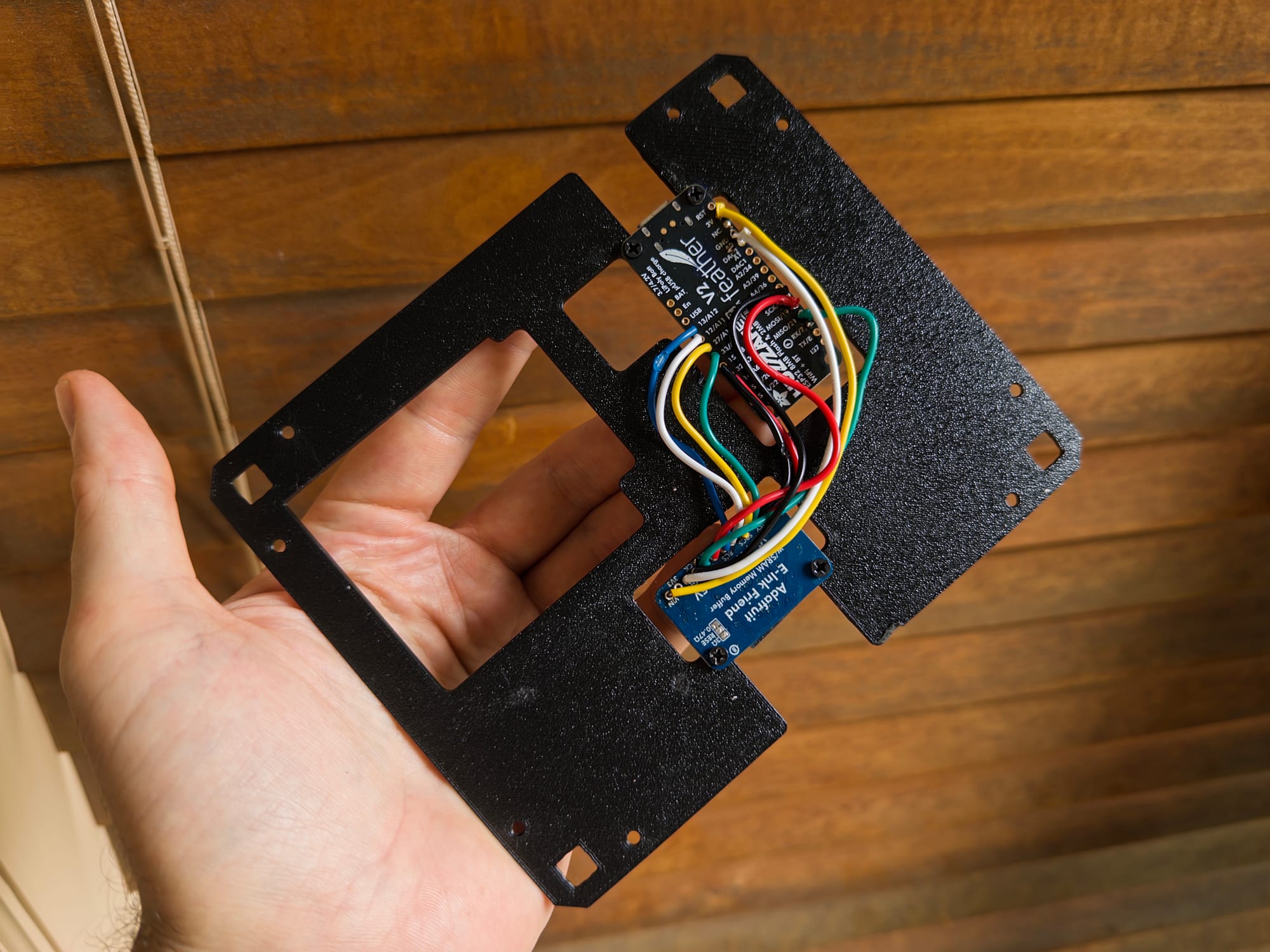
The bill of materials for the Inkterface is not complex. Building it requires magnets in a specific form factor, some wires, a handful of parts you can print yourself, some m2.5 screws, an LP803860 battery, an Adafruit ESP32-S3 Feather, an ePaper “breakout friend” board and a 5.83 inch display from Adafruit. The case is meant to be 3D printed, and .stl files are provided. Unfortunately, ePaper is still a little pricey, and so the entire bill of materials as built is about 100 bucks plus shipping, because you are functionally cobbling together a weird Kindle that snaps to your computer. I could see saving some money down the line by using parts from Waveshare or Aliexpress, but I didn’t want to complicate things further, and Adafruit’s strength is that they are both reliable and consistent. Wright included not only very detailed instructions, but also a full build video that can be followed step-by-step.
The tutorial video for the Inkterface using the Feather V1. Credit: Valve
Sometimes a project does not cooperate with you, and in this case one small but understandable error complicated the build. The Inkterface relies on an ESP32, a ubiquitous chip that’s in a huge number of smart devices. Similar to the Inkterface, the Xteink X4 is mostly just an ePaper screen with an ESP32 and a battery. The specific microcontroller main-board that the Inkterface uses is called a Feather, and the initial instructions for the Inkterface used an Adafruit Feather V1, but linked to an Adafruit Feather V2.
This complicates things because those two boards, though nearly identical in many ways, have different pinouts and handle checking battery levels differently. Due to how the project was hosted initially, flagging this problem was slightly difficult. One person I talked to on Reddit ran into the same issue and found a workaround. Eventually, I was able to get in contact with Wright and he quickly pushed a few updates to fix the issues I encountered. All of this is normal in the context of DIY and open source projects, as equipment you use to tinker behaves differently when it’s out in the wild being built by strangers. That’s all fixed now, but just know that I had to solder, desolder, and resolder this entire thing about four times across multiple Feathers so that people who come after won’t. With the now updated instructions, it is a fairly simple and straightforward build if you have the parts and know how to solder.
Flashing the firmware is on the technical end, but if you own a Steam Machine and are at all interested in making this, you signed up for some Linux shit. You have to download the firmware using Git. Git is a command line tool that is used to manage software, and in this case you use “git clone” to download the entire repository locally on your computer. From there it’s mostly copy-pasting commands into the terminal, but technically what you’re doing is using Distrobox, which is a tool in Linux that lets you use other, specific, containerized versions of Linux to build the firmware and app. Eventually the app itself will be downloadable from the Steam store so you don’t need to build that part of it.
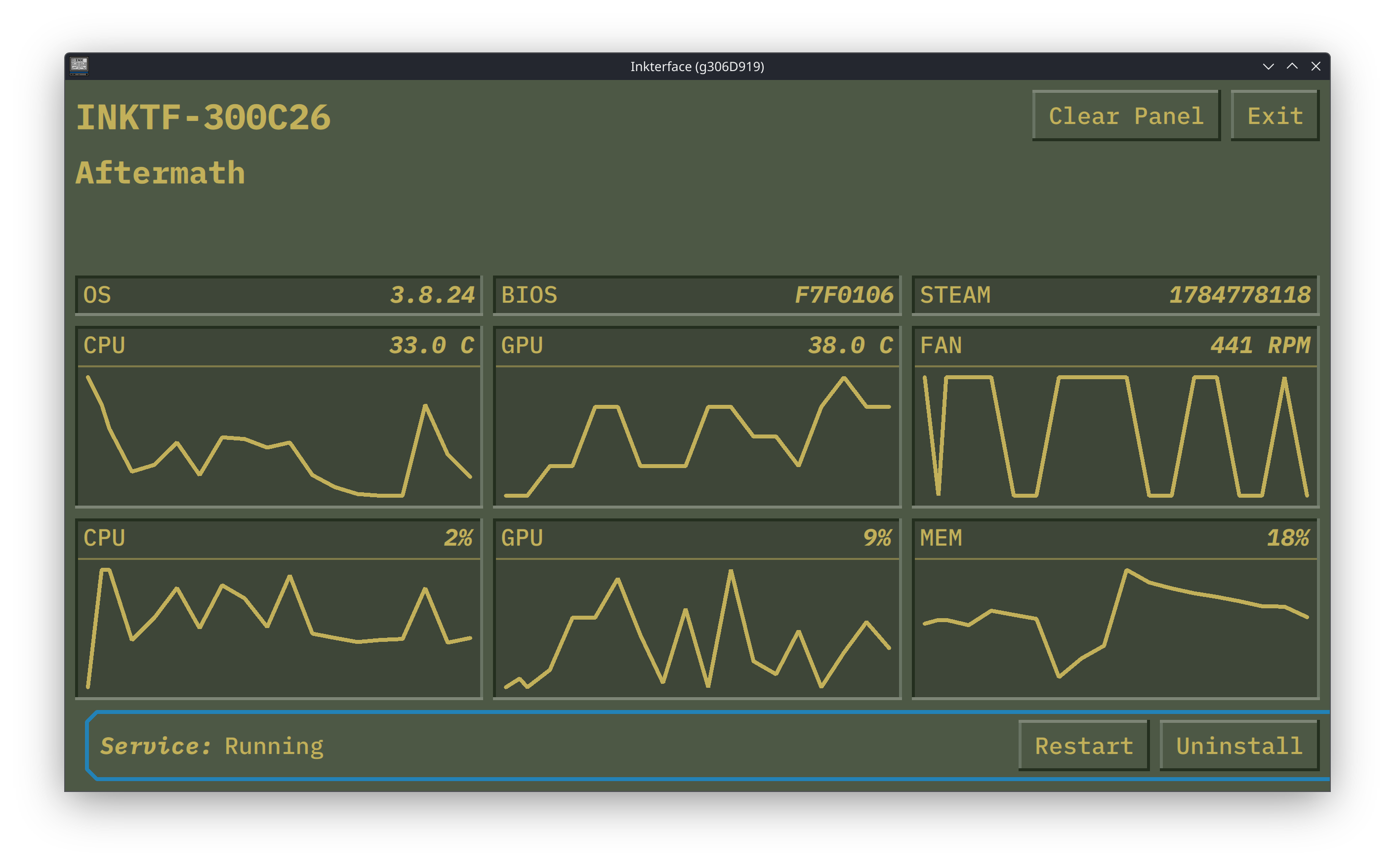
Depending on what version of Linux you’re flashing this from, you may need to make sure that you’re able to use serial control by adding yourself to the dial out group. But once you do, flashing the firmware is a matter of navigating to the firmware folder and typing in a single command while the assembled device is plugged in. The rest is all done for you. The repo also contains an SVG file of Gabe Newell’s face, and if you enable that as a build flag I believe it appears as a splash screen, although it appears to be disabled by default for image retention reasons on the display.
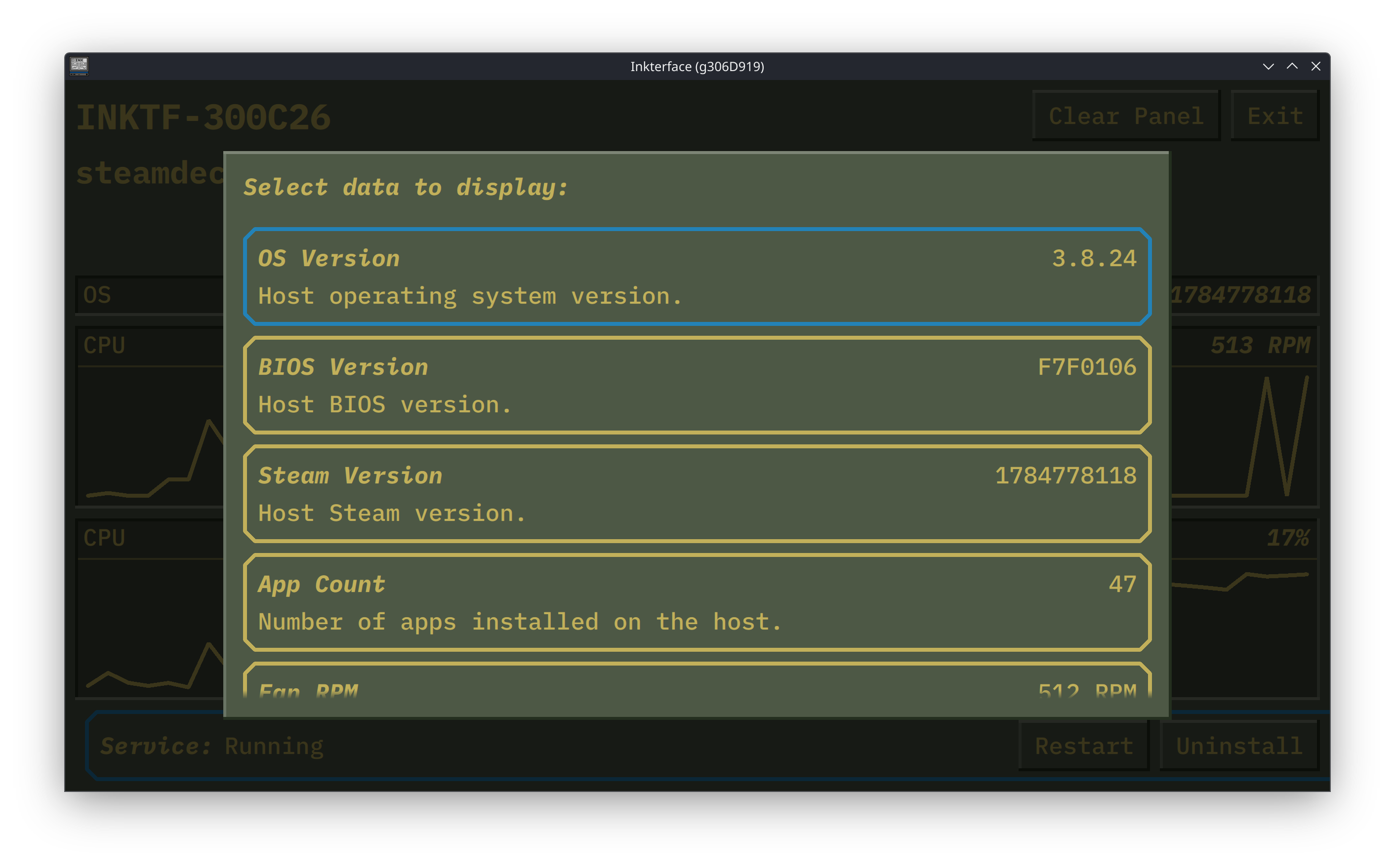
Once that’s done, you simply run the app that the computer built, install the service using the UI, and connect to the specific panel. Because Inkterface runs off of a lithium ion battery, you need to make sure it’s charged every once in a blue moon. Once installed, the completed faceplate works seamlessly. The one negative part about it is that, because it is an ePaper display, it has to refresh occasionally to update the information. By default it uses a full refresh, which is a little distracting if you’re using it in a living room context, but building the firmware so that it does a partial refresh is also possible and people have already done that online. But even with that drawback, it does look handsome, and is an object that could only exist with the context of the Steam Machine specifically and open source development generally.
Raw clay
The Inkterface is a niche device developed for internally testing a specific piece of hardware. Even people who have a Steam Machine might not find it useful, as the device's appeal is that it minds its own business and just works. Though you could tweak its default values, you probably don’t need to be constantly updated about how fast the system’s fan is going unless you’re doing something really perverted with the Steam Machine. But the strength of the Inkterface is the strength of the device itself: openness. You technically do not need a Steam Machine to make an Inkterface, and the device itself might be ideal for non-Steam Machine builds where overclocking is common and there’s a lot more variables to track. I have seen at least one slick DIY 3D printed neon build that integrates it directly into the chassis.
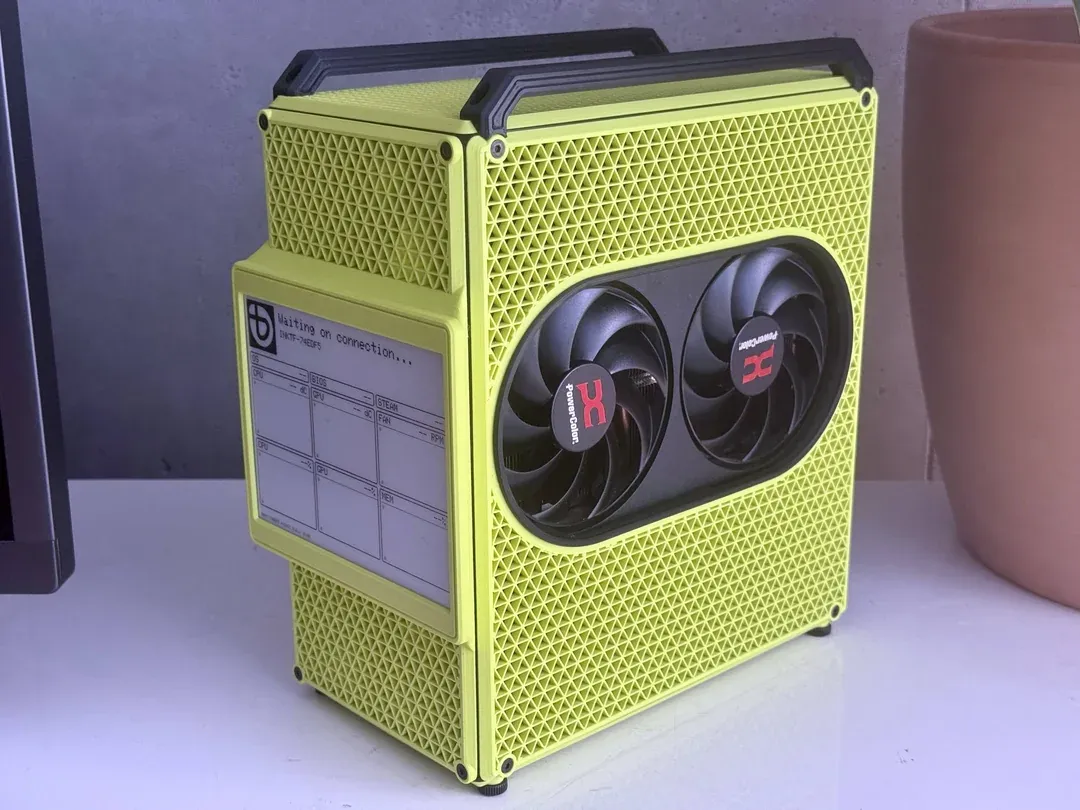
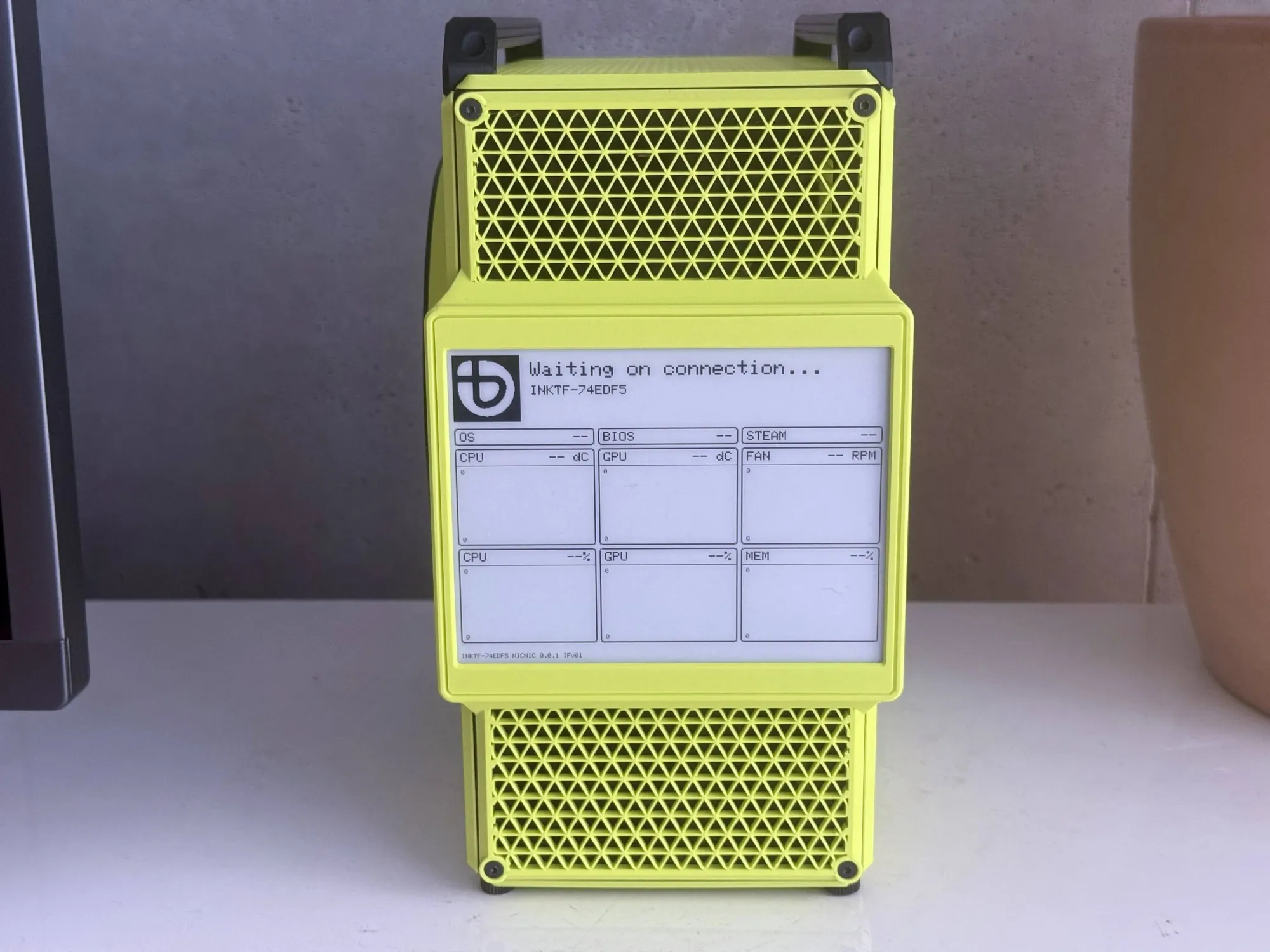
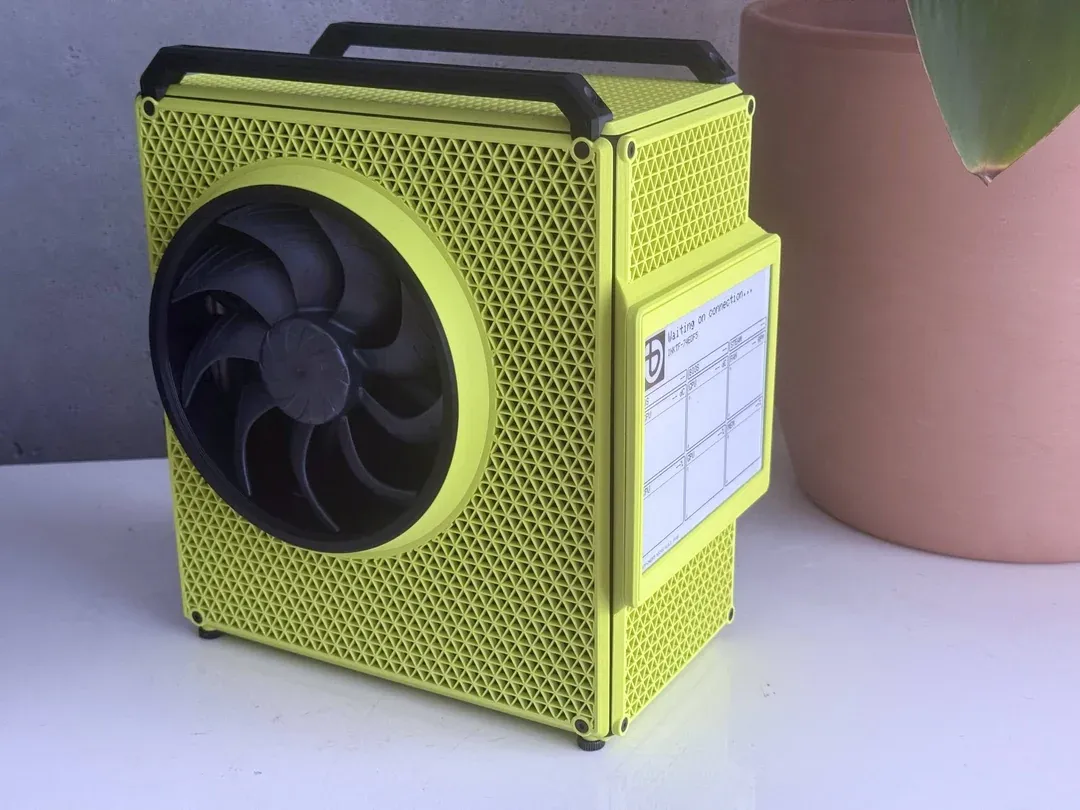
The Beaminnie, shared on a reddit post by user nicnic-cc, is a 3D printed case that integrates and modifies the existing Inkterface design. Source files can be found here.
Created by Reddit user nicnic-cc, the case dubbed the “Beaminnie” is a 5.5L sandwich case. Printed out of PETG and offered in versions with and without an ePaper display, it features cutouts for GPU and CPU fans, and it directly embeds the display in the front for better monitoring of thermals. Nicnic-cc also modified the firmware, removing the battery logic to better run the device wired and changing the logo to reflect the machine is running Bazzite, a different open source Linux distro similar to the SteamOS that the Steam Machine runs on. As with BC250 builds, the Beaminnie is cyberpunk in a sense that I wish was more common: unique, tailored, bold, and uncommercial, like the single shot in Hackers where you briefly see them spray their laptops camouflage. It is a stunning build, clean and eye-catching, the kind of object you can only make and representative of the electric excitement that people have for an open computing future.
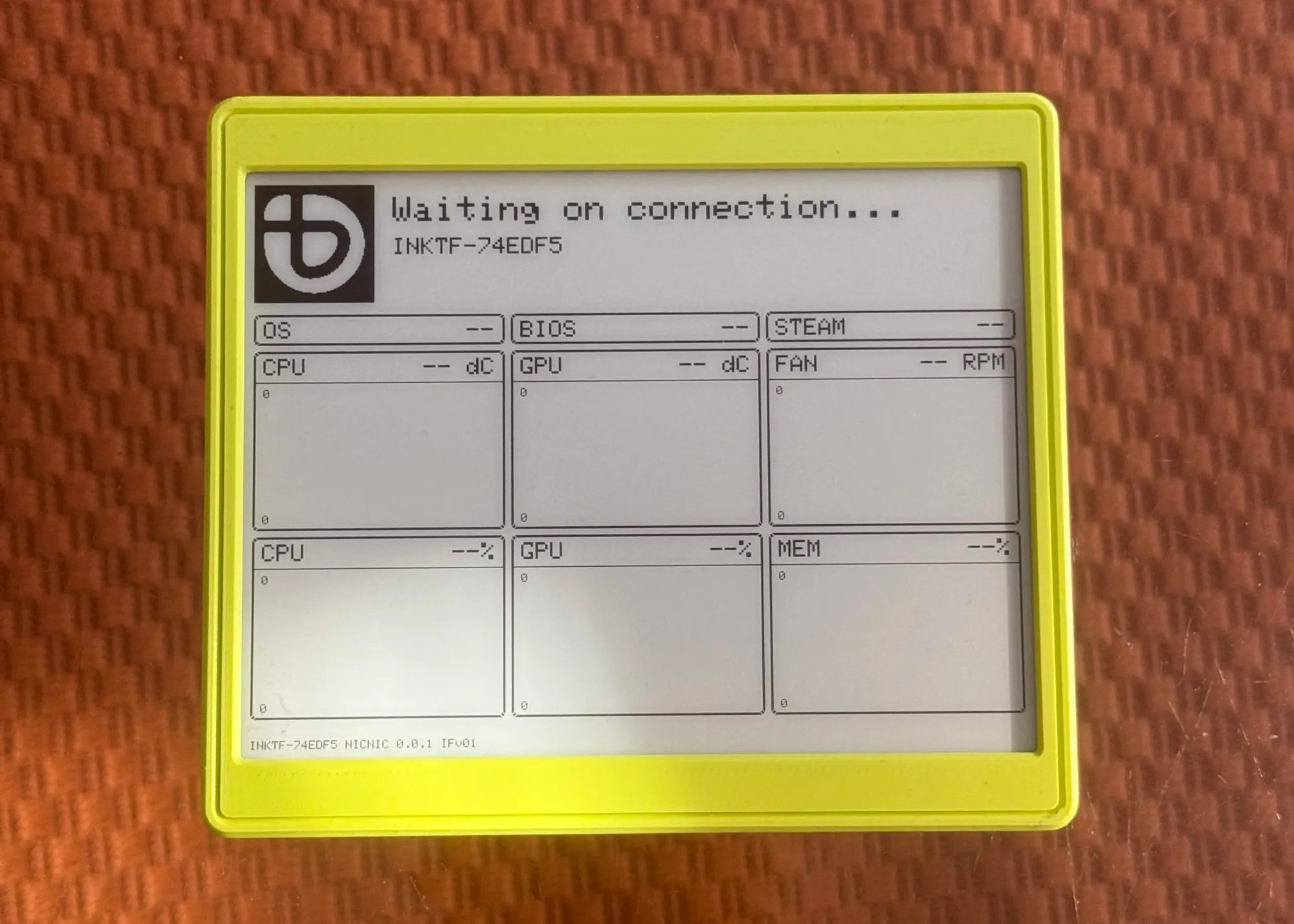
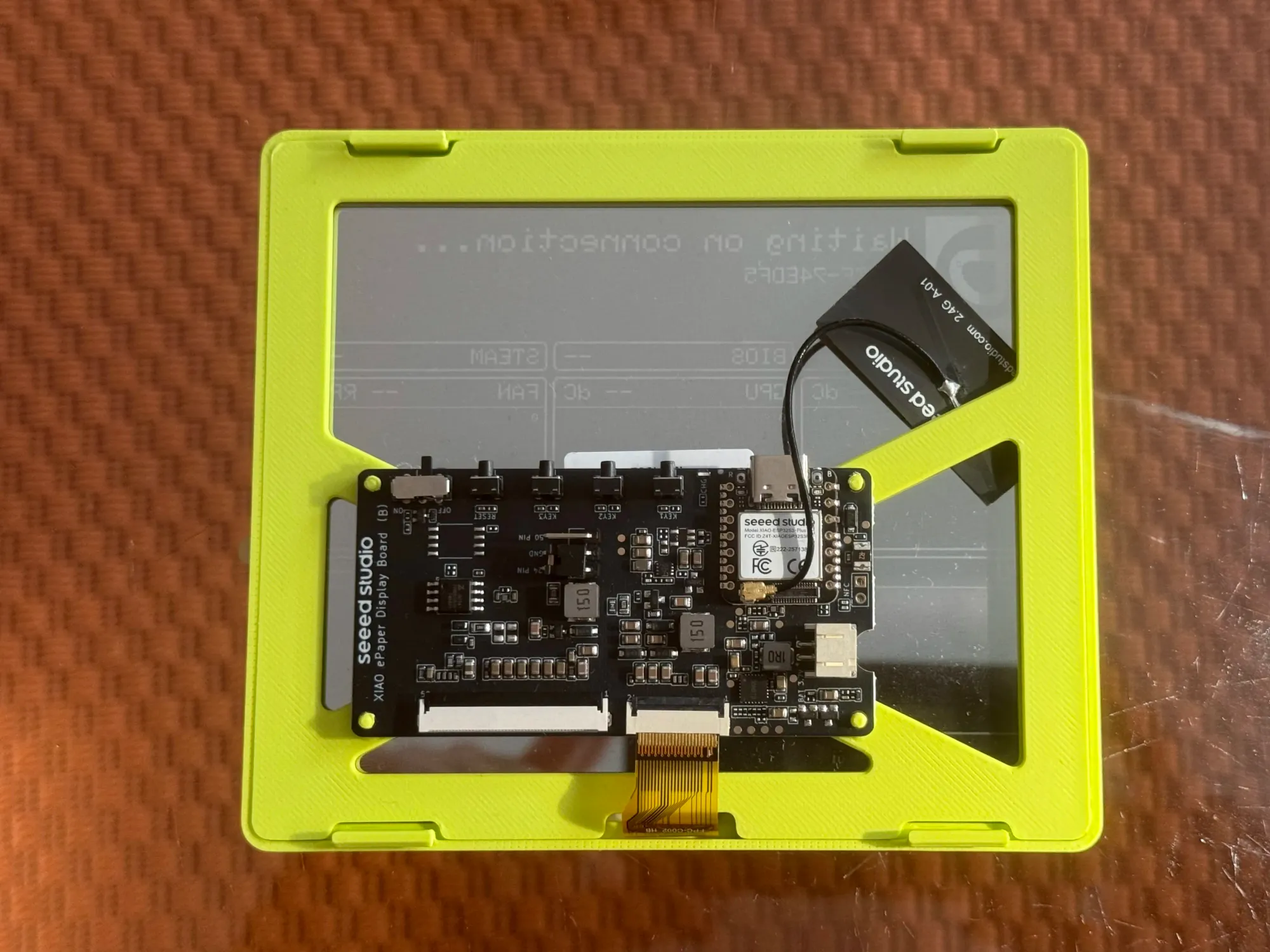
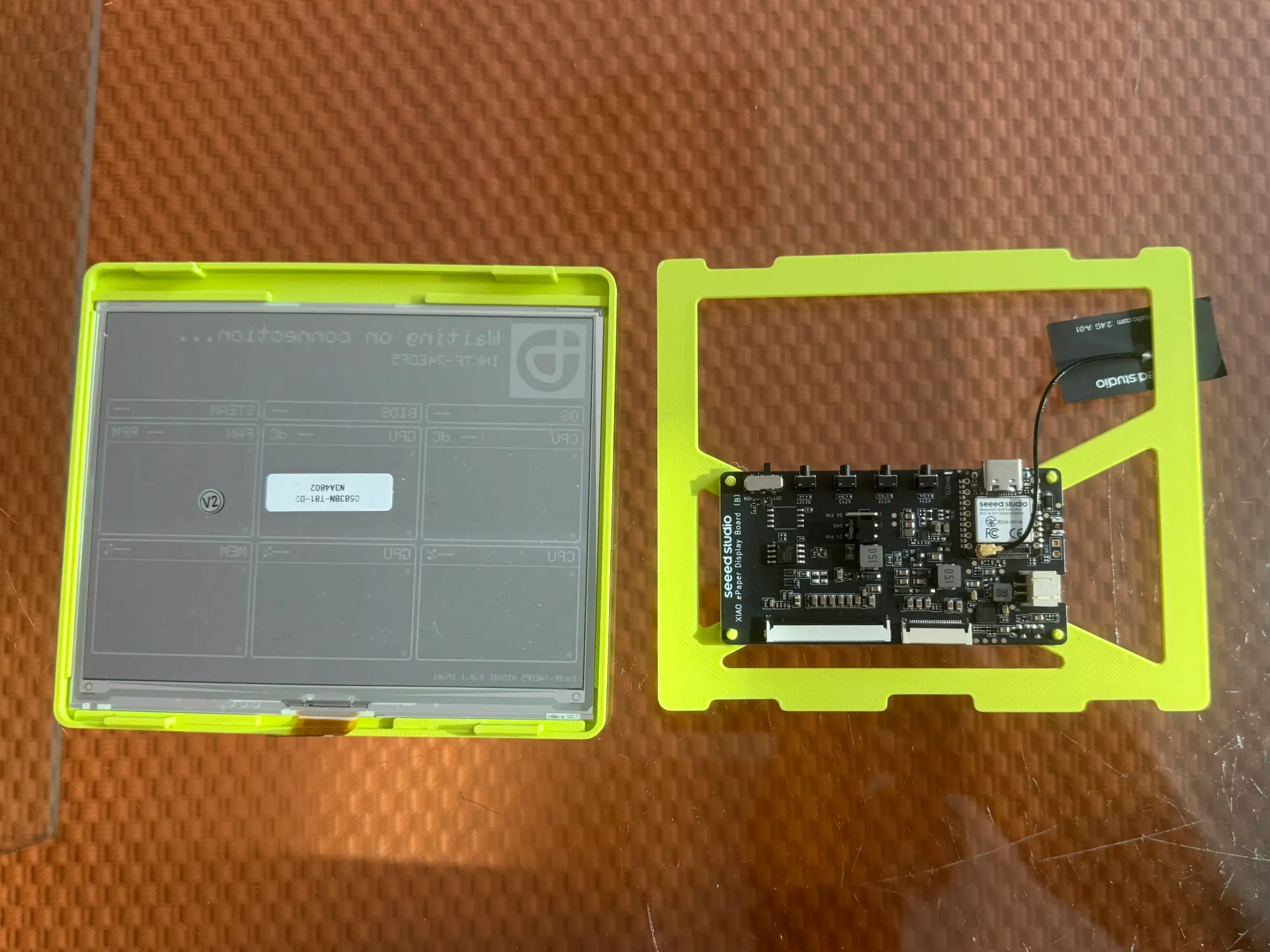
nicnic-cc used a Xiao ePaper display board and a Waveshare ePaper display for the Beaminnie. The board connects directly to the headers on the motherboard instead of using a battery.
The future
More than anything, I wonder what the community will do with the raw material that Valve has provided. An app that integrates with Steam and displays the art of the game you’re playing on the front of the device would be great.
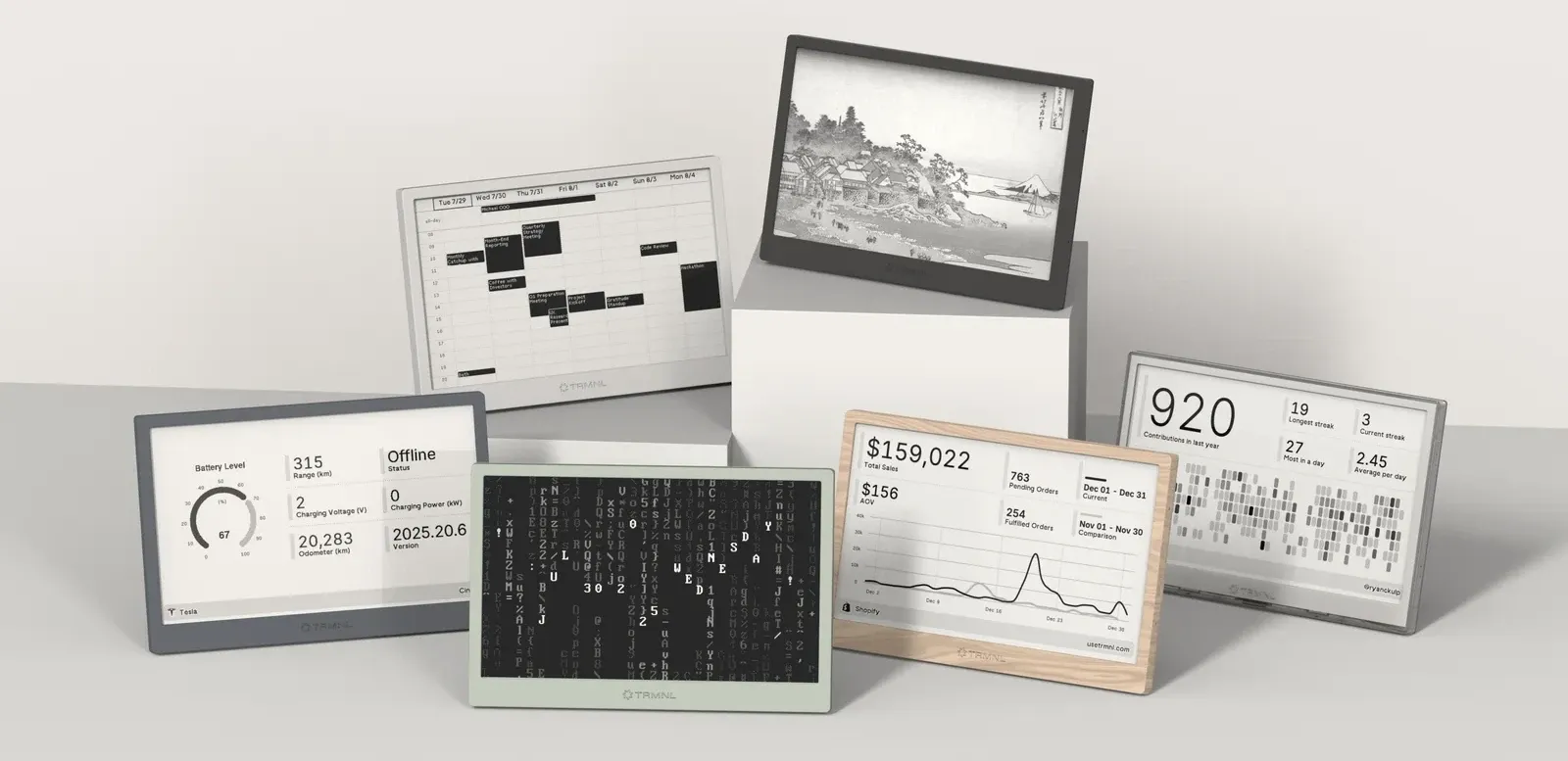
The Inkterface is also not dissimilar to the work being done by the company TRMNL, a startup that has leaned into Kindle hacking and DIY to create an ecosystem for ePaper calendar reminders. When I reached out to TRMNL, they replied that they had already publicly committed to porting their software to work on the Inkterface. While they do not have anything currently, TRMNL’s founder confirmed to me that they would be working to make their software work on the device soon. In addition to this, company JSAUX has already announced that they have two ePaper Steam Machine face plates in the works, although what that looks like in practice is another story.
“There were so many ideas and suggestions, but so little time!” Wright said. “I know some folks have added partial refresh, enabling sleep on the ESP32 would be nice, and of course a lot more stats could be collected and displayed. Daily news, weather, notifications–all would be cool! More than anything I’m excited to see how much better the community will make it and the interesting things they might build with the pieces!”
ePaper as a technology is entering into a beautiful space. While the displays themselves are still a little pricey, microcontrollers like the ESP32 have gotten cheap and are powerful enough to drive them to do serious tasks. Open source development like the work done on the Crosspoint’s firmware and Kindle hacking are creating new possibilities. What’s more, inexpensive ePaper displays like the Xteink are increasing the flexibility of these devices. Amazon does not own this space anymore, and it was an inevitability that they would not.
 Chris Person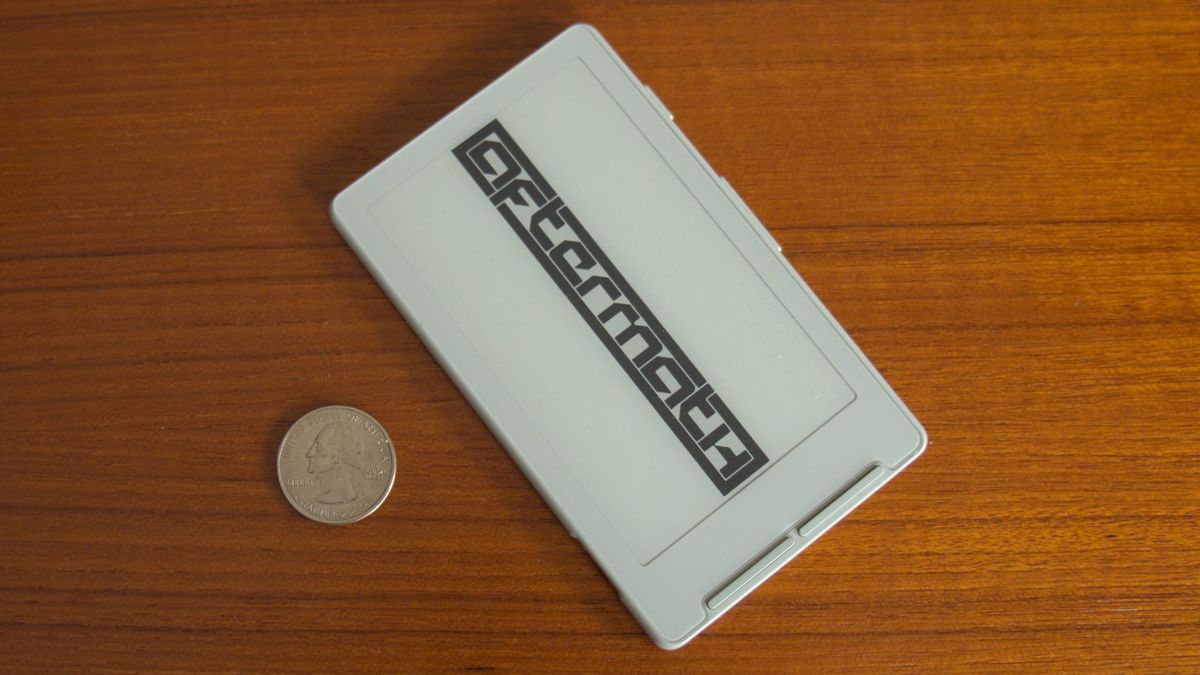
What Valve has done with the Inkterface rhymes with what was already happening organically in the DIY space. To the extent that a video game console can be ideological, the Inkterface perfectly represents what the Steam Machine is: open and overflowing with raw potential that extends beyond the device itself. It is not a product, but rather raw clay to be shaped. People can build, modify, and create their own Inkterface, with or without a Steam Machine. They can modify the firmware, change the form factor, or even have it run on different hardware altogether. People can embed an Inkterface in a custom PC case, run it hardwired, and change the logo to reflect that it’s running Bazzite. The Inkterface is niche for now, a 3D printed product for a specific device, but like many open source projects, it’s impossible to predict what people will build with what they have been given.
“Hopefully,” Wright said, “it’s all small and simple enough that if someone is interested they can break it down and understand any individual part, realize they could make something way cooler, and go for it!”


