

The Steam Machine came out in sub-optimal times not just when it comes to storage and RAM pricing, but also when it comes to its basic configuration out of the box. The PC uses DDR5 SODIMM memory, the kind normally found in laptops, but due to supply chain restrictions Valve were only able to ship the machine with a single 16 gig stick of memory instead of two 8 gig sticks. Basically no PC builder ships with a single stick of memory when two would suffice. Doing so has a significant cost in CPU-bound tasks, although for many games this is less impactful. In a rational market this would not be a problem, and upgrading to 32 or 64GB of RAM in an ideal configuration would be both cheap and simple. But we do not live in a rational market and that’s how it shipped, so I paid out the ass for a single stick of compatible memory to try to see how annoying it is to put in there and how much of a difference it actually made.
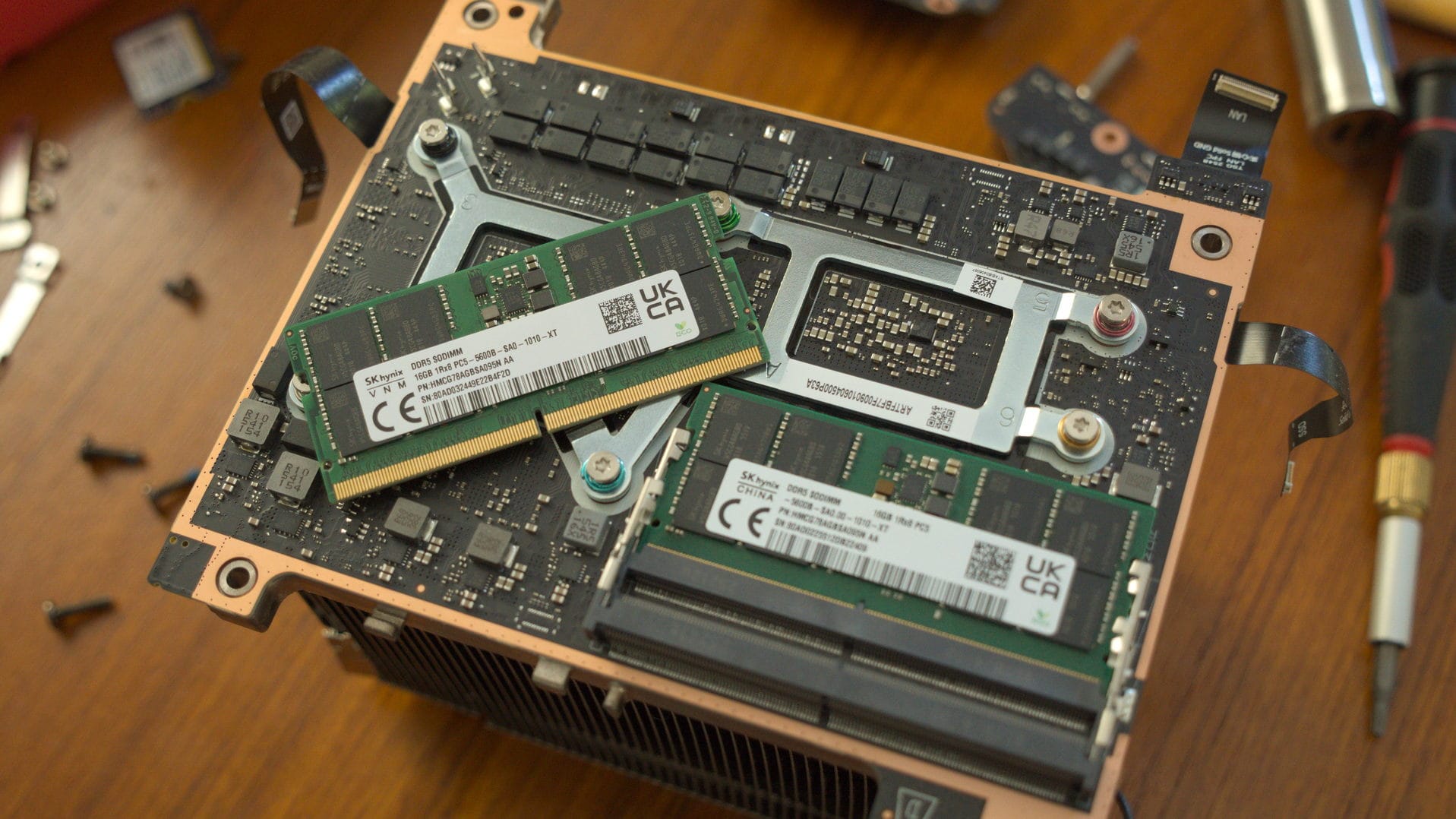
A single channel situation
Valve has said that, while the single stick isn’t ideal, it is what they could get currently and that this configuration will not impact the majority of games. For the most part that’s true: Most games are more bound to GPU performance and the amount of VRAM is a more significant deciding factor. RAM being single channel mostly impacts CPU-bound tasks. But for some games, like Baldur’s Gate 3, and CPU-bound tasks like productivity software and file compression, there is a noticeable performance hike from having two channels of RAM or more memory generally.
In theory, the idea of shipping a single higher capacity stick of memory has benefits. If a user wants to upgrade to 32GB, then adding a single 16GB stick instead of having to buy two 16GB sticks has upsides. The part where this issue gets more complicated when you factor in matching the existing stick of RAM. It is not simply enough to throw a similar stick of DDR5 laptop RAM of the same capacity into a motherboard; you actually have to make sure it has the exact same specs and speed as well. To not do so causes instability down the line, and sometimes a machine won’t even boot at all. In any remotely sensible environment where RAM is cheap and plentiful this is a non-issue, as you usually just buy two or more of the same matching sticks of RAM. But the situation is what it is, and since we are fairly early into the lifecycle of the Steam Machine, people are still testing the waters with upgrading.
Because I did not wish to purchase and return RAM and Aftermath does not have “two sticks of matching DDR5 RAM in 2026” kinds of money to throw around, I opted to try to match the existing RAM as closely as possible. This leaves two routes: either try to match the specific specs of the Steam Machine’s RAM using another vendor, or get another stick of the exact same SK Hynix RAM. The former is riskier, although since buying the RAM a week ago I have seen reports of people attempting this with Crucial memory. The RAM inside of the Machine is non-ECC, DDR5-5600 and operates at CAS latency of CL46.
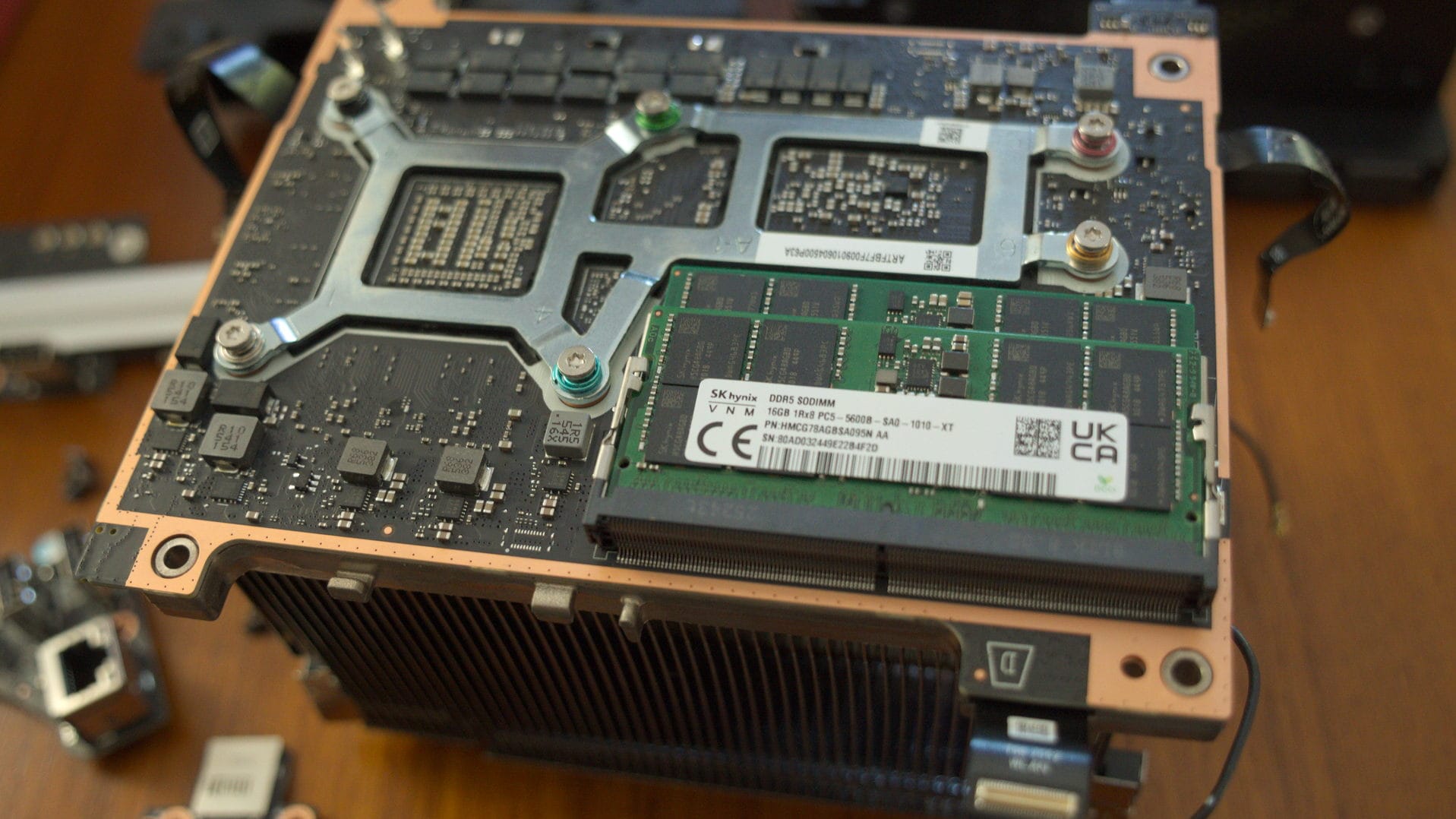
Instead of taking a risk I opted to match the existing stick in the device, which as of launch is SK Hynix DDR5 SODIMM HMCG78AGBSA095 AA. Writing this article personally cost me 225 dollars plus tax for something that would have cost nothing a year ago. Please subscribe to Aftermath if you have not already.
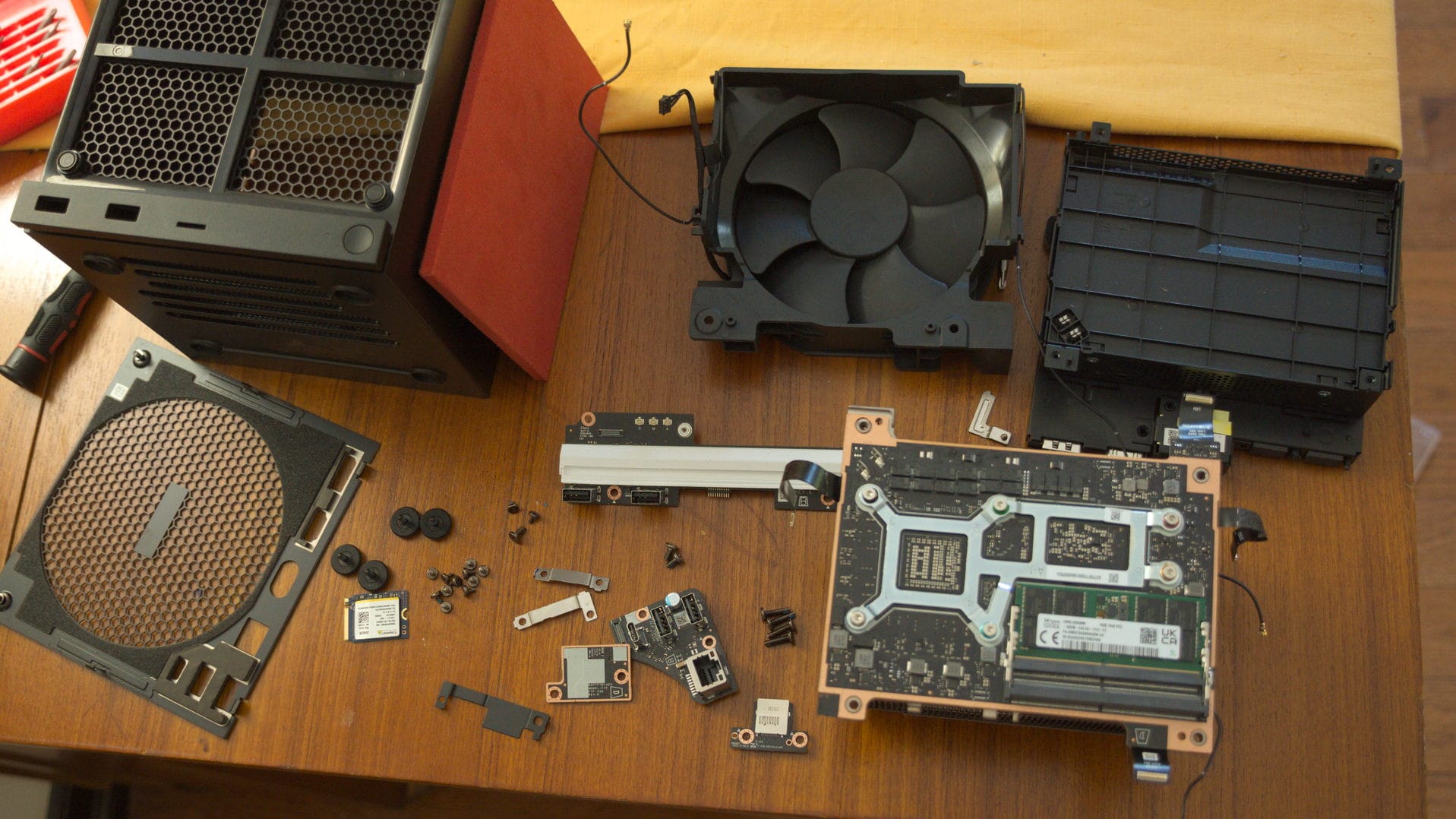
I’m in.
While the Steam Machine is a marvel of engineering, it takes a bit of work to get everything into a compact little cube. The entire device is a tiny sliver of baby computer attached to a server-style cooler and a single, purpose-built fan and shroud combo. Unlike a full PC build where you would simply pop the side open and, provided the CPU cooler is not in the way, just snap some RAM in, the Steam Machine has to be taken almost entirely apart if you want to service the RAM. Thankfully you do not need to do this if you want access to the hard drive, as the entire thing is on a breakout board attached to the bottom of the device. The RAM, on the other hand, is a bit trickier to reach. While it mercifully does not involve removing the board from the cooler and thus needing to reapply thermal compound, it does require you to remove both the fan and the power supply. It is best not to conceptualize this as upgrading a PC, but something closer to a weird stationary handheld.
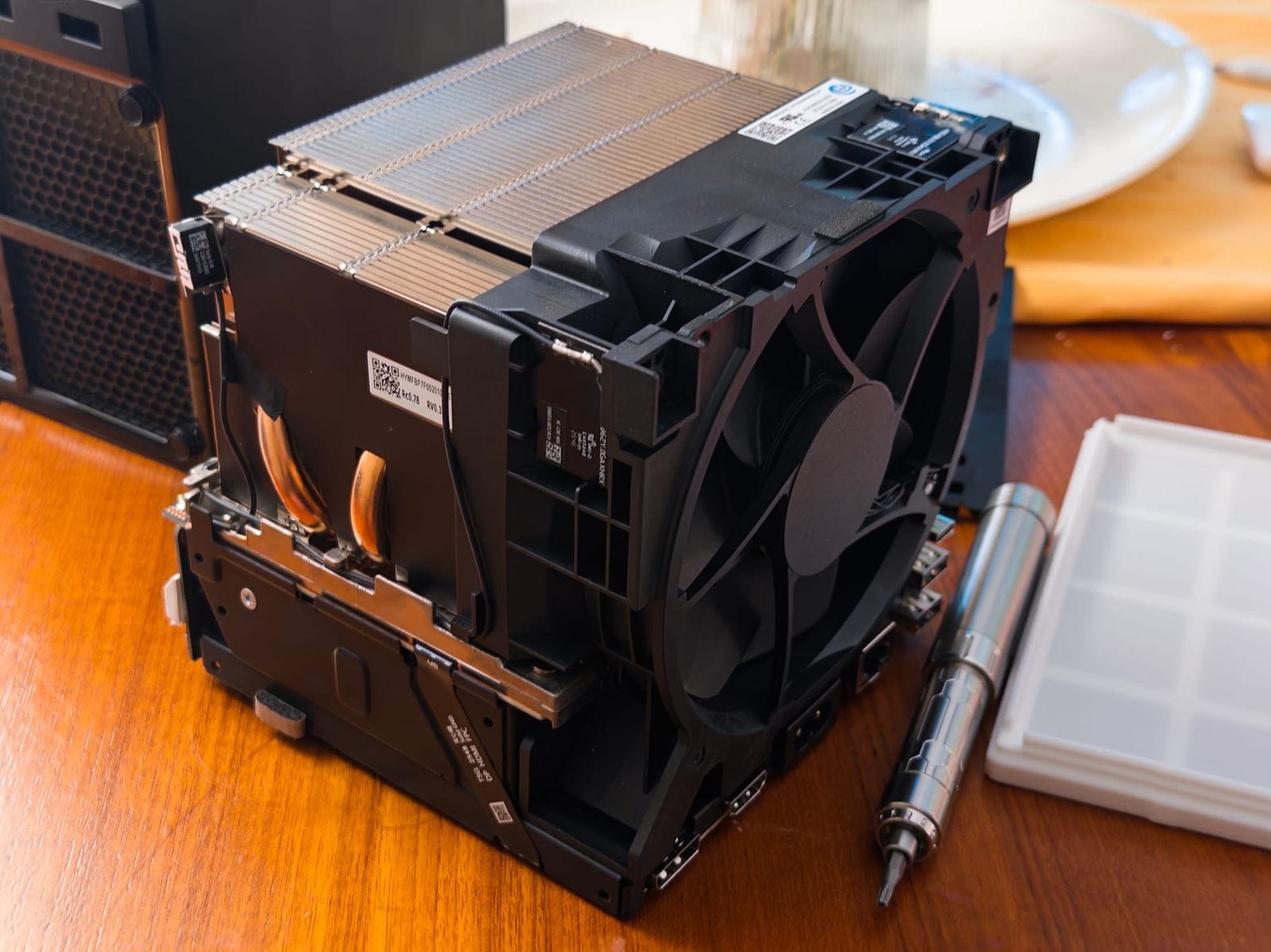
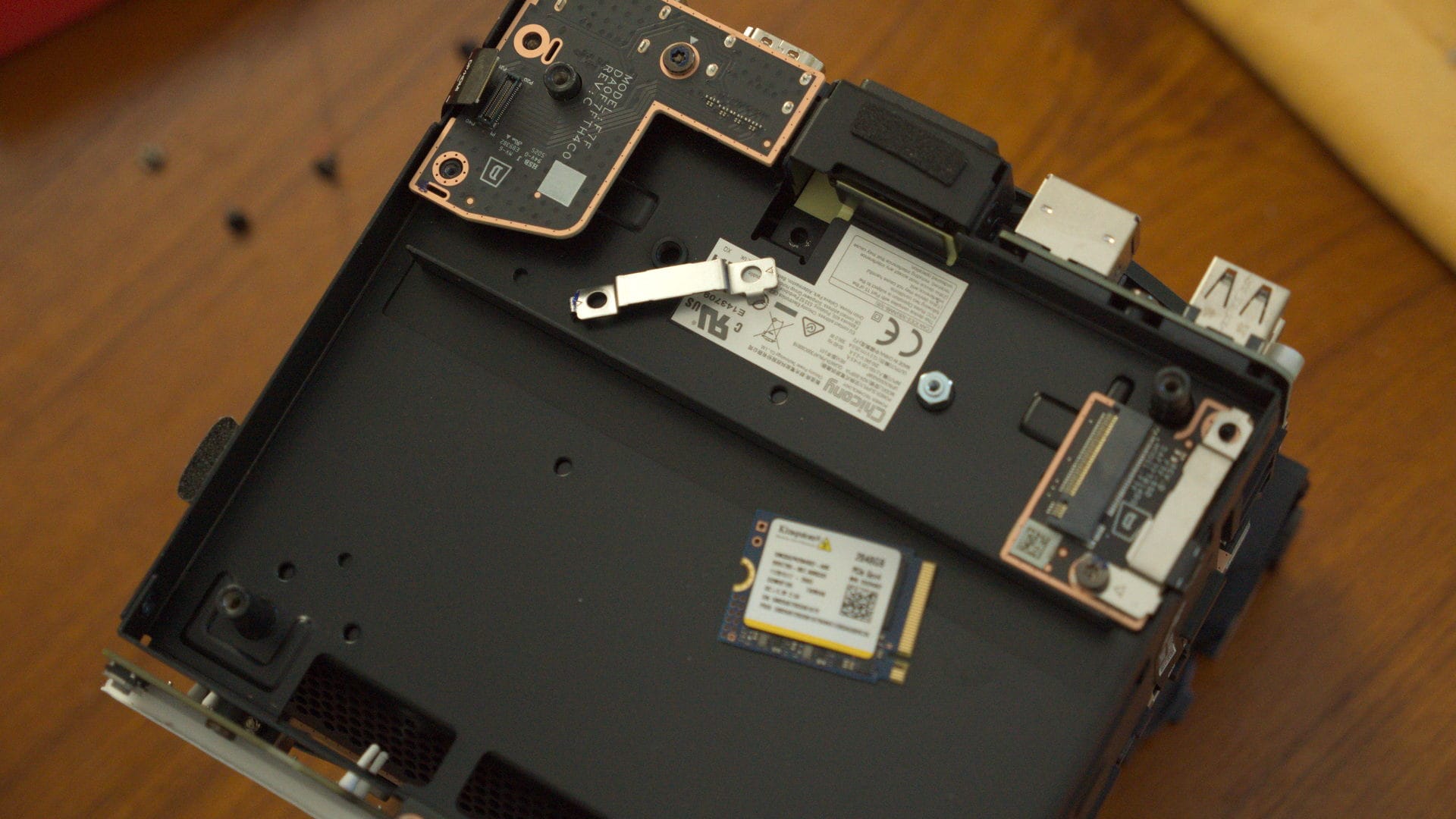
In order to access the RAM you need to remove the fan, disconnect all four ribbon cables, and disconnect the antennas. It's actually laid out fairly intuitively, but harder than a regular PC upgrade.
Valve’s history with the Steam Machine is visible in many of the choices they made. Removing the shell is fairly easy, involving two screws on the back, four screw-off feet on the bottom, and a few on the rear fan. From there the internals just slide out. The front and rear I/O are individual breakout boards that are modular and easy to replace if they break, and Valve is historically fairly good at providing replacement parts. Both the front and rear I/O panels and two breakout boards on the bottom are attached with ribbon cables that are lightly glued down. These are the parts that you super have to worry about, as ribbon cables are delicate and prone to tearing. You do not want that. Fortunately, Valve opted for the good ribbon cable connectors that just snap in and out, and the amount of glue keeping them on is slightly more than gaffer’s tape. You will still need to remove the metal protectors holding the snap-in ends on, but if you are methodical, take your time, follow a guide (preferably one sanctioned by Valve) and set your screws apart then you should be fine. There is some variation between these screws, but mercifully you are using the same torx driver for the entire machine.
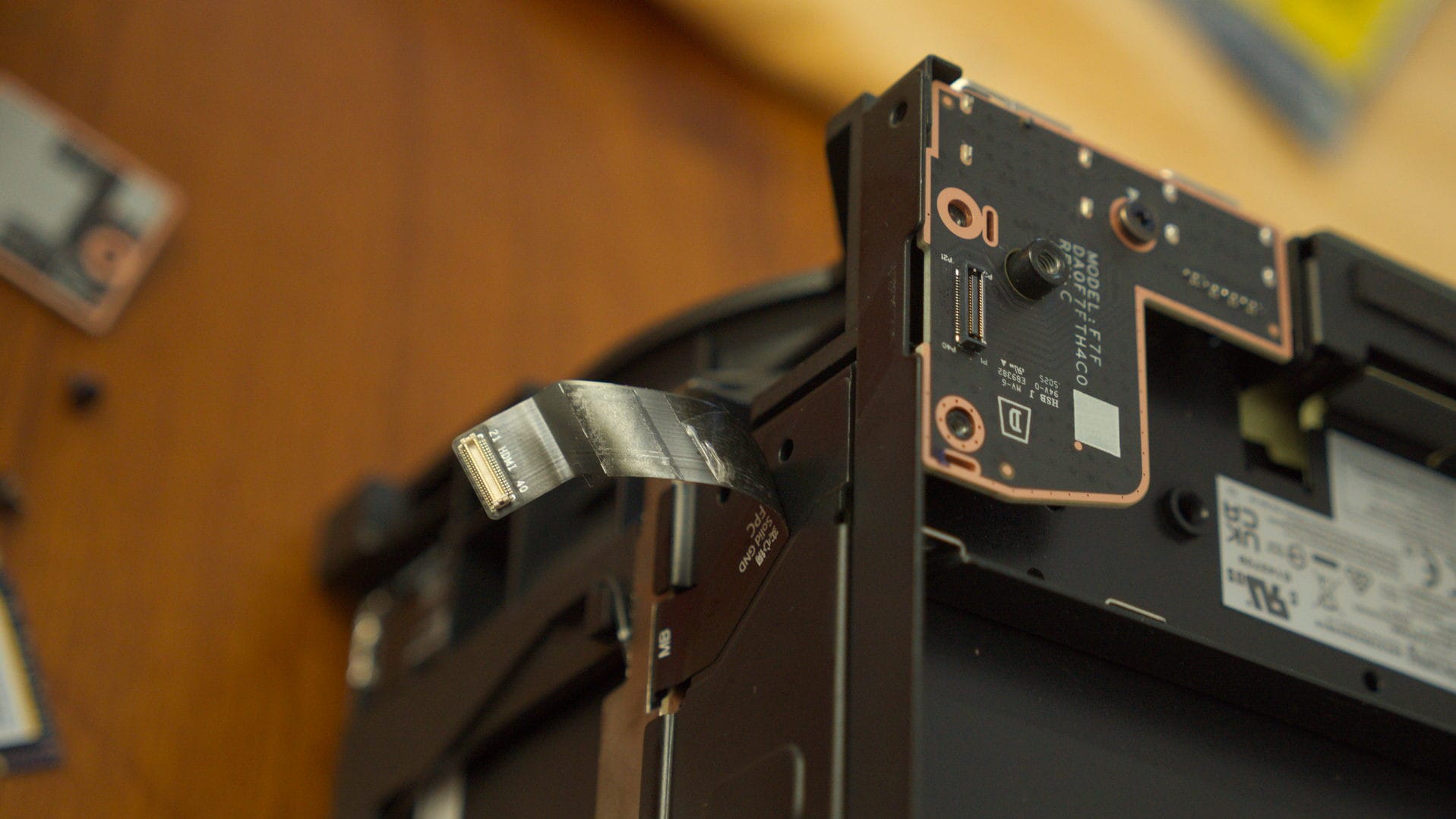
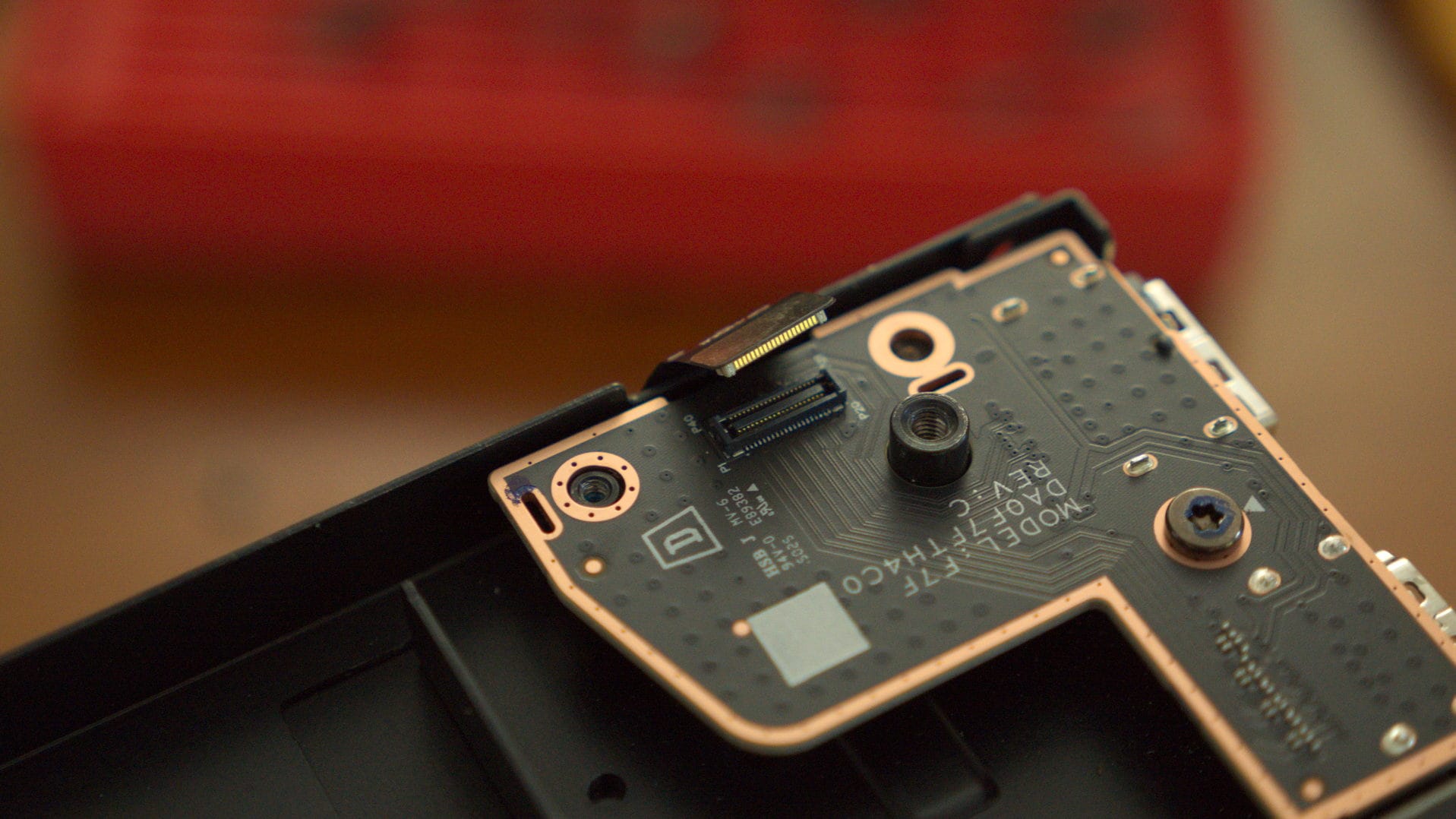
There are four ribbon cables that need to be removed. Most of these are hidden under metal shields that pop right off. Thankfully, Valve used the good ribbon connectors that snap off and the glue is not that intense.
Removing the fan is a tiny bit irritating but not the worst for someone following instructions. You will need to unplug the fan power as well as the antennas that snap into some of the breaker boards. It is worth making note of which antenna cables go into which port. Though some of the modules are glued directly to the fan unit, the actual antenna connectors just pop off.
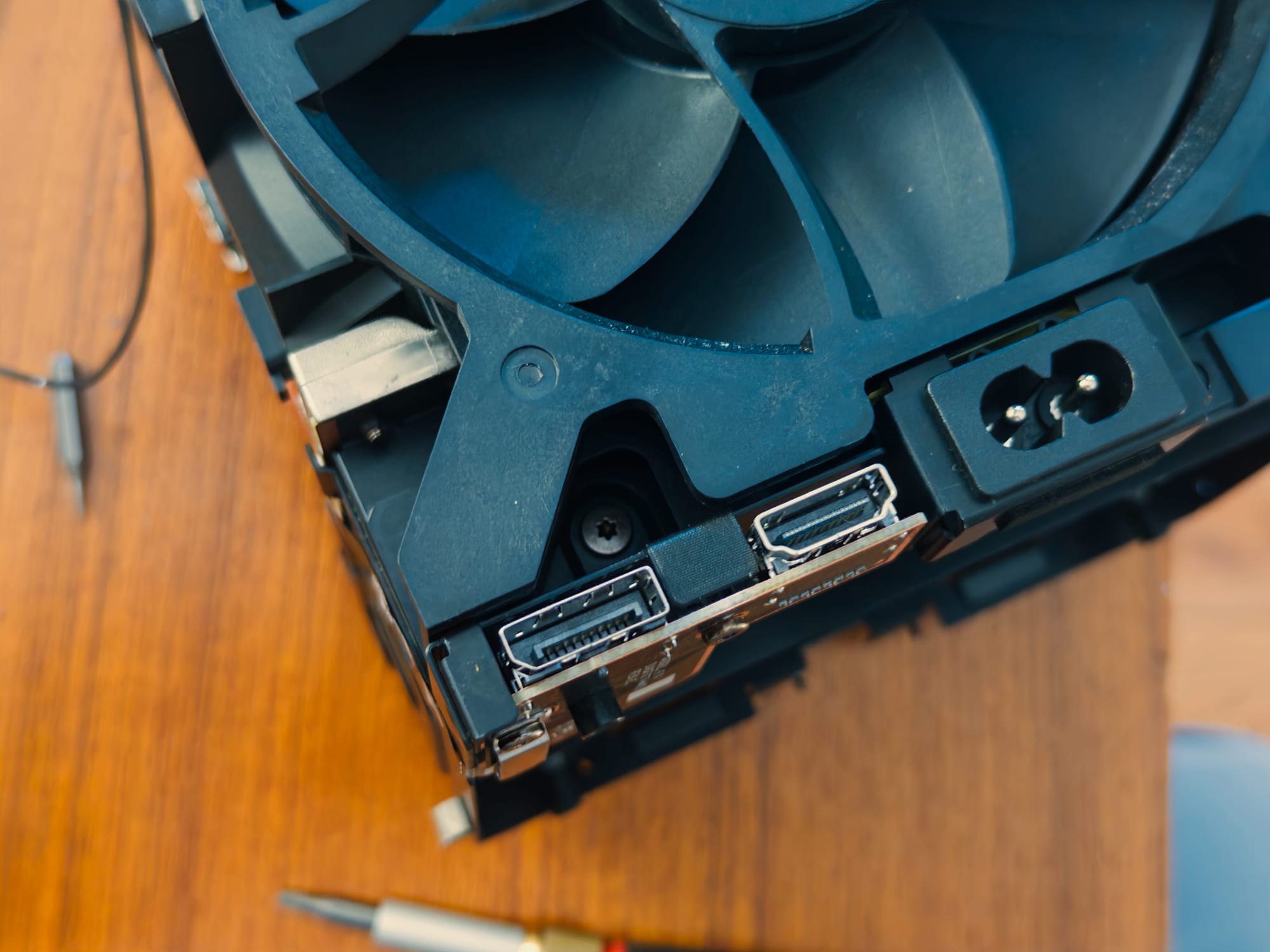
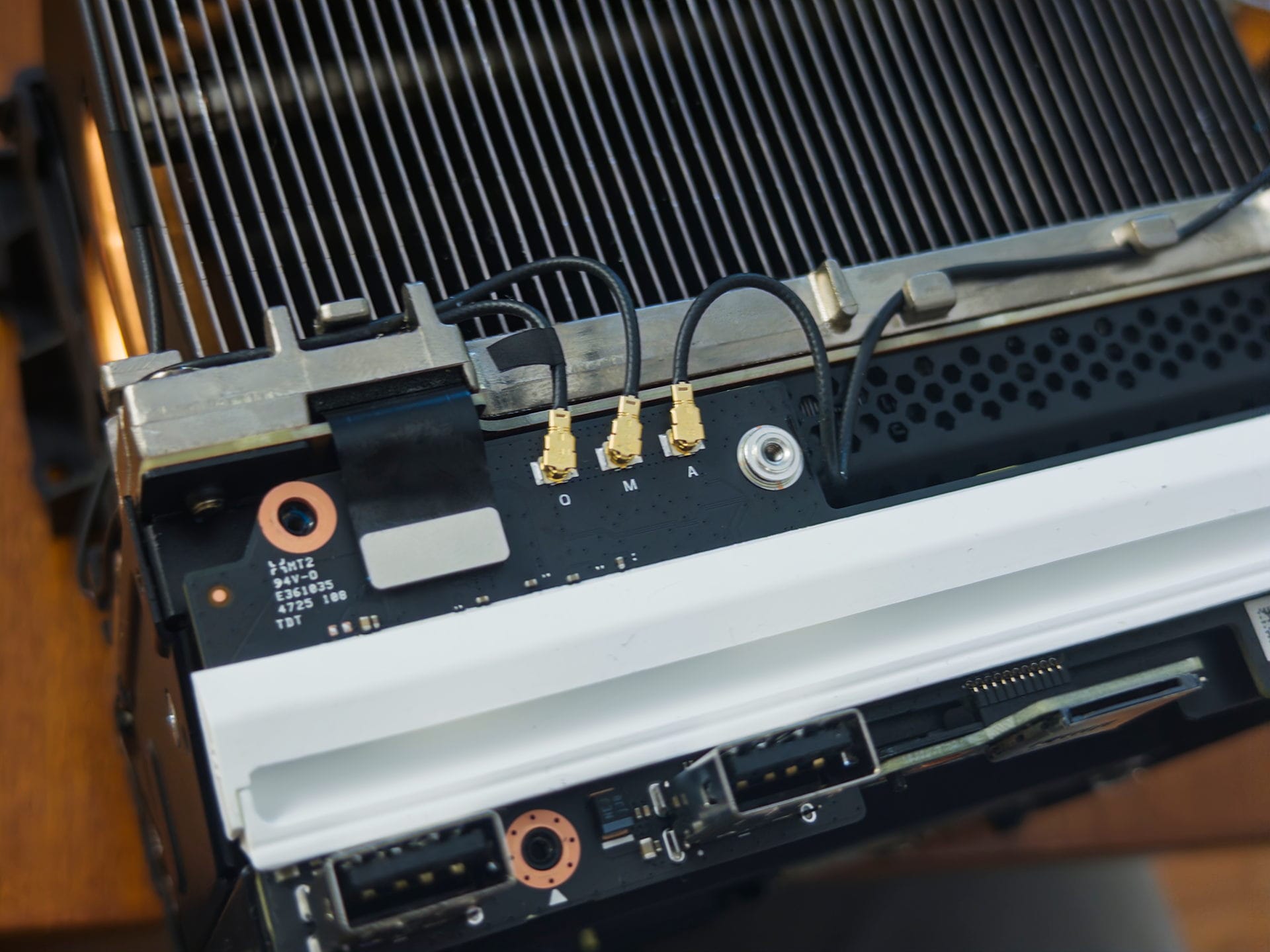
The most annoying part of the entire disassembly and reassembly is actually one screw connecting the fan that is a little annoying to reach, and you may need a slightly longer screwdriver to get to it. Once you remove the fan, disconnect everything connected to the PSU (including fan power and antenna) and make sure every ribbon cable is clear, then unscrew the four longer screws that attach the power supply to the rest of the computer. There, you’re in. Installing SODIMM RAM takes two seconds, and the process of reassembling the device is just the disassembly but in reverse.
Do you really need it?
Gamers Nexus has entire testing rigs devoted to this stuff whereas I am one guy. I roughly agree with their conclusions.
Thankfully, everything worked out. The Steam Machine booted and I did not experience any instability. Though I did do some minor benchmarking before and after installing, it was not a like-for-like comparison. Gamer’s Nexus did much more comprehensive benchmarks than I possibly could and noted significant uplifts in Baldur’s Gate 3 and compression. For my own part I loaded in Act 3 of Baldur’s Gate 3 and noted much more stability with the additional channel of RAM. Unexpectedly, Zero Parades of all games seemed to run significantly better with additional RAM in an ideal configuration, although I would need to rerun a comparison with the stock single 16GB stick of RAM against two 8GB sticks of RAM.



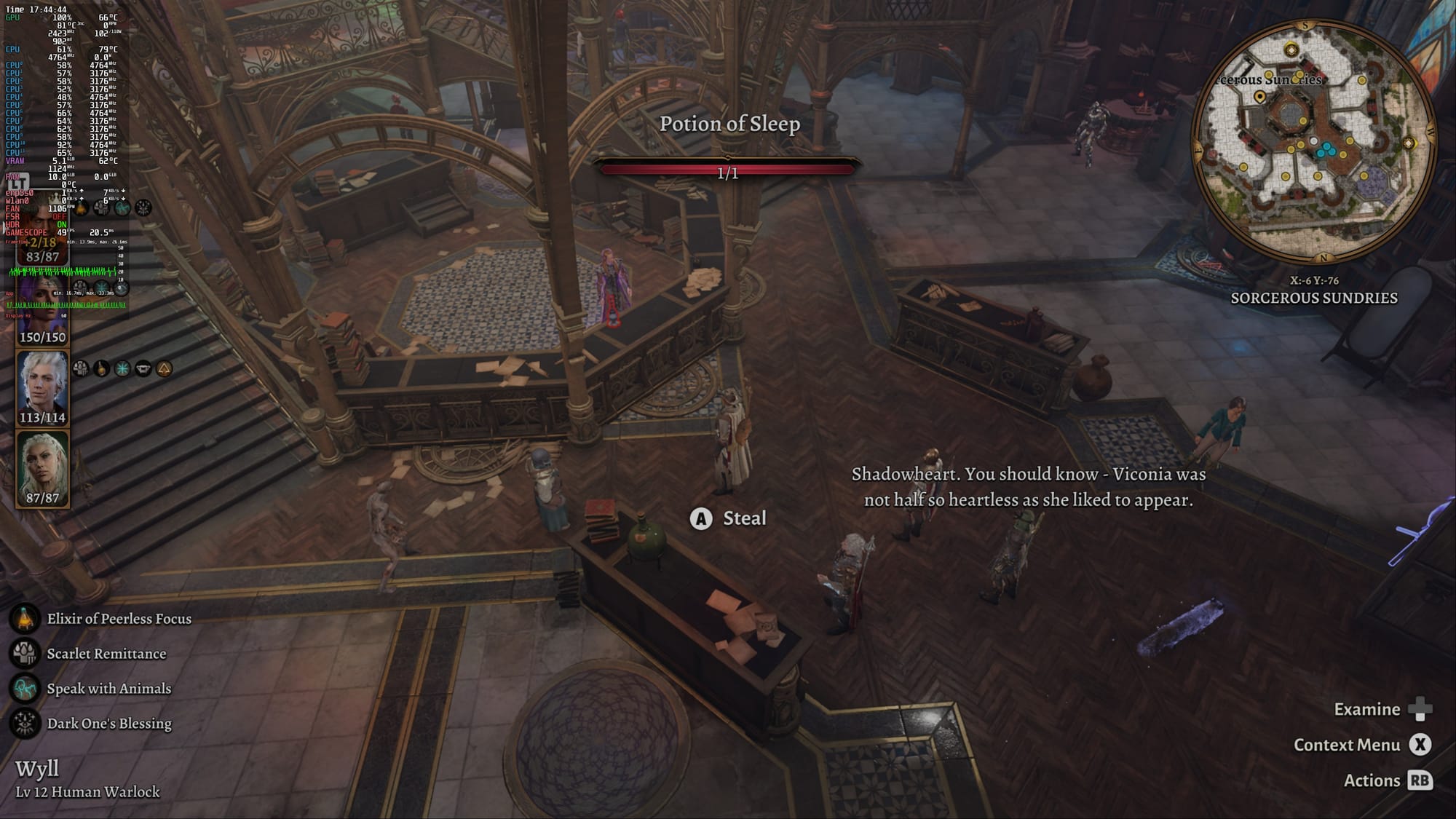
Baldur's Gate 3 was singled out for being a use case where more RAM in two channels could help and in my own testing it was more stable around the Lower City. Other games like Cyberpunk and RE9 saw some improvements, but were not as dramatic. (Left is before/right is after at 1440p with no FSR and medium settings)
In normal times, upgrading the Steam Machine’s RAM would be totally unnecessary but cheap if desired. In times before 2026, you didn’t second guess throwing as much as you could afford into a rig, because it was one of the cheapest components and you could just go to town on it. Unfortunately for Valve, the configuration they were forced into does leave performance on the table in hyper-specific instances, and the path to upgrading is slightly thorny. Valve clarified to Gamers Nexus that “it is possible that this might change in future builds ” but that currently shipping units are all 1x16GB. Down the line if RAM prices ever recover then maybe upgrading might become a no-brainer.
For now, purchasing the RAM is more complicated than it needs to be, you may not notice a difference, the process itself is slightly tricky and getting that upgrade might blow a two hundred and forty five dollar hole in your wallet. From every angle, this is slightly sub-optimal. There’s not much we can do but hope for a very different world in the future.


